 serin labs
On this page
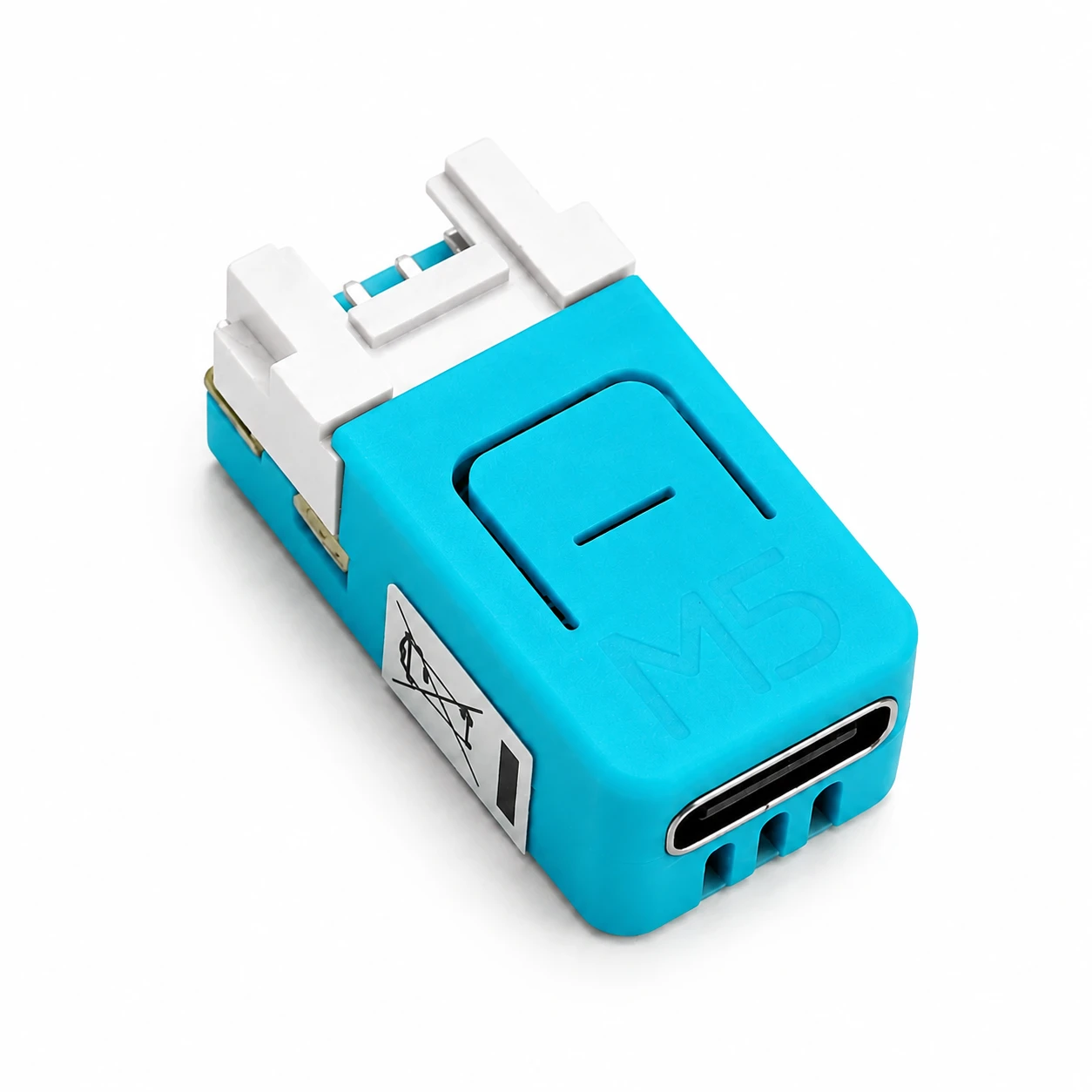
- Button
- Turquoise surface on top.
- Indicator windows
- Three openings below USB-C.
- RGB status LED
- See colors and patterns below.
- Blue Wi-Fi LED
- On when disconnected from Wi-Fi; off when connected. The NanoC6 RGB LED does not signal Wi-Fi loss.
LED meanings apply to HomeKit-compatible and Matter-compatible firmware.
Enlarge illustration.Status light meanings
For HomeKit-compatible and Matter-compatible firmware:
With ESPHome firmware, the LED is a standard Home Assistant light entity. The status
meanings below do not apply.
| Light | What it means |
|---|---|
| Off | The controller is operating normally. |
| White solid | Starting up; normally turns off when the web interface is available, after about five seconds. A new Matter-compatible controller stays white until added to an app. |
| White slow pulse | A firmware update is in progress. Do not disconnect power. If the update does not finish, see OTA update fails or the controller does not respond. |
| White fast blink | The identification function is active. The light turns off after three seconds. |
| Blue slow pulse | The setup Wi-Fi network is waiting for a connection. On Matter-compatible firmware this is a recovery network; initial pairing uses Bluetooth. |
| Blue fast blink | The controller is connecting with the Wi-Fi credentials you entered. This may take up to 30 seconds. |
| Blue solid | Reconnecting after Wi-Fi loss, on boards without a separate blue Wi-Fi LED. See Wi-Fi troubleshooting. |
| Green solid | Confirmation: the controller connected to Wi-Fi or paired with a Serin Link. The light remains on for a few seconds. |
| Red solid | No response over CN105. See CN105 troubleshooting. |
| Red fast blink, then stops | The most recent action failed. The Wi-Fi credentials may be incorrect, or Serin Link pairing was unsuccessful. |
| Red fast blink, continuous | The indoor unit is reporting an error code. The web interface displays the code. |
| Yellow slow pulse | Safe mode after repeated crashes. See safe-mode recovery. |
| Purple slow pulse | A Serin Link pairing window is open. |
| Orange fast blink | The paired Serin Link was removed. The light blinks for two seconds, then the controller restarts. |
| Cyan slow pulse | The controller is on your network and has not been added to an app (Matter-compatible firmware). |
| Cyan fast blink | A pairing process is in progress (Matter-compatible firmware). |
Setup signals take priority over faults. Holding the board button overrides the current signal.
Button hold actions
These actions apply to HomeKit-compatible and Matter-compatible firmware. See Change Wi-Fi or Restart and reset for the full procedures.
Pairing actions happen on release. The Wi-Fi reset happens during the hold, at 10 seconds.
| Hold time | Light | Action |
|---|---|---|
| 2 to 7 seconds | Purple solid | Release to open a Serin Link pairing window or remove the current pairing. Releasing while a pairing window is open cancels it. |
| 7 to 10 seconds | Red fast blink | No action. Release the button during this interval to cancel. |
| 10 seconds | Red fast blink | Erases the stored Wi-Fi credentials and restarts immediately, while the button is still pressed. |
On boards with a button but no RGB LED, the same press durations apply, but no visual indicator is available.