 serin labs
These instructions cover HomeKit-compatible and Matter-compatible firmware. For ESPHome, use the ESPHome sensor routes.
On this page
Before you start
Confirm heat-pump control works and place the thermometer within Bluetooth range of the controller.
Configure sensors in the web interface
HomeKit-compatible and Matter-compatible firmware can read up to four compatible Bluetooth thermometers. No Home Assistant or manual Bluetooth pairing is required.
- Open the web interface > Room Sensor.
- Turn on Enable Remote Sensors, select Add Sensor…, and choose your thermometer from the scan results. The source list also includes the indoor sensor and a paired Serin Link.
- Choose Single to use one source, or Average and select several remote sources. The indoor unit's sensor cannot be included in a remote average.
- If needed, adjust a sensor's calibration offset against a reference thermometer.
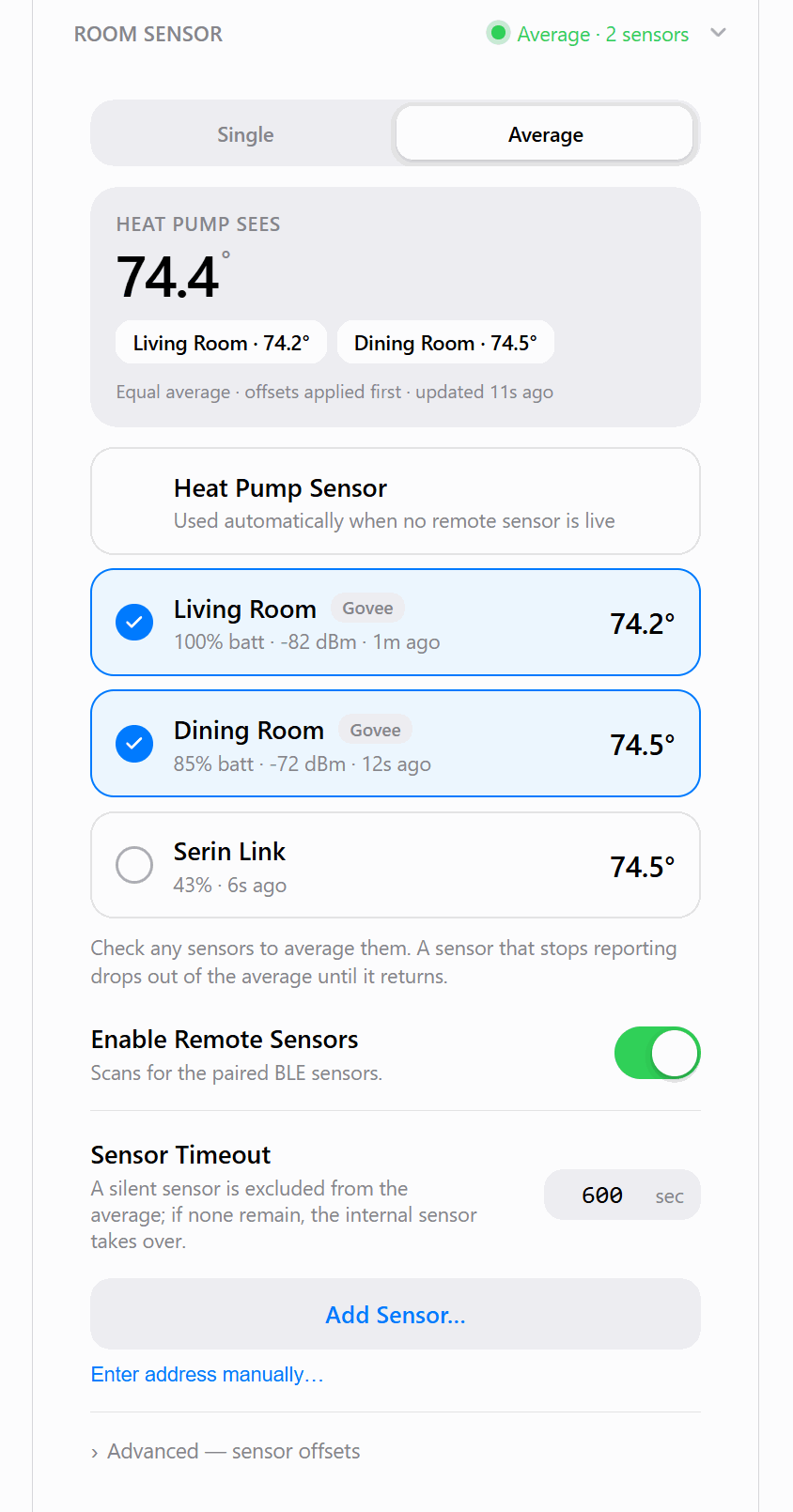
Average excludes sources that stop reporting. When no selected remote source has a usable reading, the indoor sensor takes over. See the fallback diagram.
On HomeKit-compatible firmware, the first Bluetooth sensor also appears as its own Apple Home accessory with temperature, humidity, and a low-battery warning.
Check the selected source
Compare the room reading with the selected thermometer or average. If a source is missing, check its reporting state, battery and signal in Room Sensor. For Serin Link, see selecting its sensor.