 serin labs
On this page
Serin Link can pair with more than one Serin Controller. With multiple zones, the home screen shows the selected zone name at the bottom:
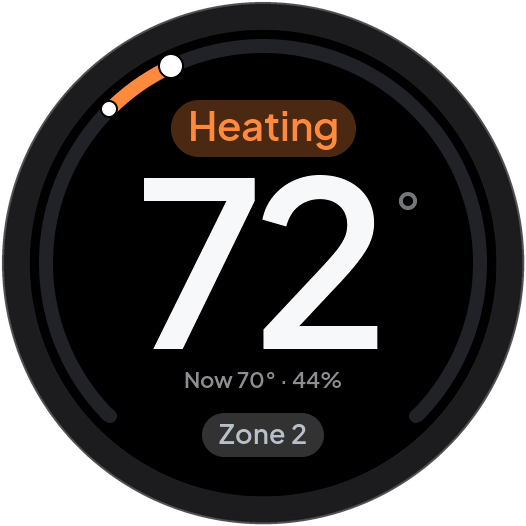
Swipe left or right on the home screen to change the selected zone.
Alternatively, use the zone selection screen:
- On the home screen, hold or tap the zone name to open the zone selection screen.
- Turn the knob to highlight a zone.
- Push the knob to select that zone.
The zone selection screen shows all zones on the ring. The temperature and state of the highlighted zone show in the center. Select Back to leave without changing zones.
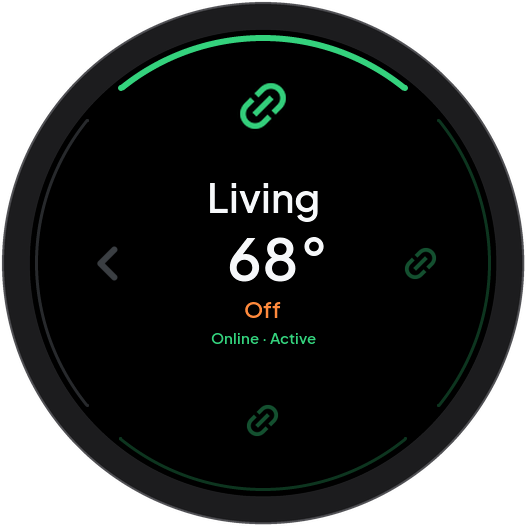
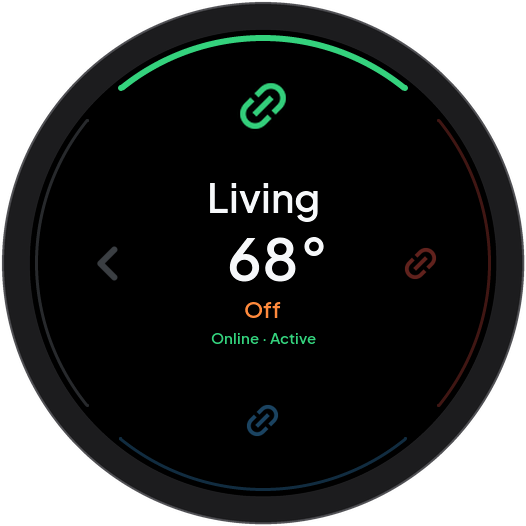
Each zone marker has a color that shows the connection state:
- Green, with Online: Serin Link can exchange data with the Serin Controller in that zone.
- Amber, with Fault: Serin Link can exchange data with that Serin Controller, and that zone reports a heat pump fault. Refer to Heat pump fault.
- Blue, with Checking: Serin Link tries to contact the Serin Controller in that zone.
- Grey, with Stale: Serin Link has no current data from that zone. That Serin Controller last used a different radio channel.
- Red, with Offline: Serin Link cannot exchange data with the Serin Controller in that zone.
· Active after the state shows that the highlighted zone is the selected zone. The temperature of a Stale or Offline zone becomes dim, because it is no longer current.
Add or forget a zone
To add a zone:
- Open pairing on the intended controller as described in First power-on and pairing.
- On Serin Link, open Settings.
- Turn the knob to highlight Link.
- Push the knob to start add zone.
- Keep the controller pairing window open until the search completes.
To forget one zone:
- Select the zone that you want to remove.
- Open Settings.
- Turn the knob to highlight Link.
- Check the zone name in the center of the screen.
- Keep the knob pushed until the confirmation arc is complete.
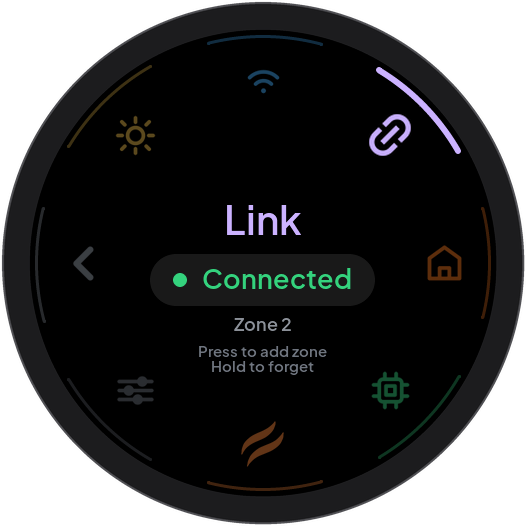
Serin Link removes the active zone pairing and restarts. Other zone pairings remain. Release the knob before the arc completes to cancel. To remove all zones and preferences, use Reset Link.
For pairing failures or a zone limit, see Pairing recovery.