serin labs
On this page
The result of a control action depends on the screen and the selected item:
Scroll sideways to read all columns.
| Gesture | What it does |
|---|---|
| Turn the knob | Changes the target temperature on the home screen or the highlighted item in a menu. Changes the fan or vane setting when the control is ready for adjustment. Does not open another screen. |
| Tap, or push the knob | Opens an item, selects an item, or applies a change. On the home screen, a knob push opens the Menu. |
| Tap the left or right side of the home screen | Decreases or increases the set temperature by one step. |
| Hold (approximately 0.6 seconds) | Usually returns home. On Home, opens Zones when available. The exceptions below take priority. |
| Long hold with a confirmation arc | Unlocks controls, forgets a zone, changes a working network, suppresses the Wi-Fi offer, or opens reset confirmation. Early release cancels. |
| Flick up on the home screen | Opens the Airflow controls. |
| Slide on an Airflow control | Changes the fan speed or vane angle. Slide up or down on the fan bar or the vertical vane. Slide left or right on the horizontal vane. |
| Flick down on the Airflow screen, outside the controls | Returns to the screen that opened Airflow. |
| Swipe left or right on the home screen | Changes the selected zone. |
Back returns to the previous screen. Hold the knob to return home.
To hold, keep the knob pushed. Use the knob for hold procedures; touch holds depend on where you touch. A flick is a quick movement, while a slide starts on the control you want to adjust.
A hold can instead cancel a pairing search, cancel an update, close a dialog, or leave Wi-Fi setup. During update verification or restart, a hold does not cancel the update. Follow each screen’s instructions.
Protected actions use a longer hold. Keep the knob pushed until the confirmation arc is complete. Release early to cancel the hold. For Reset Link, the complete arc opens a second confirmation dialog. The arc alone does not erase anything.

Menu navigation
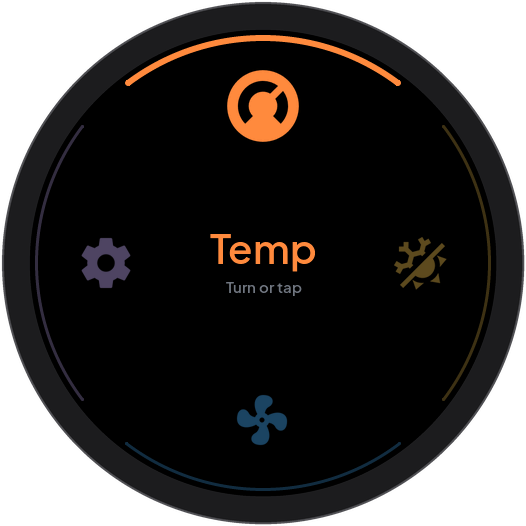
The Menu has a ring of controls: Home, Mode, Airflow, Zones, Settings, and Back. Zones shows only with two or more zones. Airflow shows only when the heat pump has fan or vane controls.
- On the home screen, tap the center or push the knob to open the Menu.
- Turn the knob to highlight a control.
- Push the knob or tap the control to open it.
Home returns to the home screen.