 serin labs
On this page
Use these controls for the selected room. To operate another room, select its zone first.
The home screen
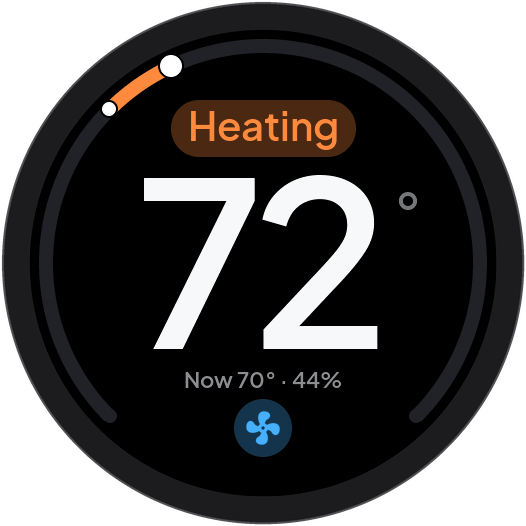
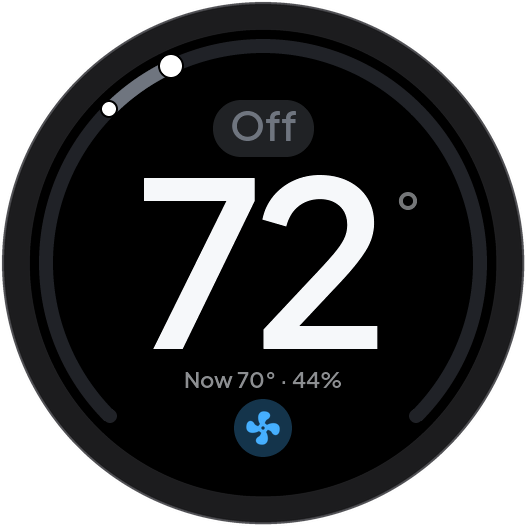
The home screen shows the temperature and heat pump controls for daily use:
-
The large number shows the target temperature. Turn the knob to change the target temperature. When you stop, Serin Link automatically sends the change to the heat pump. Alternatively, move your finger along the ring to change the target temperature, or tap the left side of the screen to decrease it and the right side to increase it. Each tap changes the target by one step.

Target temperature changes as the knob turns On first use, on-screen tips introduce the controls without changing the heat pump.
- The bright marker on the ring shows the target temperature within the available range. During heat pump operation, the arc behind this marker fills toward the marker. The smaller marker shows the current room temperature on the same ring.
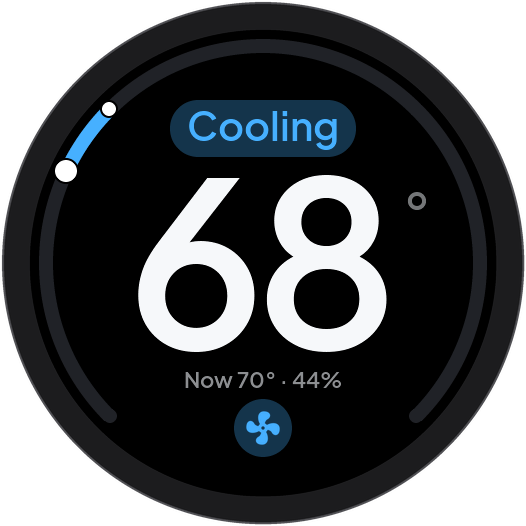
- The status label above the large number shows the current heat pump operation, for example, Heating or Cooling. When the heat pump is idle, the label shows the current mode. Tap the status label to open the mode selection screen. The status label also shows warnings. Refer to Troubleshooting.
- The “Now” line below the large number shows the measured room temperature and humidity.
- The small fan button at the bottom opens the Airflow controls when you tap it. If Serin Link has more than one zone, the current zone name shows in this position instead.

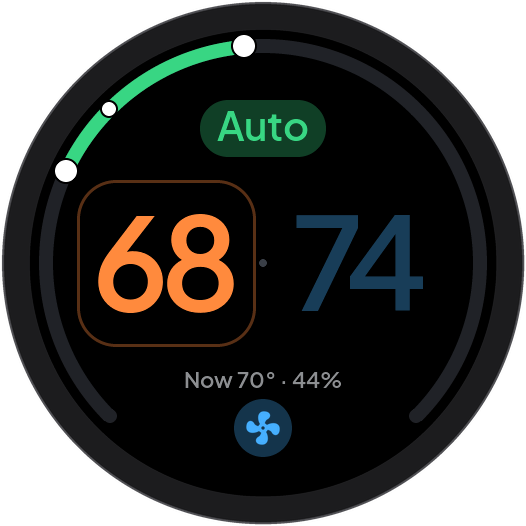
In Heat/Cool mode, the heat pump keeps the room temperature between two limits. The home screen shows both temperatures.
- Tap the temperature that you want to change.
- Turn the knob to change that temperature. Alternatively, tap the left side of the screen to decrease it, or the right side to increase it.
Choosing a mode
- Open the mode selection screen from the Menu or tap the status label on the home screen.
- Turn the knob to highlight a mode.
- Push the knob or tap the mode icon to select that mode.
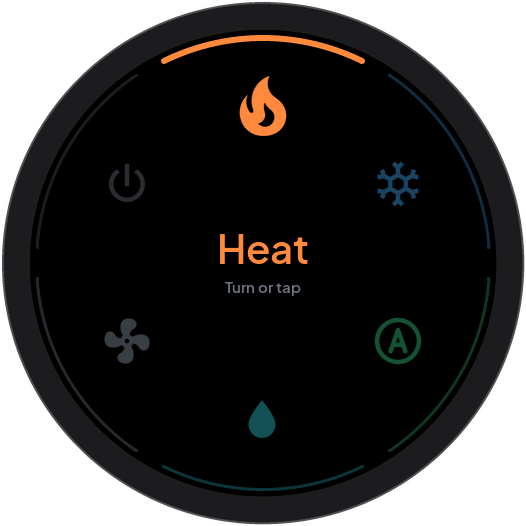
Select Back to leave without changing the mode.
Some Serin Controllers have both Heat/Cool and Auto modes. Heat/Cool uses a temperature range. Auto is the automatic mode of the Serin Controller. The mode selection screen shows separate names for these modes. A flame and a snowflake together identify Heat/Cool.
To stop heat pump operation, select Off from the mode selection screen. There is no separate power button.
Airflow
To open the Airflow controls, flick up on the home screen or tap the small fan button at the bottom.
The selected control shows in the center. The ring shows controls for fan speed and each available vane. A vane is a part of the heat pump that changes the airflow direction.
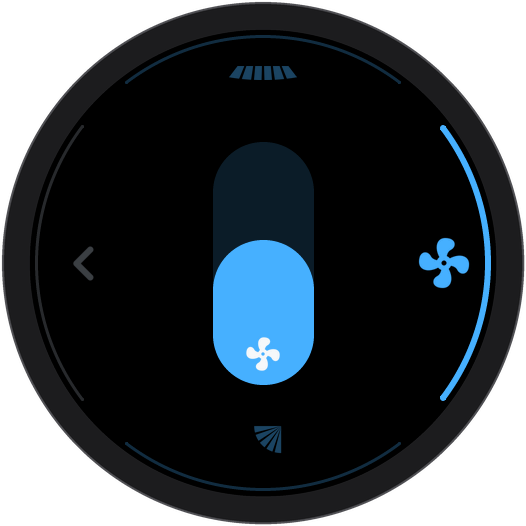
The first available control is already in adjustment mode when Airflow opens. A knob turn immediately changes its value, even when several controls are available.
If only one control is available, turn the knob to adjust it. Push the knob to leave Airflow.
If several controls are available, use this procedure to change controls:
- Push the knob to leave the initial adjustment mode.
- Turn the knob to highlight the required control.
- Push the knob to enter adjustment mode.
- Turn the knob to change the value.
- Push the knob to leave adjustment mode.
- Fan speed: move your finger along the center bar. Alternatively, turn the knob when the fan control is ready for adjustment. The height of the filled area shows the fan speed. If Auto is available, tap the active fan control to switch between Auto and manual speed. A tap on an inactive fan control first selects it for adjustment.
- Vanes: slide your finger on a vane tile to change the vane angle. Slide up or down on the vertical vane. Slide left or right on the horizontal vane. Alternatively, tap a vane tile to make it ready for adjustment. Then, turn the knob to change the angle, or tap the tile again to move to the next position. Each tile controls a vane that your heat pump has.
- Vane Auto and Swing: these settings are at the ends of the vane positions when your heat pump has them. On the vertical vane, Auto is above the highest position and Swing is below the lowest position. On the horizontal vane, Auto and Swing are after the right position.
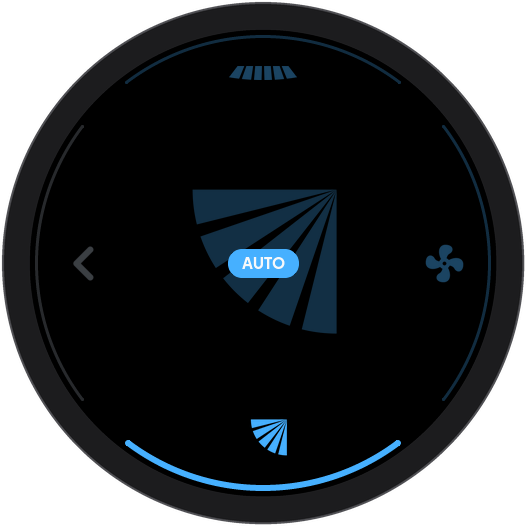
With an Auto setting, the heat pump automatically controls the fan speed or vane position. The control becomes dim and shows an AUTO label:
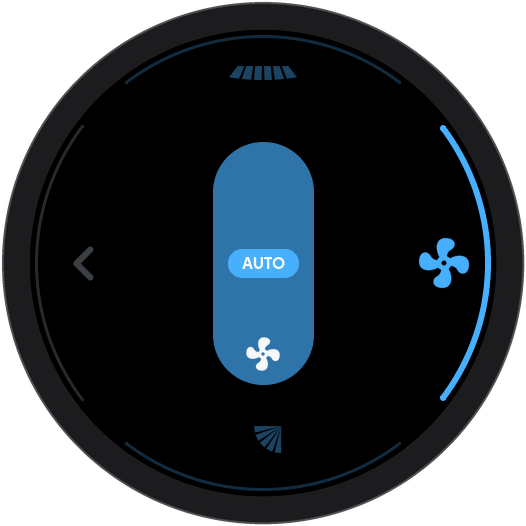
To leave Airflow, flick down outside the tiles or select Back when available. Hold the knob to return home.