 serin labs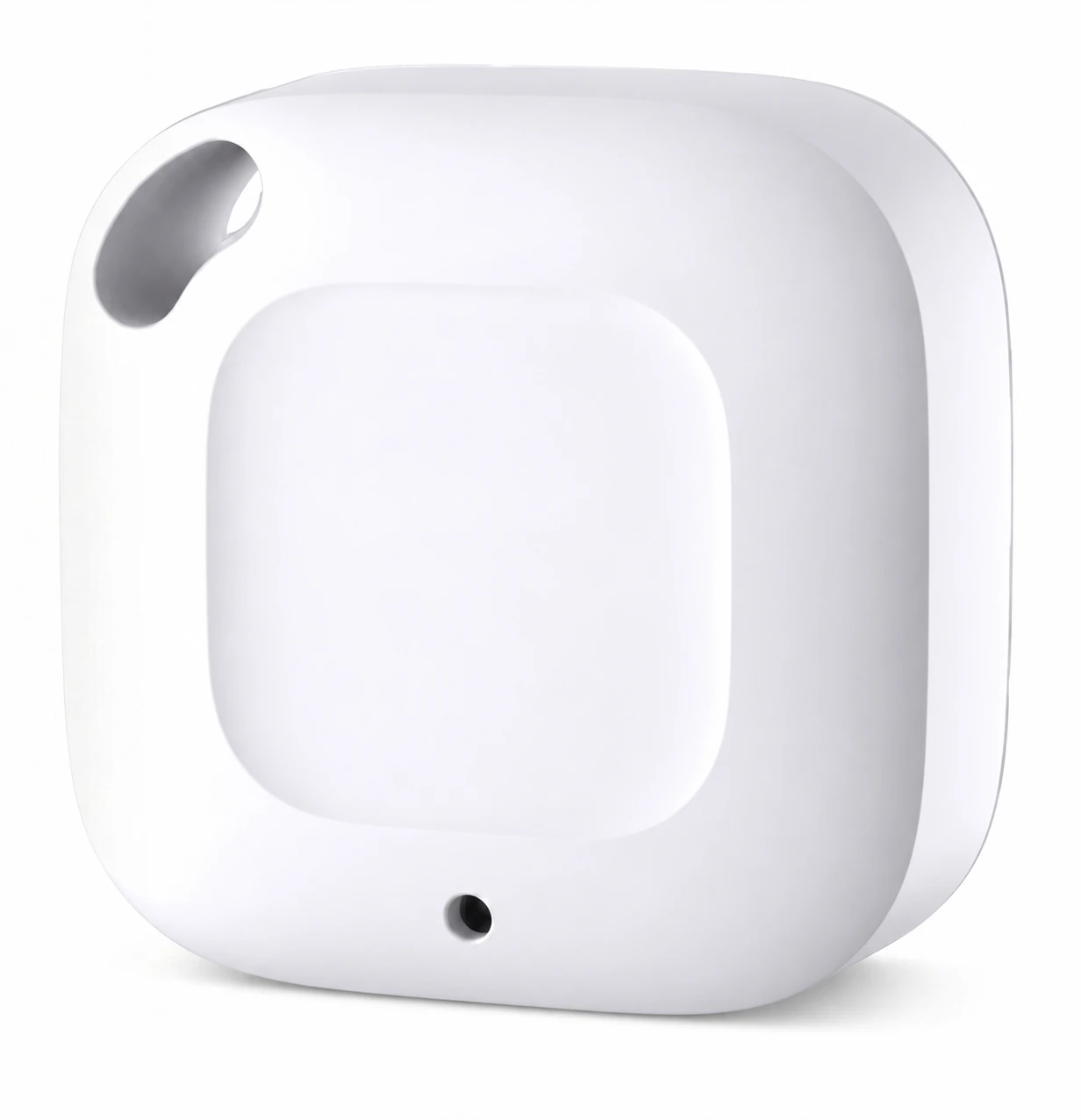

Remote Temperature Sensor
$20This Bluetooth Low Energy sensor provides room temperature readings to a Serin Controller for a compatible Mitsubishi indoor unit. It measures temperature and humidity using a Swiss-made sensing element and operates for up to one year on one 3 V CR2477 coin cell. Controller and CN105 cable sold separately.
Free US shipping $35+
Free US shipping on orders $35 and up, from New Jersey. Orders outside the US ship at the carrier rate shown at checkout; any duties or import fees on delivery are the buyer's.
For orders below $35, shipping is calculated at checkout. Shipping policy.
30-day returns
30-day returns by mail. How returns work.
1-year warranty
1-year limited hardware warranty against manufacturing defects. Warranty terms.
Requires a Serin Controller
Secure checkout by Shopify, shipped from New Jersey.
Overview
Installation
Sensor placement
Wall-mounted indoor units measure return-air temperature near the ceiling. An external sensor provides a temperature reading from the occupied area of the room.
Measurement location
Position the sensor near seating height, within Bluetooth range of the controller or Home Assistant receiver.
Environmental conditions
Keep the sensor away from direct sunlight, heat sources, and the indoor unit's airflow.
Controller connection
The Serin Controller remains connected to the indoor unit through CN105. The room sensor communicates over Bluetooth.
Temperature source selection
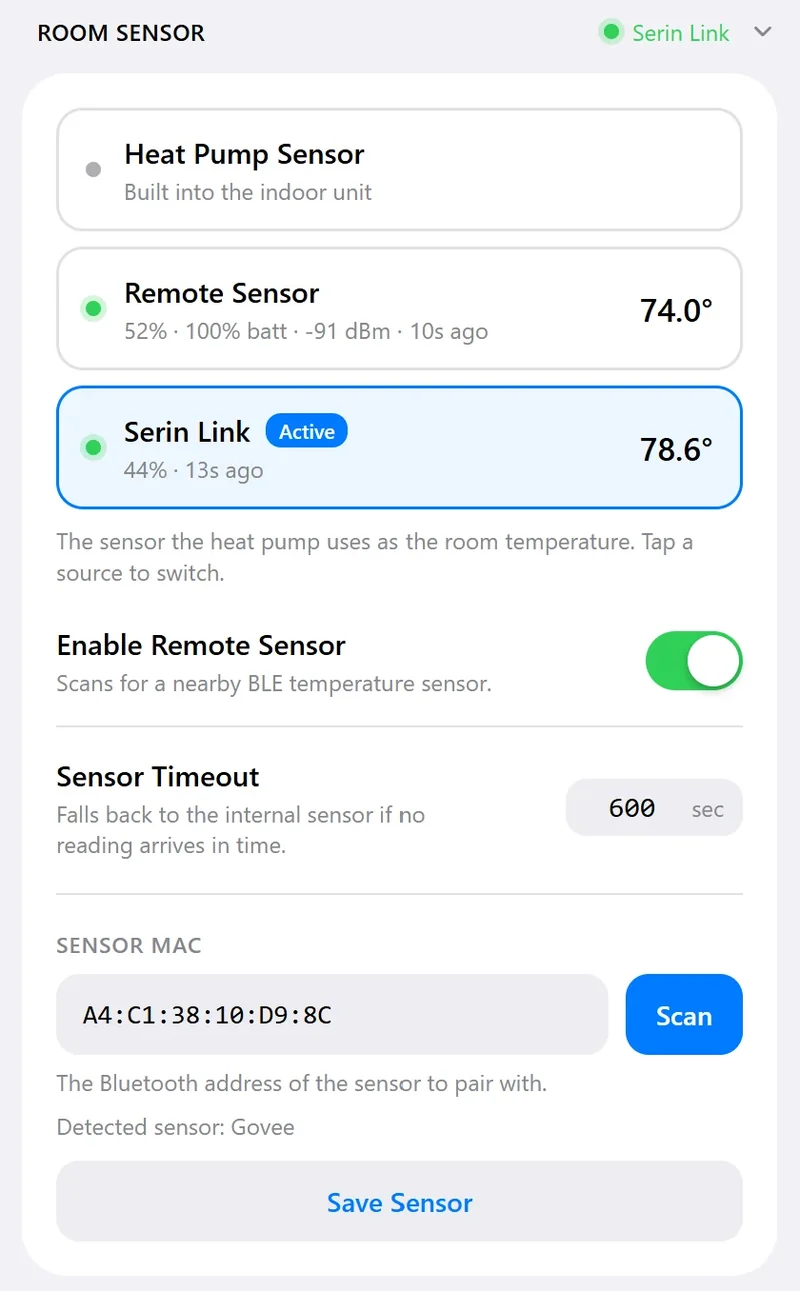
Select the sensor as the room temperature source and verify the reading reported by the controller.
Technical
- Sensing element
- Swiss-made temperature and humidity sensor
- Temperature range
- -20°C to 60°C (-4°F to 140°F)
- Temperature accuracy
- ±0.54°F / ±0.3°C
- Humidity range
- 0% to 99% RH
- Humidity accuracy
- ±3% RH
- Placement
- Indoors, near seating height and within Bluetooth range of the receiver
- Battery
- One 3 V CR2477 coin cell
- Battery life
- Up to one year
- Communication
- Bluetooth Low Energy (BLE)
- Bluetooth range
- Up to 262 ft (80 m) in open air
- System requirements
- Serin Controller connected to a compatible Mitsubishi indoor unit
- HomeKit / Matter
- Direct Bluetooth reception; configuration through the controller's web interface
Firmware configuration
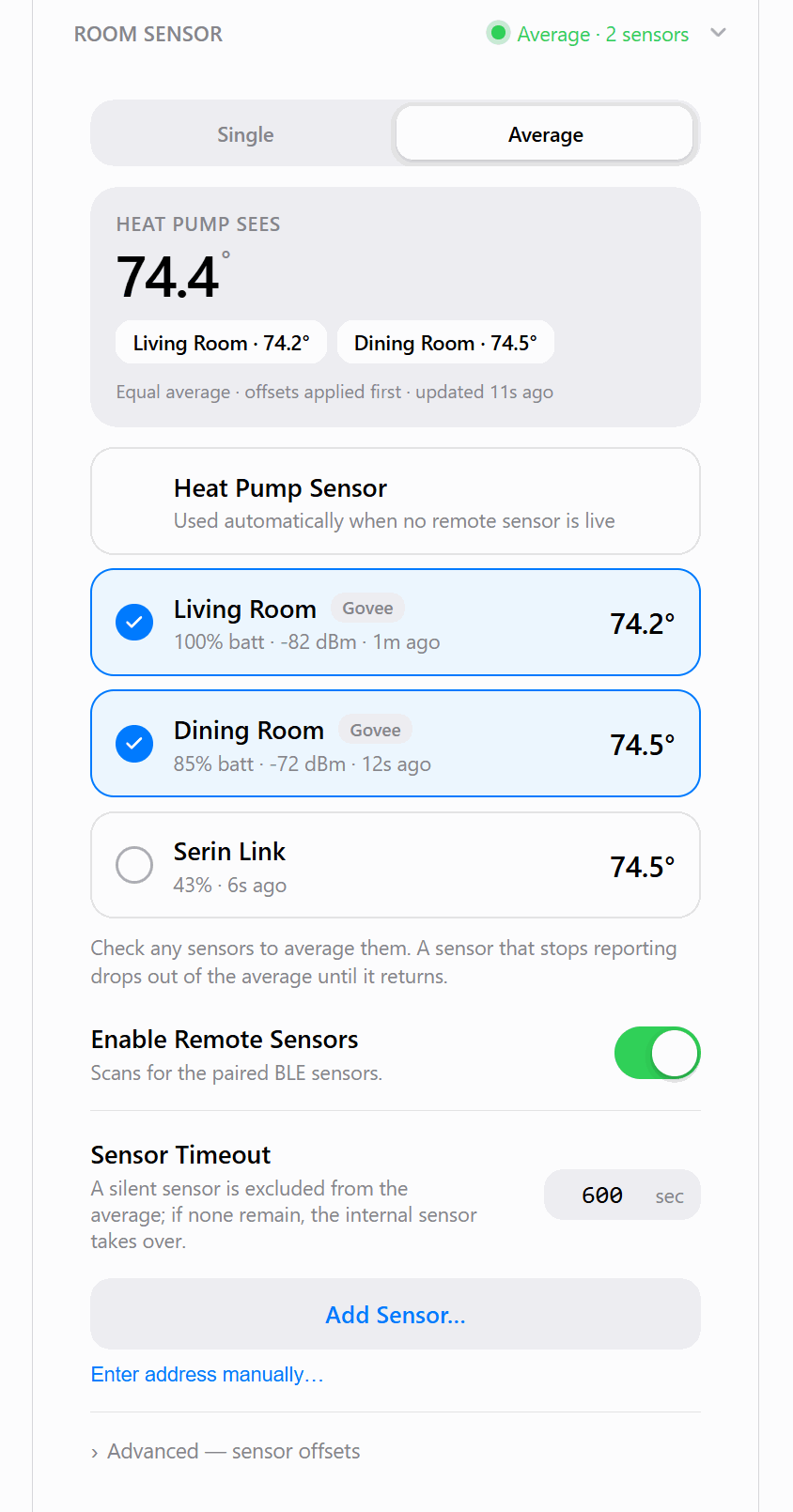
HomeKit-compatible and Matter firmware: open the controller's Room Sensor card, enable remote sensors, and select Add Sensor. Choose the thermometer and select Single mode to use its reading as the room temperature source. Home Assistant and manual Bluetooth pairing are not required. Web interface setup.
Standard ESPHome firmware: Home Assistant receives the sensor's Bluetooth readings through a compatible integration and forwards the temperature to the controller. A Bluetooth adapter or the controller's Bluetooth proxy must be within range. Configure the sensor's entity ID and temperature unit (°F or °C) in the YAML generator. Keep the Bluetooth proxy enabled if it is used to receive the sensor. Home Assistant must remain running to supply new readings. ESPHome setup.
Loss of sensor readings
If the sensor loses power or moves outside Bluetooth range, the indoor unit returns to its built-in sensor after the configured timeout. It resumes use of the remote temperature when readings become available again. Verify the reported temperature after relocating the sensor or replacing its battery.
In the box
-
1×
Remote temperature sensor
Bluetooth temperature and humidity sensor.
The Serin Controller and CN105 cable are sold separately. See the room sensor guide for installation and configuration.
FAQ
Can this sensor be used with an existing Serin Controller?
Yes. This is the same Bluetooth temperature and humidity sensor supplied as an option with the Serin Controller. It is available separately. Configure it according to the room sensor setup guide for the installed firmware.
Can the sensor control the indoor unit directly?
No. The sensor supplies a temperature reading to a Serin Controller, which passes the reading to the indoor unit. It does not connect to CN105 or replace the controller.
Is Home Assistant required?
HomeKit-compatible and Matter firmware receive readings directly from the sensor, without Home Assistant. Standard ESPHome firmware uses Home Assistant to receive the sensor readings and forward the temperature to the controller. Home Assistant must remain running to supply new readings.
What happens if sensor readings are unavailable?
If remote readings stop, the indoor unit returns to its built-in sensor after the configured timeout. It resumes use of the remote temperature when readings become available again. Verify the reported temperature after replacing the battery or relocating the sensor.
Are other temperature sensors supported?
Supported sensors depend on the controller firmware. HomeKit-compatible and Matter firmware support several Bluetooth thermometer types. ESPHome can receive a temperature entity from Home Assistant, including one supplied by a Zigbee or Z-Wave sensor. See the room sensor guide for configuration requirements.
Is this sensor required with a Serin Link?
No. A paired Serin Link has a built-in temperature and humidity sensor that can supply the room temperature reading. A separate sensor allows measurement at another location. Configure the temperature source in the controller settings.
Controller option
Serin Controller with room sensor
The same sensor is available as an option when ordering a Serin Controller.