serin labs
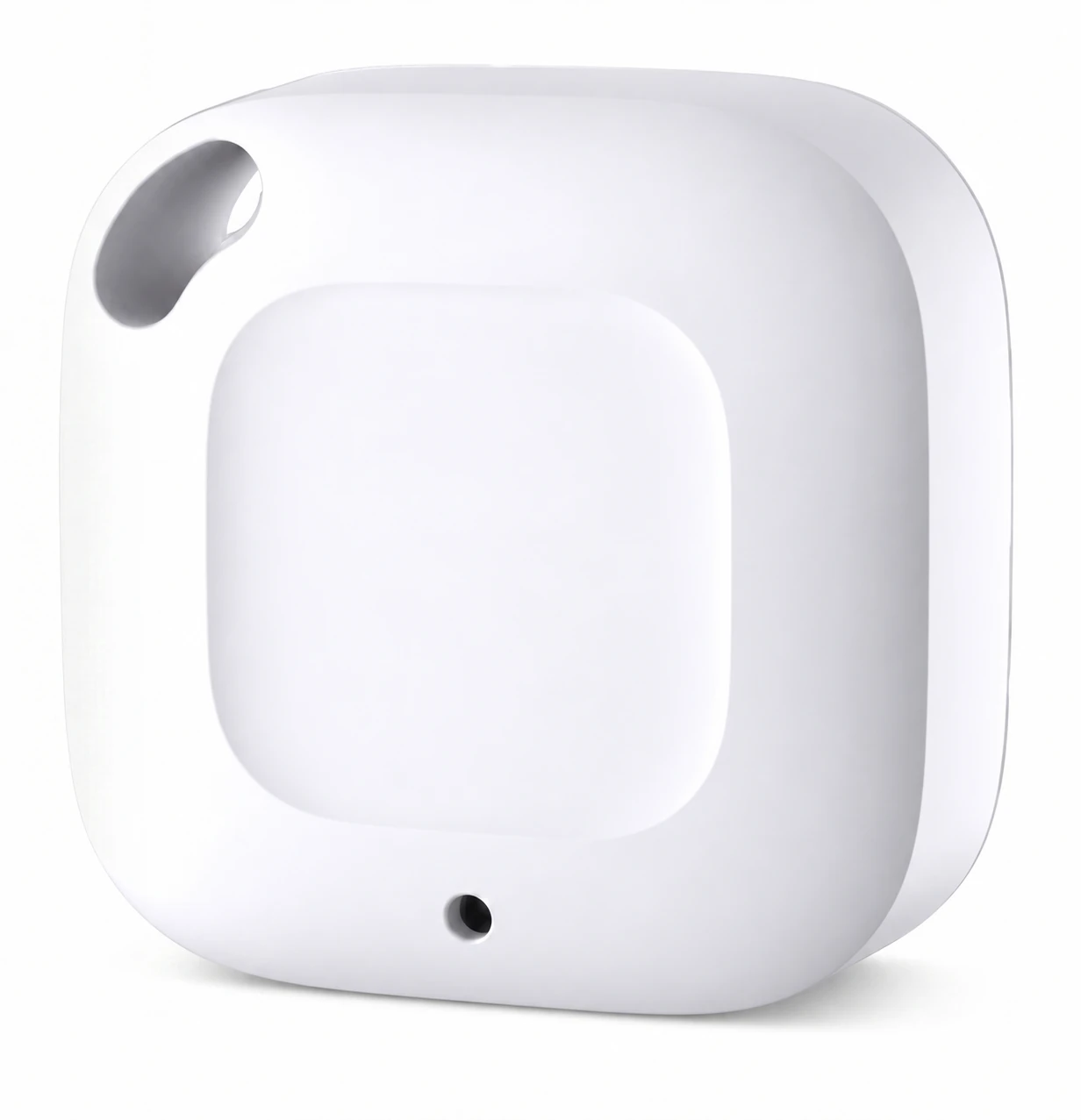
Remote Temperature Sensor
Room temperature and humidity sensor for your Serin Controller. Room temperature and humidity sensor for your Serin Controller. Selected with your controller. Add another sensor for a second location.
$20.00
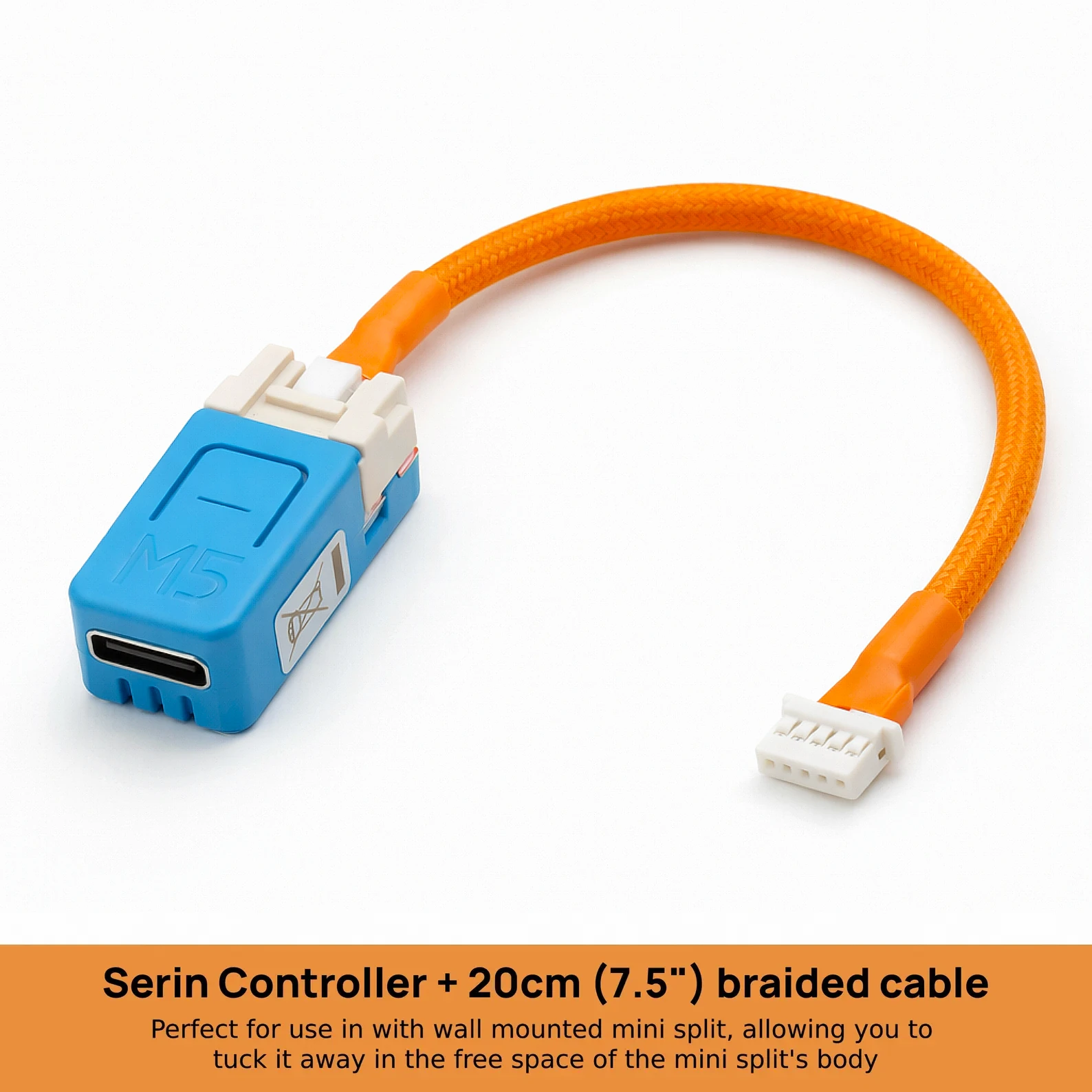
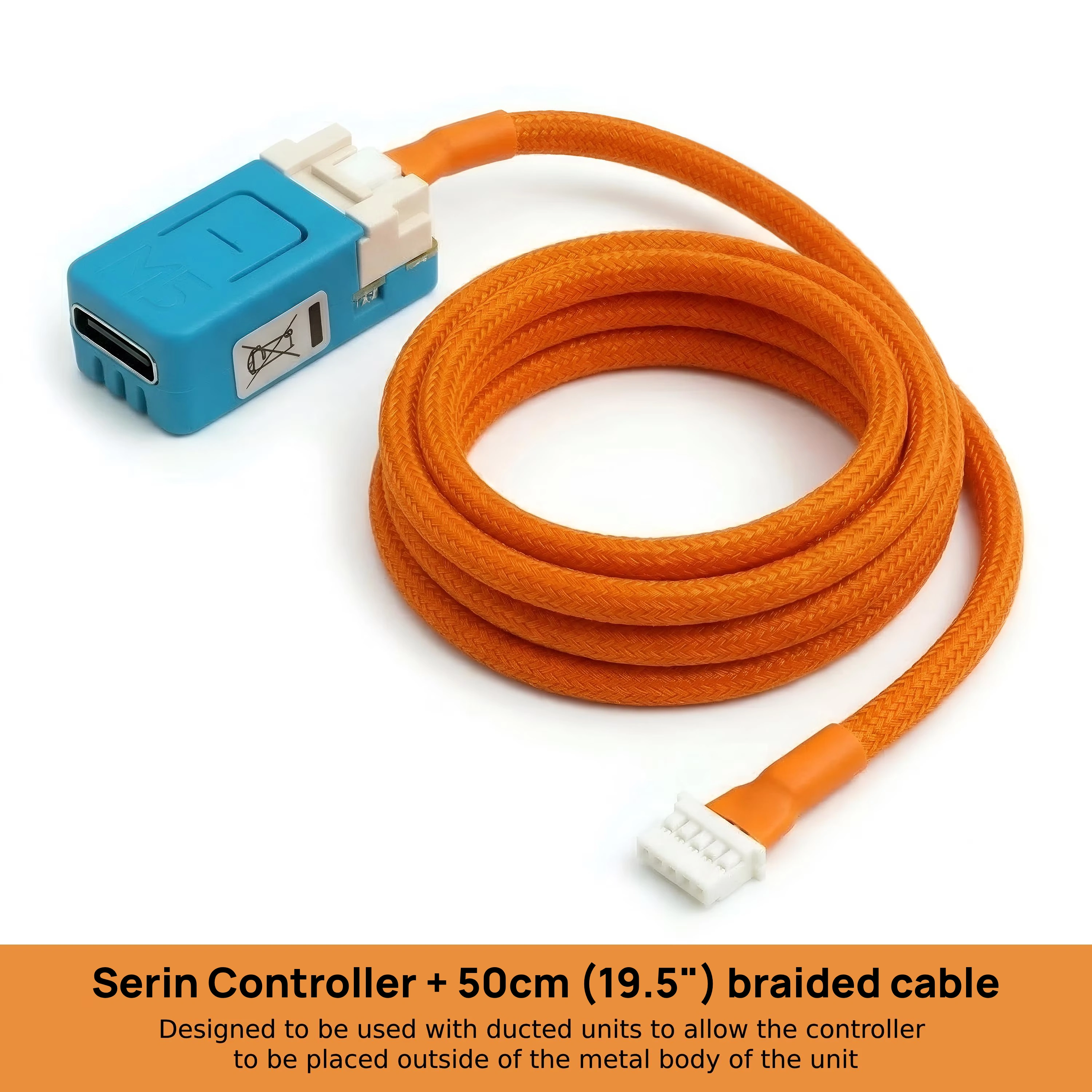
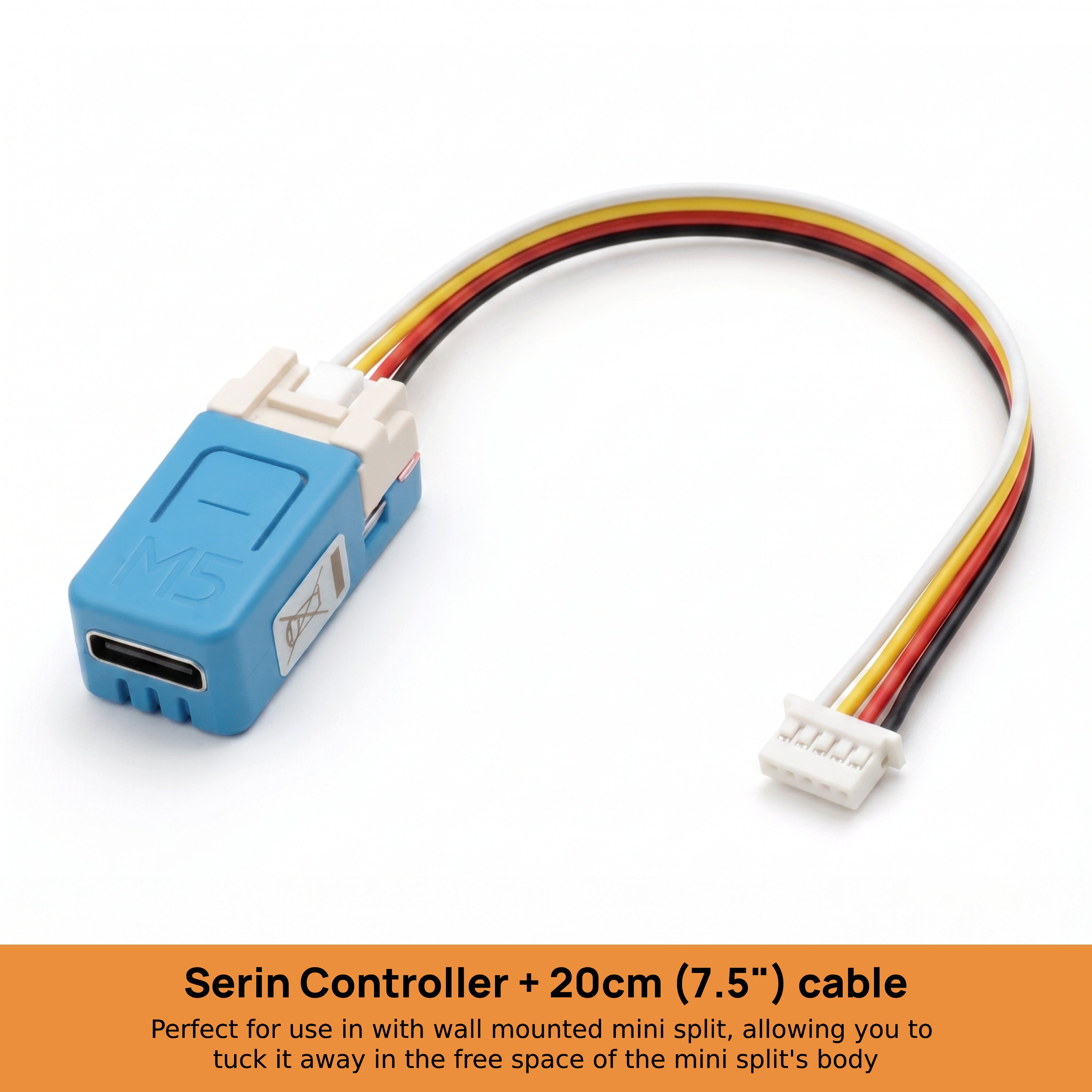
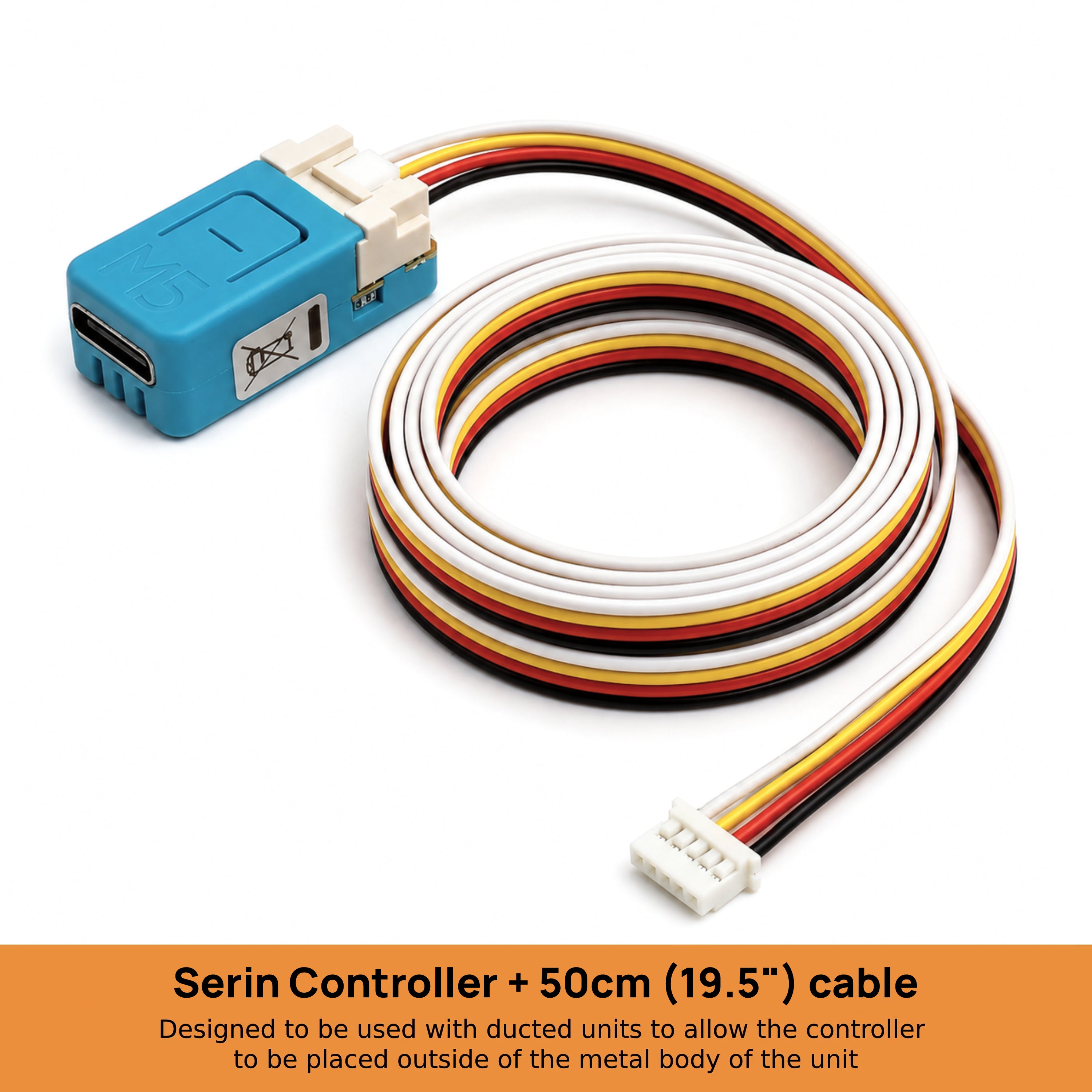
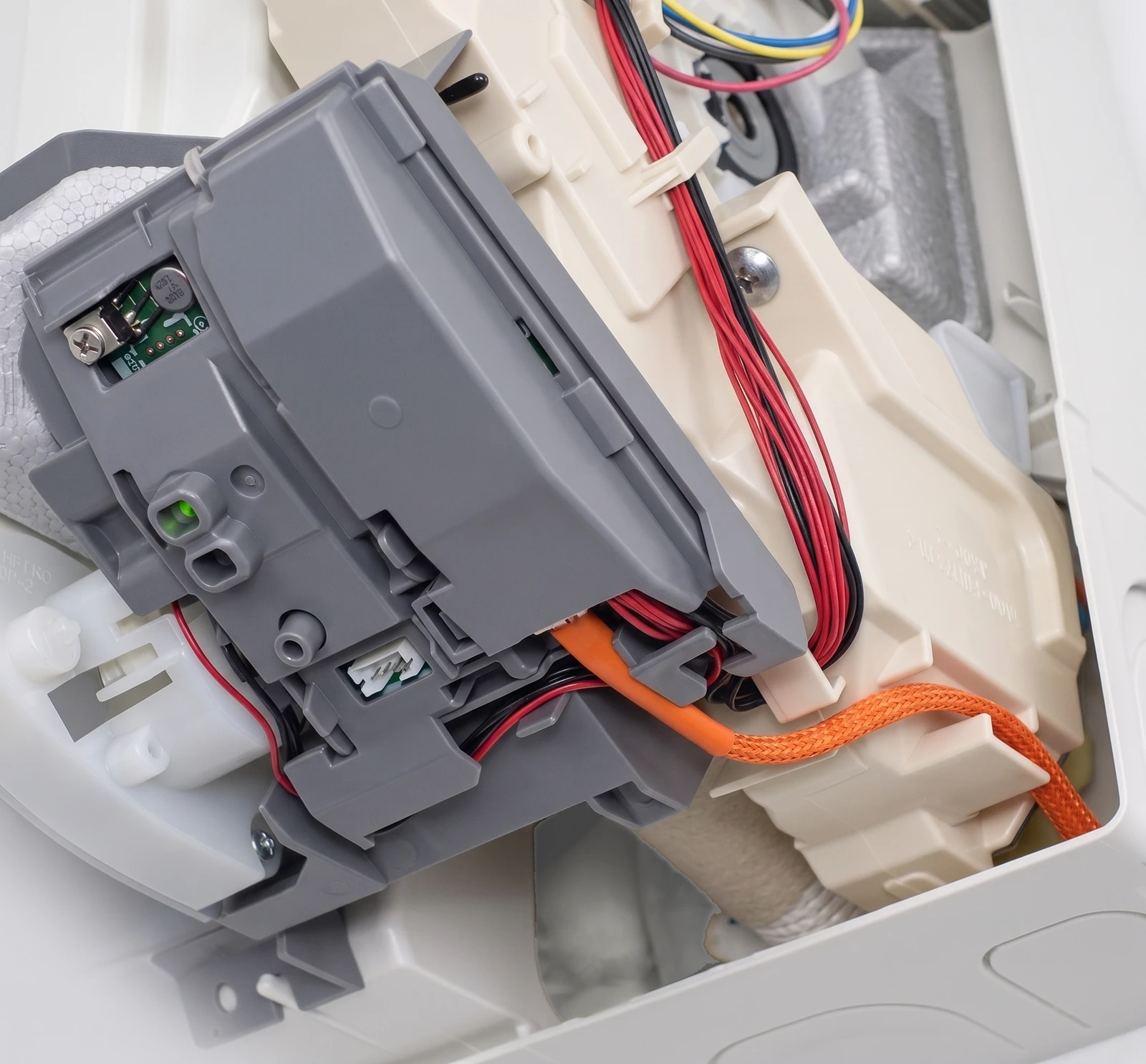
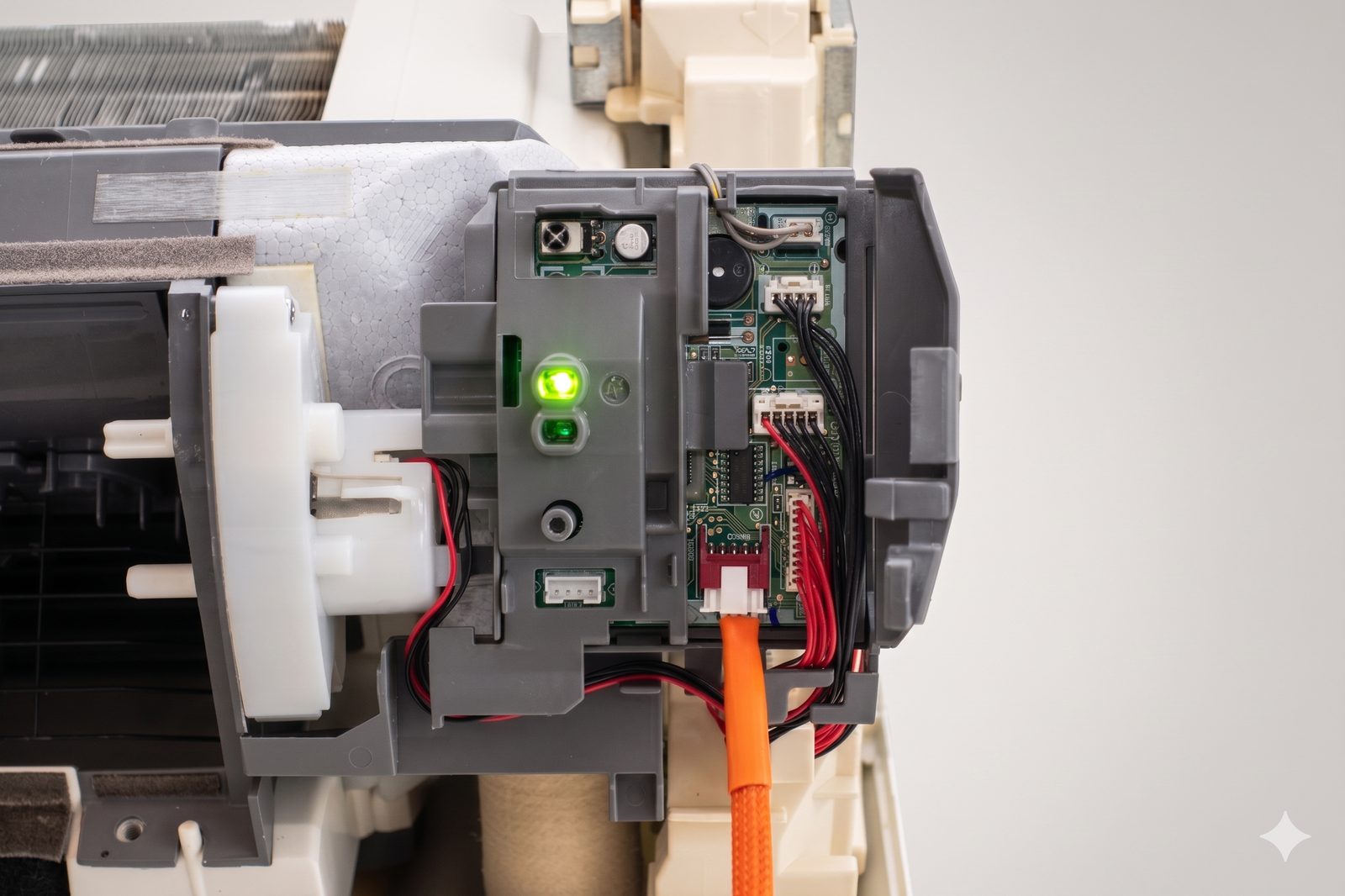
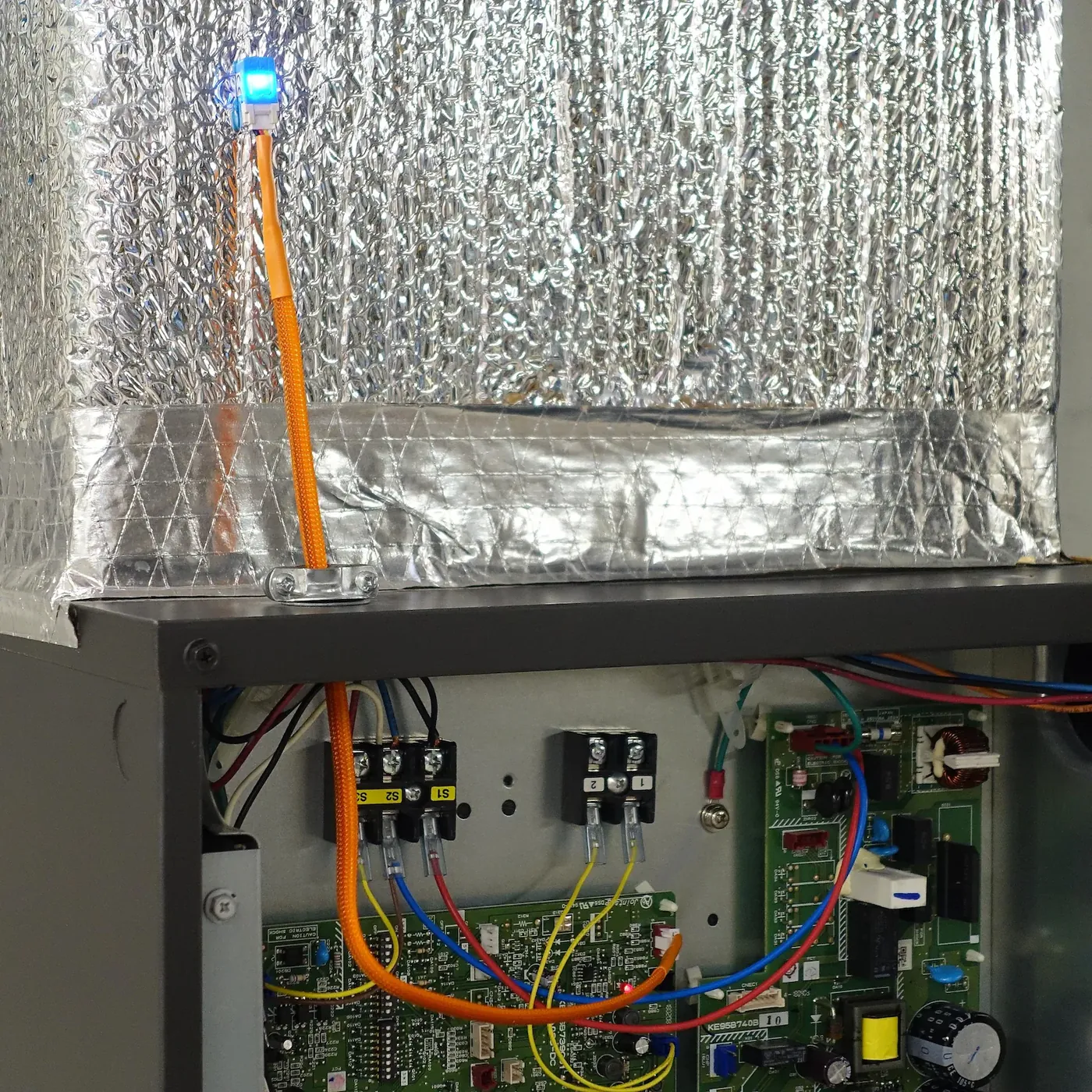
Pre-assembled Wi-Fi controller for Mitsubishi Electric mini-splits. The tested CN105-to-Grove cable comes attached. You do not need to crimp or solder.
You install the free firmware for Home Assistant, Apple Home, Google Home, or Alexa. Local control needs no Serin Labs account or subscription.
Add-ons
Free US shipping on orders $35 and up, from New Jersey. Orders outside the US ship at the carrier rate shown at checkout; any duties or import fees on delivery are the buyer's.
For orders below $35, shipping is calculated at checkout. Shipping policy.
30-day returns by mail. How returns work.
1-year limited hardware warranty against manufacturing defects. Warranty terms.
Ships in 1–2 days
Secure checkout by Shopify, shipped from New Jersey.
Fits your unit? · Read the manual
Type the model from the indoor unit's sticker.
Requires a free CN105 port. Not for Ecodan or units with a wired wall controller on the same port.
Everyday control
App and voice control
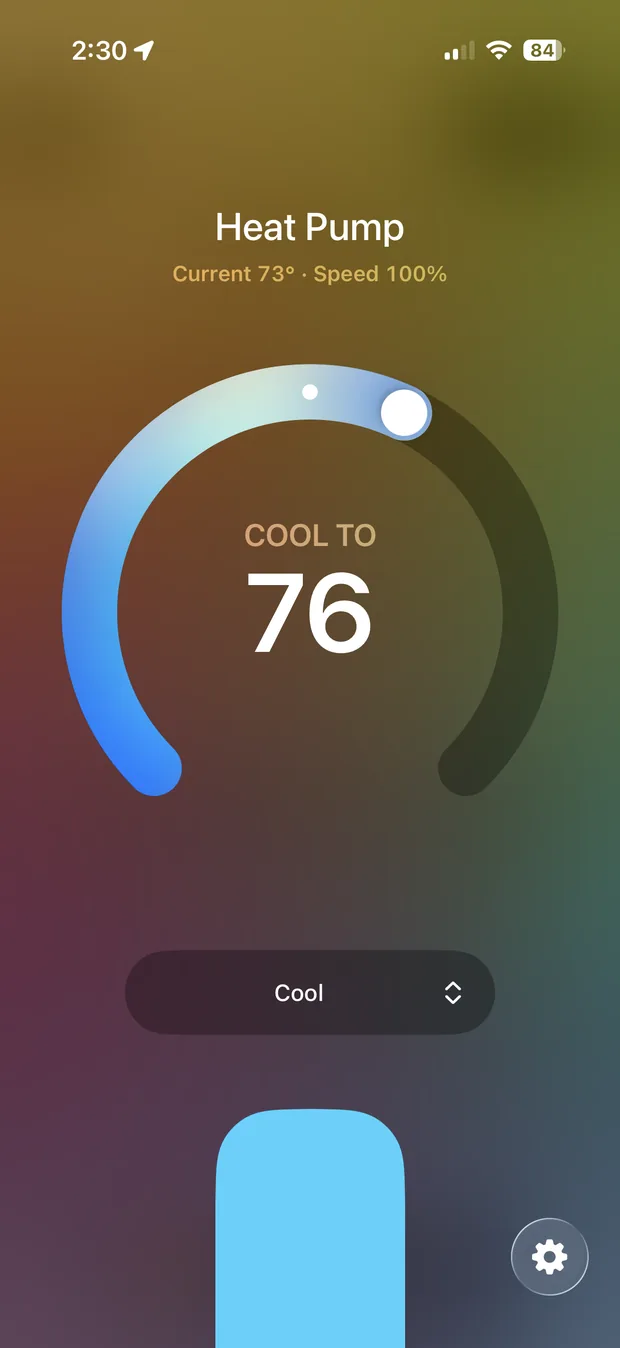
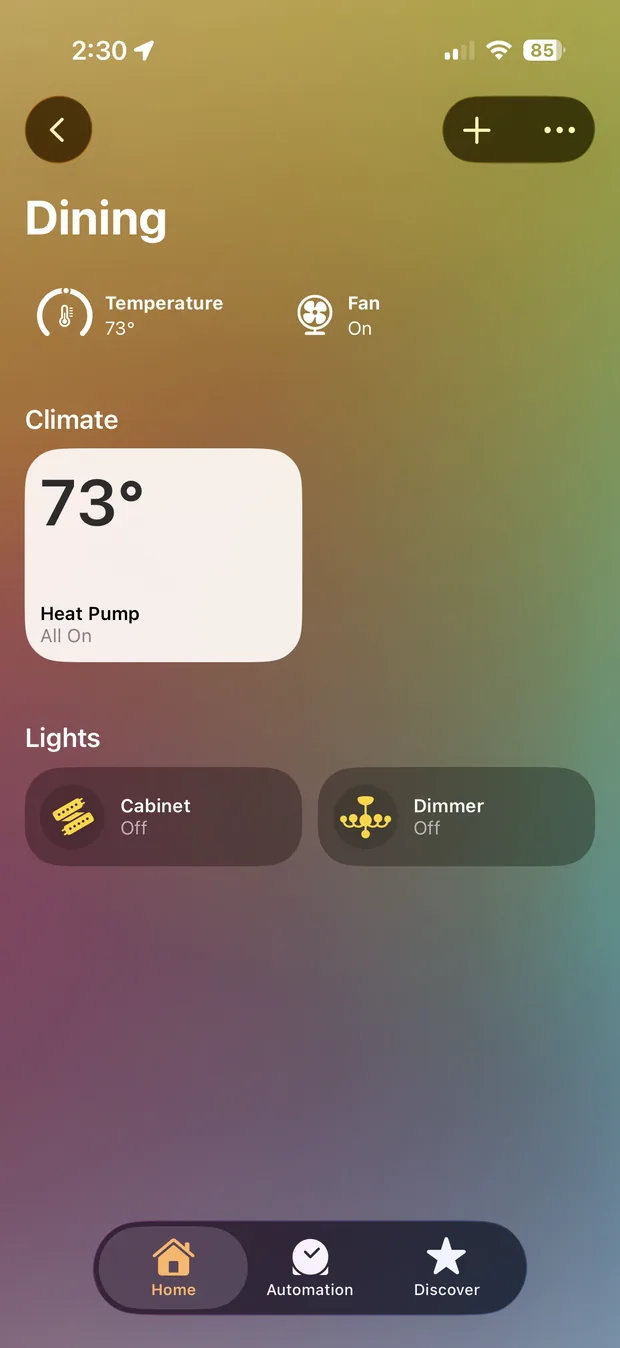
Set the temperature, change modes, and check the room temperature in the Home app. Use Siri to adjust the temperature without picking up your phone.
Schedules and control away from home
Schedule a temperature change for bedtime, or start heating or cooling before you arrive. Automations and access away from home require an Apple TV or HomePod set up as a home hub.
Keep your remote
Your handheld remote keeps working. Use it alongside the Home app.
Room-by-room comfort
Set a different target temperature for each room. Add one controller to each compatible indoor unit.
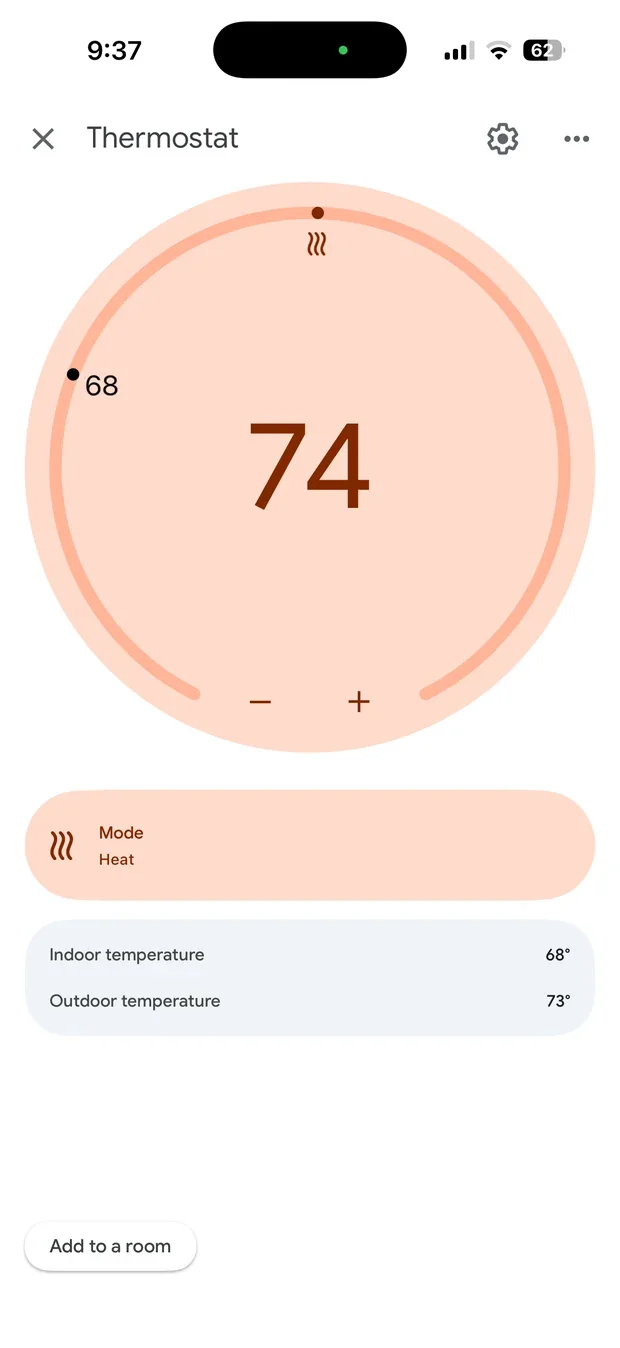
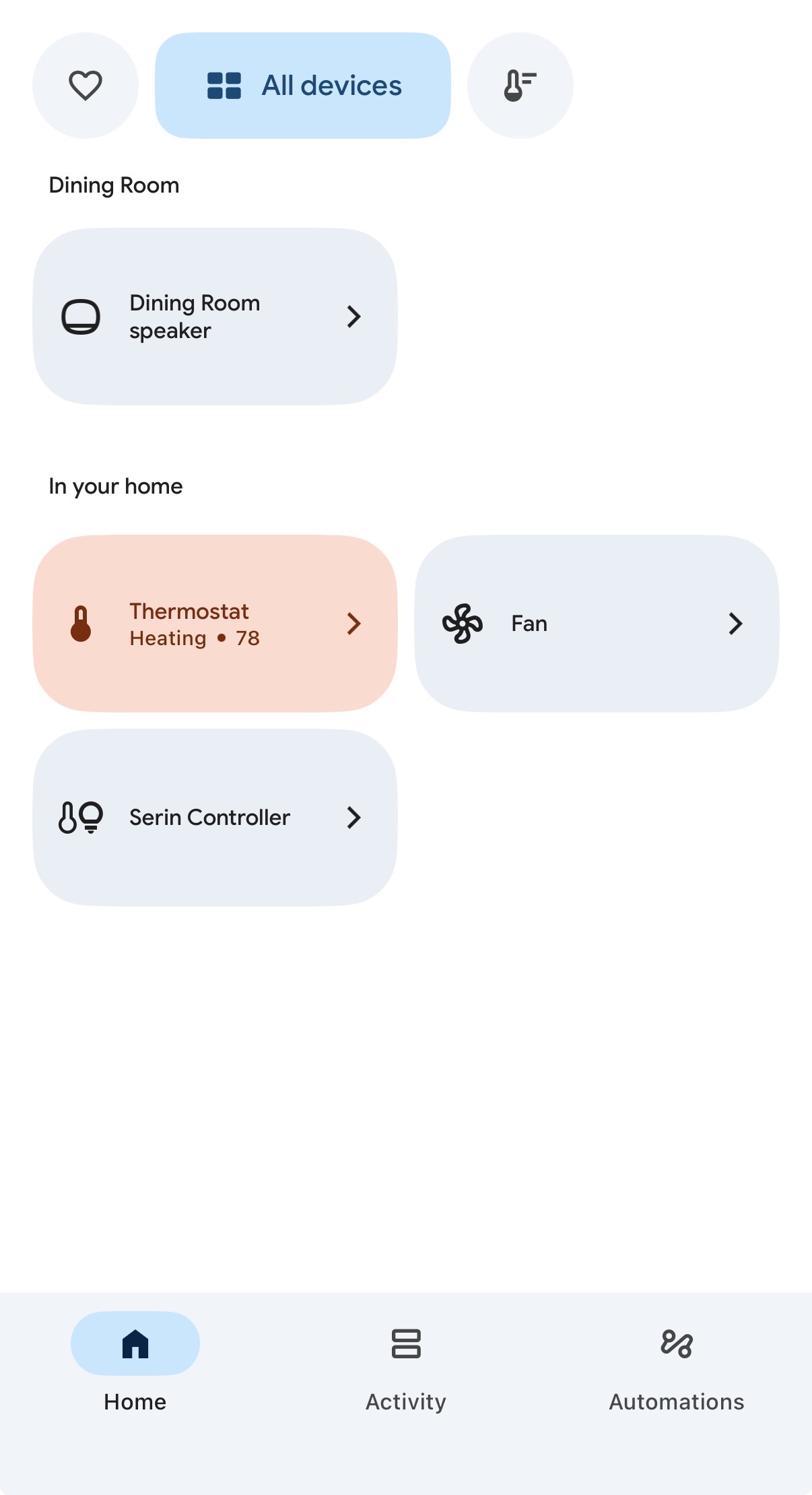
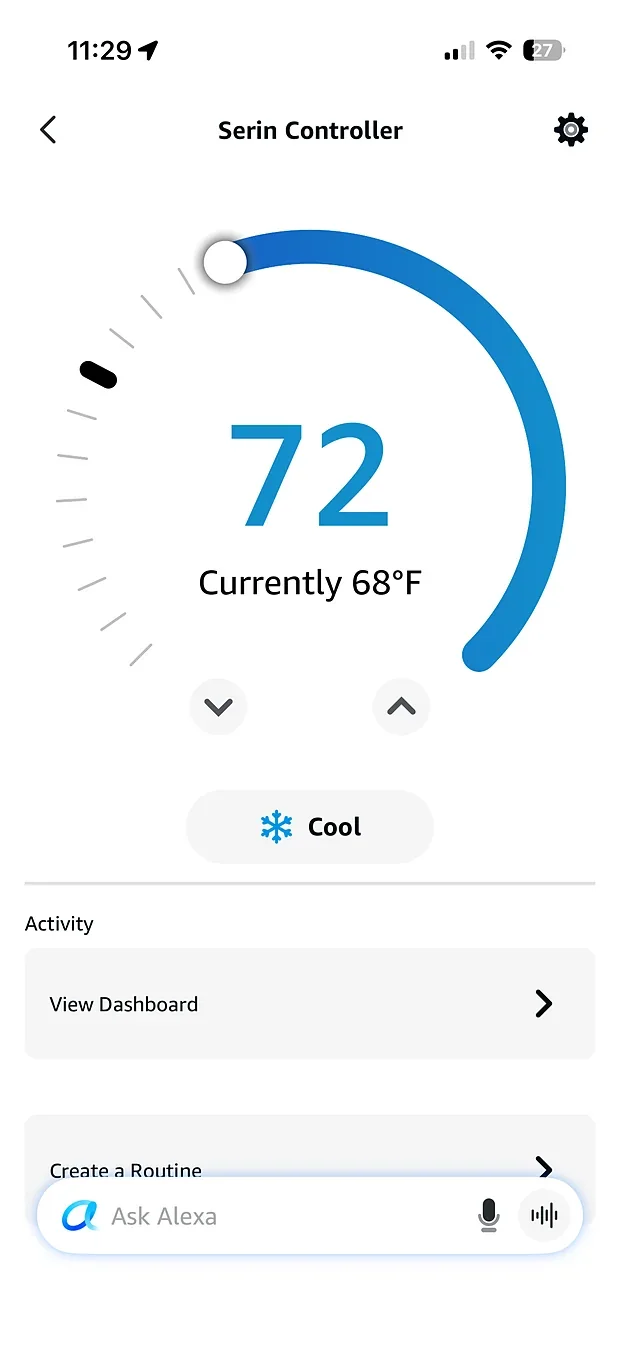
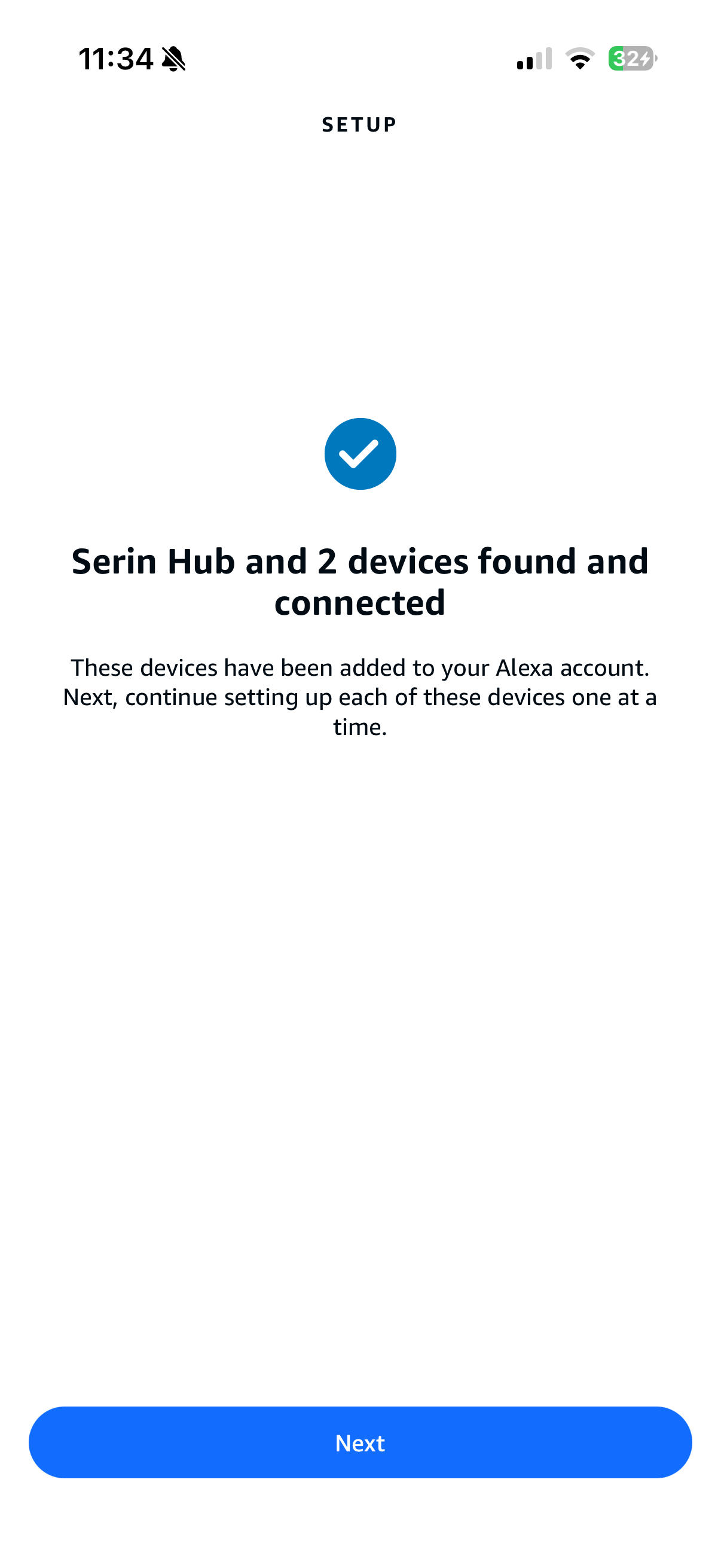
Optional room sensor
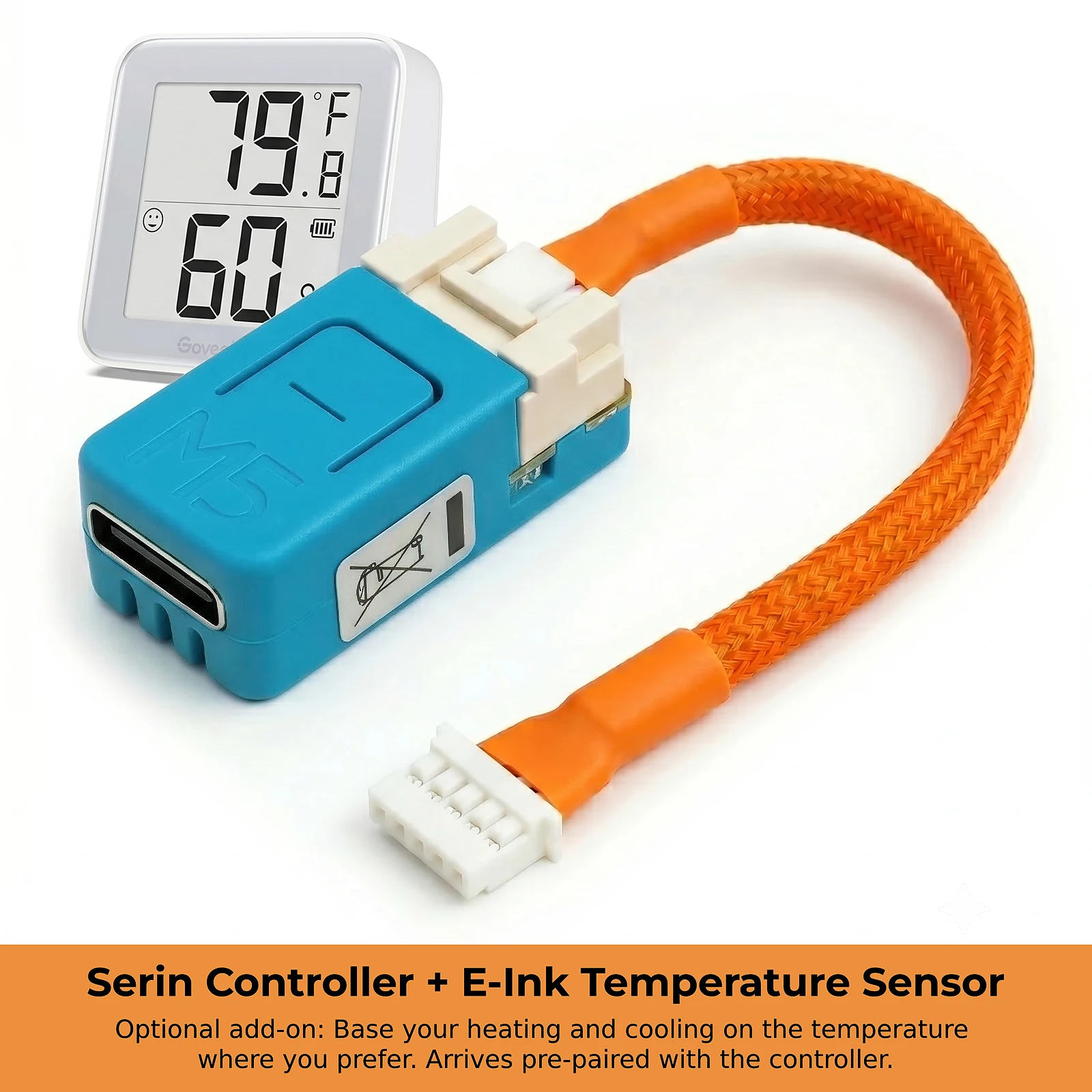
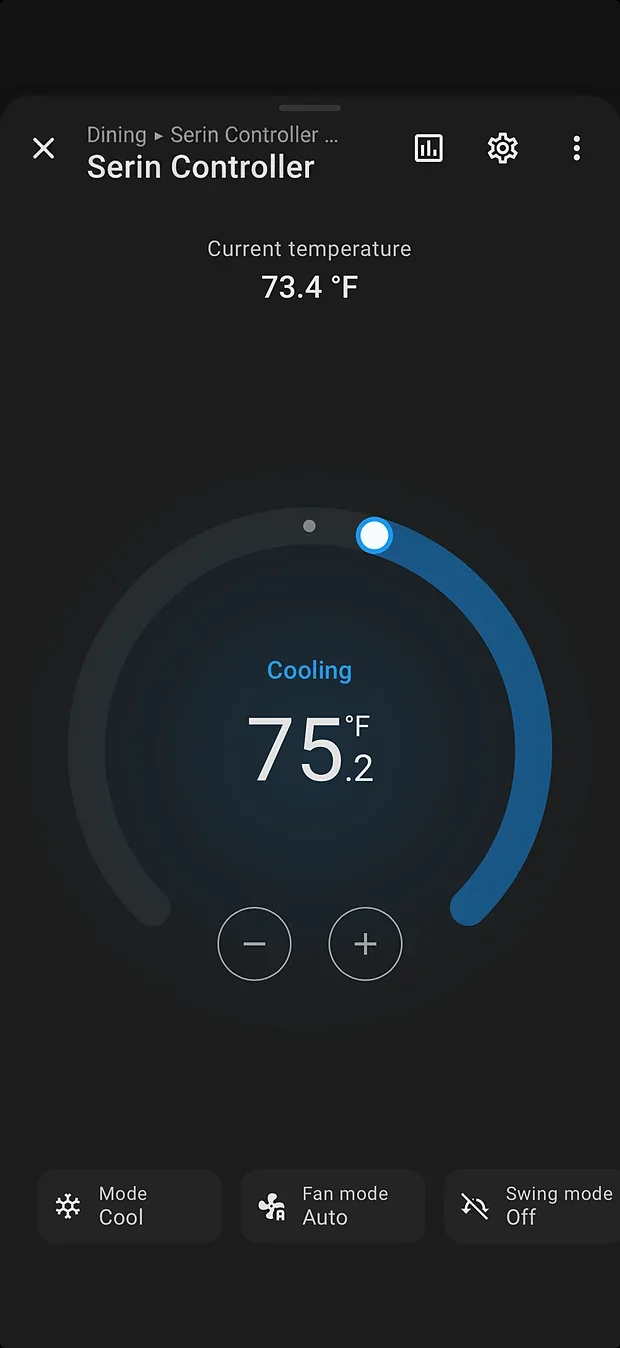
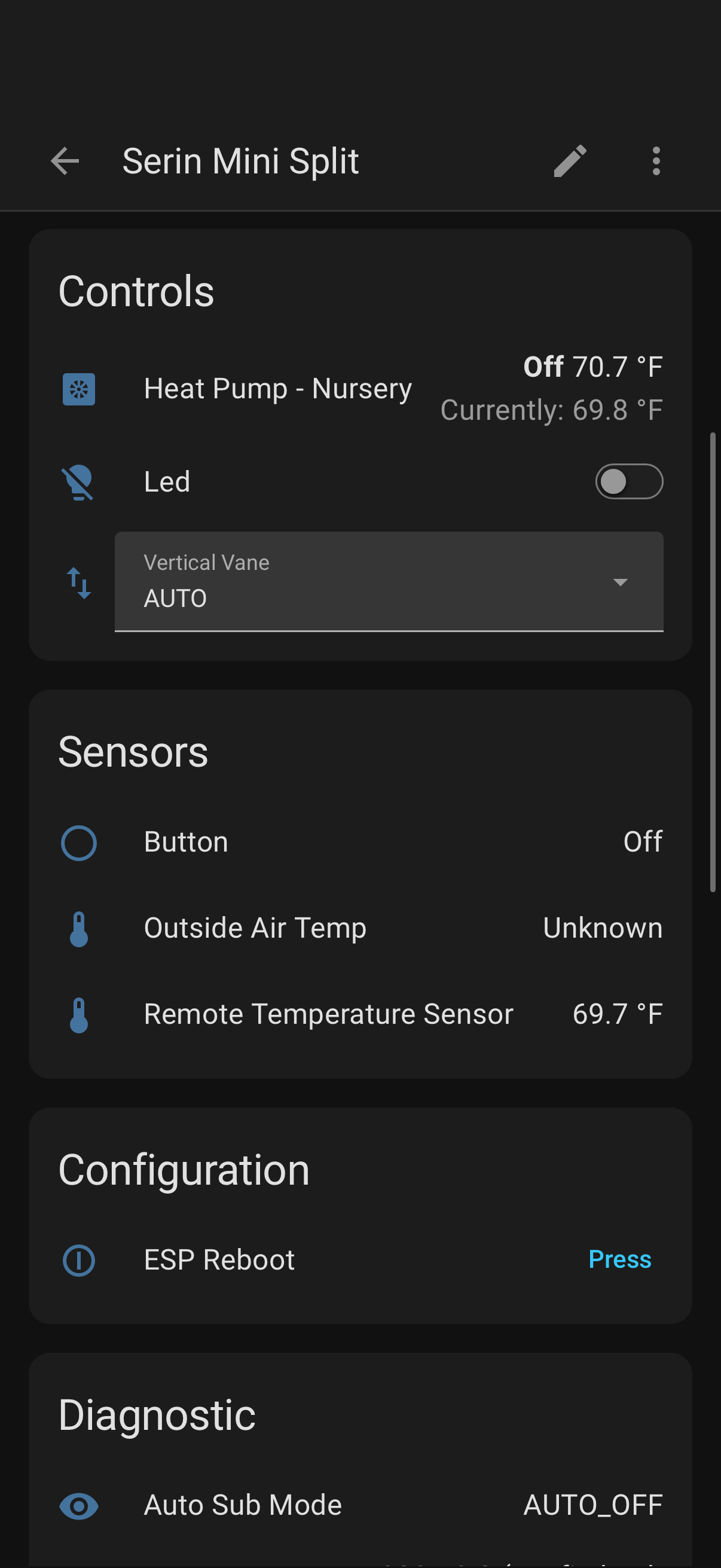
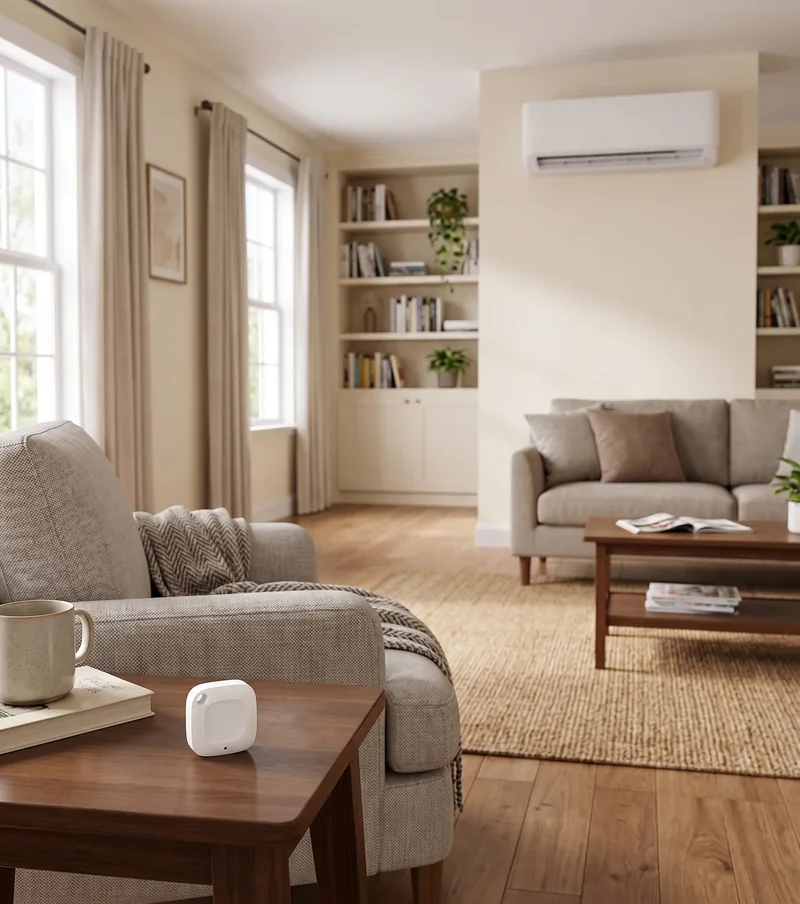
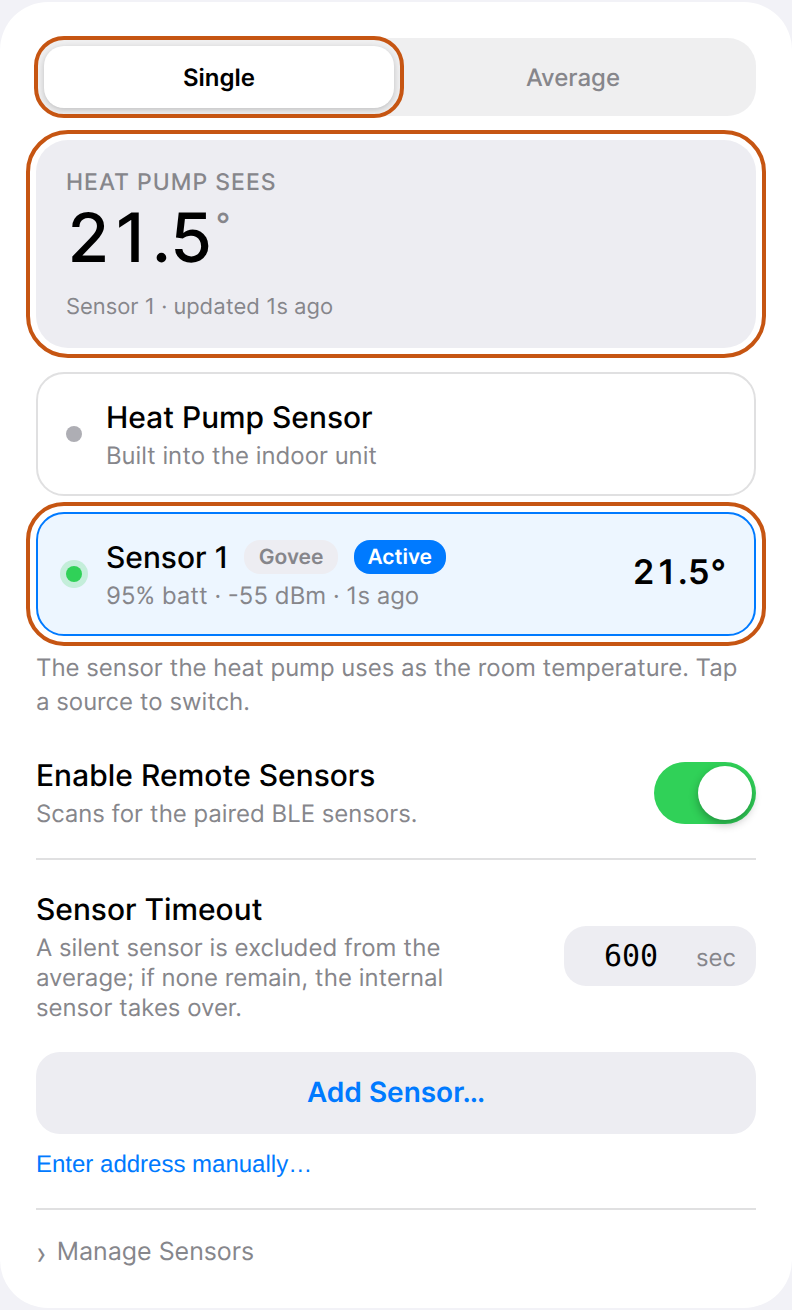
A wall-mounted mini-split measures return air near the ceiling. The wireless room sensor measures where you sit. Set the controller to use that reading for heating and cooling.
Add the sensor to your order, or buy it separately for an existing Serin Controller. Follow the room sensor setup guide for your firmware.
Automatic fallback
If readings stop, the indoor unit's sensor takes over after the sensor timeout.
Choose the location
Place it on a nightstand or desk, within Bluetooth range.
Use your own sensor
Compatible Bluetooth thermometers work too. See supported models.
Use Home Assistant sensors
With ESPHome firmware, Home Assistant can send a sensor's temperature to the controller.
Owner experiences
“Connecting it to Wi-Fi and the CN105 port was incredibly simple, and it works seamlessly with Apple Home.”
“Unit(s) operate flawlessly in my Google Home network. Though I use a shortcut to the served web page interface more frequently.!!”
Wi-Fi controller board
Small enough to sit inside the unit.
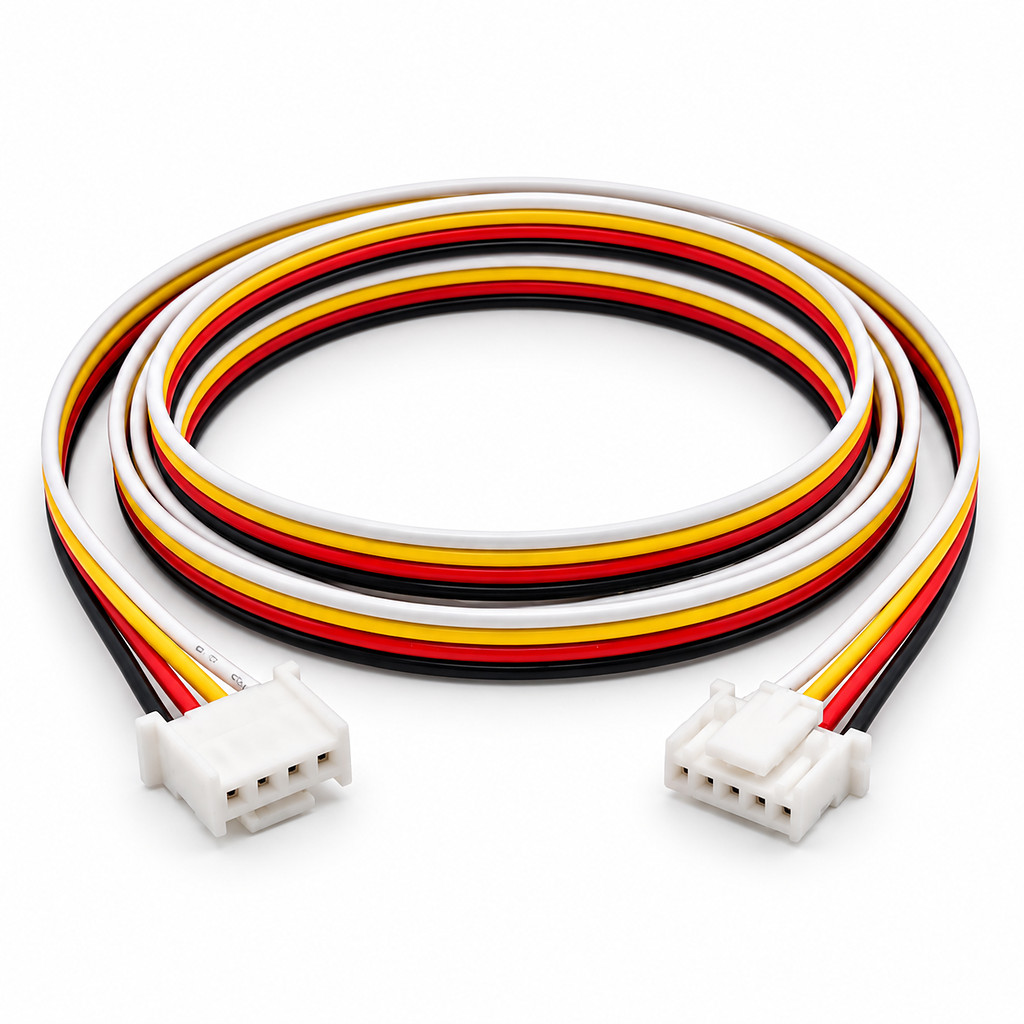
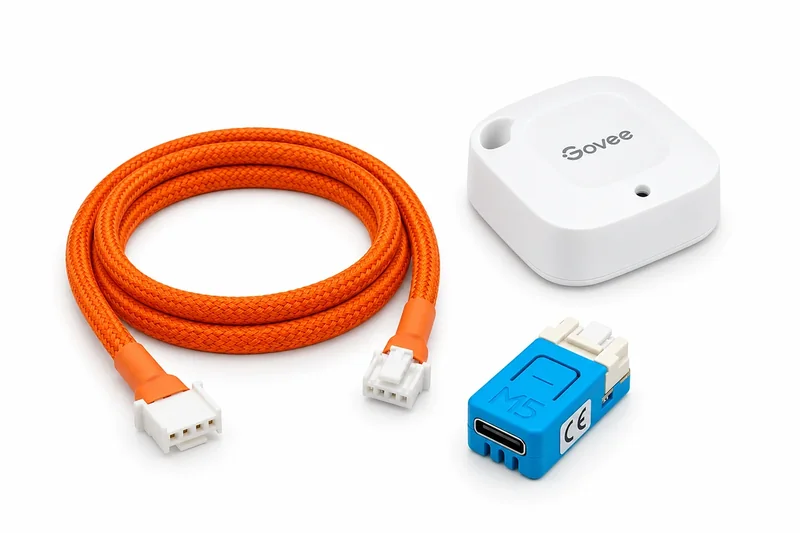
CN105-to-Grove cable, attached
20 cm, 50 cm, braided. standard. Plugs straight into the CN105 port.
Wireless room sensor optionalnot selectedincluded
Battery-powered Bluetooth thermometer the controller reads directly.
Not included: firmware (free, installed by you from Chrome or Edge on a computer) and a USB-C data cable for the one-time flash. If you only need the cable for a board you already have, it's sold separately.
Room temperature and humidity sensor for your Serin Controller. Room temperature and humidity sensor for your Serin Controller. Selected with your controller. Add another sensor for a second location.
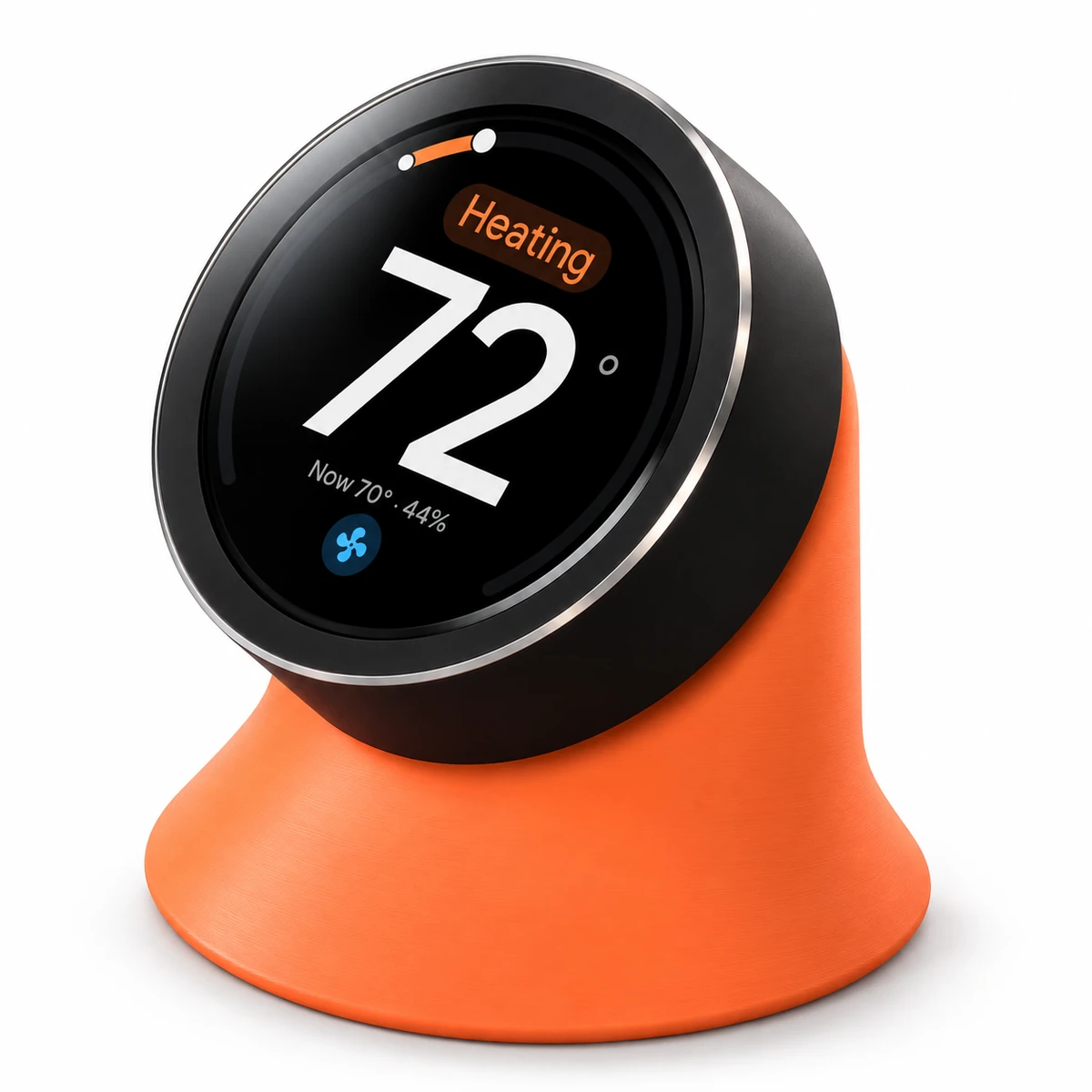
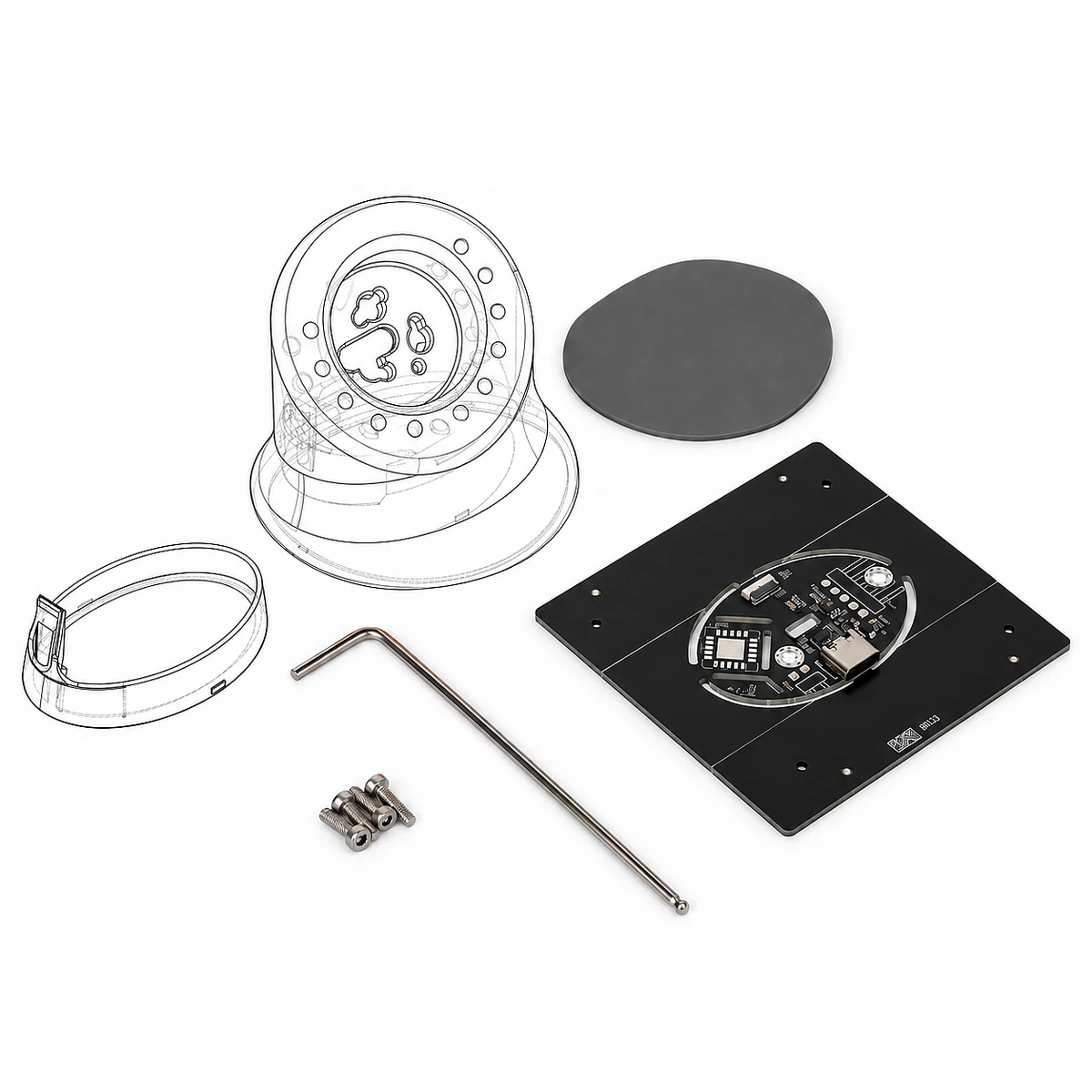
Display sold separately. Sensor PCB, hardware, and a printed or printable stand.
An additional CN105-to-Grove cable in 20 or 50 cm lengths, with optional braided sleeving.
Yes, if your Wi-Fi adapter connects to CN110 and CN105 is available. Serin connects to CN105, allowing both systems to operate together.
If your Wi-Fi adapter uses CN105, you’ll need to disconnect it before connecting Serin.
Check your indoor model and confirm which port your Wi-Fi adapter uses before ordering.
It depends on its connection. A controller or adapter occupying CN105 must be disconnected; splitters are not supported. An MA wall controller, such as the PAC-YT52, wired directly to the indoor unit's separate TB15 terminals does not occupy CN105. That distinction alone does not confirm every controller combination. Check how your wall controller connects before ordering.
No. Once installed, Serin receives power from CN105 through the included cable. The cable connects the 5 V supply to the controller's Grove port and leaves the 12 V pin disconnected. USB-C is used for the initial firmware installation; disconnect USB before connecting the controller to the indoor unit. See the power and signal details.
A five-pin Mitsubishi adapter connector does not plug directly into Serin's four-pin Grove socket. The standard installation uses the supplied cable at the indoor unit's CN105 port, so plan for access to the control box. Reusing an existing cable requires a verified connector and pinout for that cable; wire colors alone are not enough. Read the existing-cable guidance.
Serin reads the room temperature reported by the indoor unit over CN105. A separate room sensor is optional. Keeping a Mitsubishi wall controller does not by itself confirm that Serin can read its sensor. The temperature-source guide explains the indoor sensor, wired-controller settings, and remote-sensor options for each firmware.
Yes. With the free HomeKit-compatible firmware, the controller appears in the Apple Home app as a thermostat, with mode, temperature, and fan control, plus Siri voice commands. Remote access and automations need an Apple Home Hub (Apple TV or HomePod). It's not an MFi-certified accessory, so pairing shows a one-time "Add Anyway" prompt. See the full feature list, or the walkthrough: add a Mitsubishi mini-split to Apple Home.
Yes. The free Google Home & Amazon Alexa compatible firmware adds it to either app as a thermostat. You need a compatible Matter hub, such as a Nest speaker or display, or an Echo; scan the pairing code and the app handles Wi-Fi. It is not certified by Google or Amazon, so the app shows a one-time uncertified notice. Read the Google Home guide or Alexa guide, then follow the setup guide.
That could happen. The Apple Home build and the Google Home, Alexa, and SmartThings build are not certified, and each of those companies decides which accessories its app will add. Any of them can change that at any time, and Serin Labs cannot promise that these builds will keep working with their apps. The controller itself would still work. A controller that is already on your Wi-Fi keeps its web interface, which controls the unit from any browser on your network without any of those apps. You can also install ESPHome with the flash tool and control the unit from Home Assistant, which does not depend on anyone's certification.
Yes. Your handheld infrared remote continues to work after you install Serin.
One controller per indoor unit, since each one has its own port. A 3-zone system needs three controllers.
Yes. Connect the controller by USB-C and use the flash tool to install firmware for a different platform. After setup, you can install firmware updates over Wi-Fi.
Yes. The same firmware runs on a supported ESP32 board connected with a CN105-to-Grove cable. The parts list identifies both components and includes the JST part numbers for making the cable. The pre-assembled controller provides these parts already sourced, assembled, and tested.
No. It is an independent open-source project with no ties to Apple Inc. or Mitsubishi Electric Corporation. The HomeKit-compatible firmware is not an MFi-certified accessory. Sources and licenses are on the licenses page.
Use the contact form with your order number. Direct orders ship from New Jersey and are covered by the store policies: 30-day returns, 12-hour cancellations, and a full refund or replacement for an item that arrives damaged or nonfunctional. Orders placed on Etsy are handled there. For technical help, start with the troubleshooting guide.
5.0 out of 5 stars
67 reviews
Reviews of the store and of the CN105 cable are on the customer reviews page.
Absolutely thrilled with these — wish I'd bought them sooner.
I picked up two of these for my Mitsubishi mini splits (bedroom and living room) and couldn't be happier. Installation was genuinely easy — plug into the CN105 port behind the front panel, and that's it. No wiring, no electrician, maybe ten minutes per unit.
While the Apple Home support is there, I run Home Assistant and it integrated perfectly. I've got remote temperature sensors feeding the units so they heat and cool based on where I actually am instead of what the head unit thinks the room temperature is, plus schedules and away-mode automations that shut things down when nobody's home.
The savings have been real. Being able to actually schedule these instead of leaving them running has made a noticeable difference on my bill.
Highly recommend
Reviewed on Etsy
After flashing the ESPHome firmware onto the chip, I was immediately able to add it to Home Assistant, things have been working perfectly.
While you could probably save a little bit of money and source the parts for this controller yourself (the chip is just a NanoC6), the convenience of having everything shipped together within just a few days rather than waiting multiple weeks for shipping from China easily makes the extra cost worth it.
Additionally, the seller is up front that the device they are selling uses open source firmware and provides links to said firmware on their website along with instructions on how you could build your own version of the controller if you so choose. I'm happy to support a creator that is honest about their sources and willing to share knowledge with the tech community.
Reviewed on Etsy
This is a great project that's been badly needed. I'm using this with a Mitsubishi HyperHeat ducted heat pump (SVZ-AP36NL + SUZ-AK36NLHZ) and it works exactly as I had hoped. The Serin Labs parts are quality, the software is slick, and the support is excellent. AFAIK, everything is open source and the creator will readily share information with customers, which is a huge change from the traditional HVAC industry. I'm really glad I took a chance on this, it got me exactly what I needed for a really good price (Home Assistant integration with fan speed control and the ability to send the controller external temperature sensor values from existing HA-paired sensors so it can do inverter ramp for a power curve identical to the Mitsubishi MHK2 controller).
Perfect for a three-zone Mitsubishi setup
Flashed three of these (2× MSZ-WR12NA, 1× MSZ-WR18NA on one multi-zone outdoor unit) with Serin's ESPHome firmware and had all three running as full climate entities in Home Assistant in an afternoon. Solderless Grove cable clicks into CN105, the 20 cm length hides the whole controller inside the housing, and you get full bidirectional control — setpoint, mode, fan, vanes, temp sensors — completely local, no cloud.
Two Linux flashing notes that saved me second-guessing: my user needed to be in the dialout group for the board to show up, and after flashing it wouldn't join Wi-Fi until I unplugged it from the PC and powered it from a battery. Neither is a fault, just worth knowing.
Reviewed on Etsy
Installing the Serin controller on my Mitsubishi heat pump was one of the easiest DIY smart-home integrations I've done in years. Connecting it to Wi-Fi and the CN105 port was incredibly simple, and it works seamlessly with Apple Home.
In my opinion, it's significantly better than Mitsubishi's factory solution at roughly one-sixth the cost. Best of all, it's 100% local, with no dependence on cloud services.
Huge appreciation to the Serin team for bringing such an excellent integration to Mitsubishi's fantastic heat pumps, which have historically suffered from terrible smart-home connectivity. Outstanding product. Highly recommended!
I bought this to replace my "Sensibo Air", which works but has multiple flaws:
* IR based, so no direct status awareness other than "guessing"
* Subscription upsell for anything other than the most basic functionality
* Limited functionality exposed to HomeKit
This Serin device is better in every way. Serin's HomeKit exposure contains more settings/controls, and the hardwired CN105 connection reveals much more information about the system (including error codes on the webpage), and it all runs locally without a subscription upsell.
This device is a shining example of how smart home technology should work.
This thing is great. Works way better than the official Mitsubishi cloud based dongle. Connected to home kit in seconds and then reconnected it to home assistant just as easily. The paired thermostats required no setup they were already paired and connected in both apps automatically.
Hardest part was getting the cover off my mini split but after watching a video on line it popped right off And I just plugged it right in.
10/10 definitely recommend if you want to control your Mitsubishi mini split from your phone or make it smart.
Reviewed on Etsy
Great product. well manufactured and cable used is a high quality. Used this device to connect my dummy Mishubishi aircons to Home assistant via Home Kit bridge. Works great.
One thing to note, for my aircon swing functionality was not exposed via home kit but it's availble on the device UI. If it's a deal breaker, falshing this device with open source firmware is an option which then exposes all functions via EspHome integration.
Overall, good quality and good product if you want to avoid soldering and flashing your own device.
I just configured 5 of these controllers for my multi zone Mitsubishi system. Flashed each one with the new matter compatible firmware, and then paired each to my Samsung Smarthings hub. I was very impressed how easy it was to flash and set them up . I'm very happy so far by the quality. Would highly recommend to anyone. Only wish there was a option to force the vane on one of my Mitsubishi units to be fixed in a certain position due to how it was installed. Maybe this can be added in a future firmware update.
Clear packaging. Good documentation. I did have some trouble getting it recognized in HomeKit because I first connected it to a "guest" WiFi network, which I suppose didn't allow the controller to connect to the HomeKit bridge. I had to reset it a few times until I could successfully change the network. It has worked without complaint or issue since then. The only feature I wish it had was kWh / energy monitoring. This appears to be a HomeAssistant only feature?
Reply from Serin Labs
Thanks for sharing! I'll look into adding support for energy monitoring in the HK-compatible firmware. I appreciate you bringing that up.
Awesome. Only suggestion is to offer Mitsubishi typical instructions with a few more photos what the installation process looks like. Otherwise installed and working easily with home assistant. Really amazing having this simple quick integration. I would love if possible to get the Long and powerful settings exposed but to be fair all the essential options are available. The Aircon now also exposes room temperature sensor which is nice.
It works great, was simple to set up. Once I figured out how to get the cover off the Mitsubishi and exactly where to plug it into the control board, it just worked. It didn't control everything with Homekit though, so I flashed it with their ESPHome image https://serin-labs.github.io/flash.html and then it could also control the fan speed and the swing (vane). Smooth setup; super cool.
Reviewed on Etsy
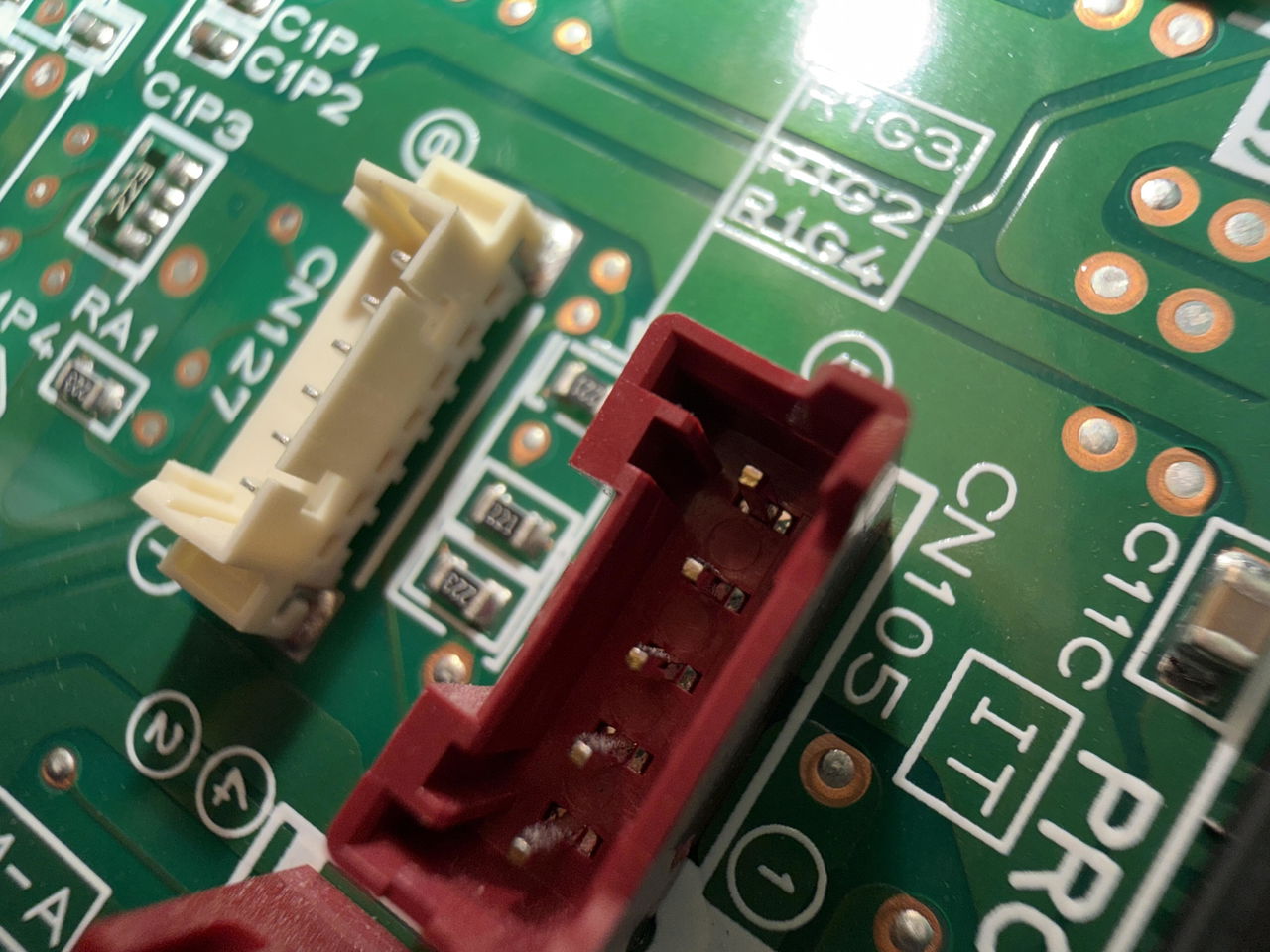
Working great with the supplied sensors. Just using the inbuilt web page right now. My MSZ-AP20VGD took a bit to find the CN105 as it PCB label was hidden, but a photo found it! Plus 'wrenching" the cover off the unit was nerve wracking but it seems to be how it should be done
My MSZ-FH35VE was far easier to dismantle and install
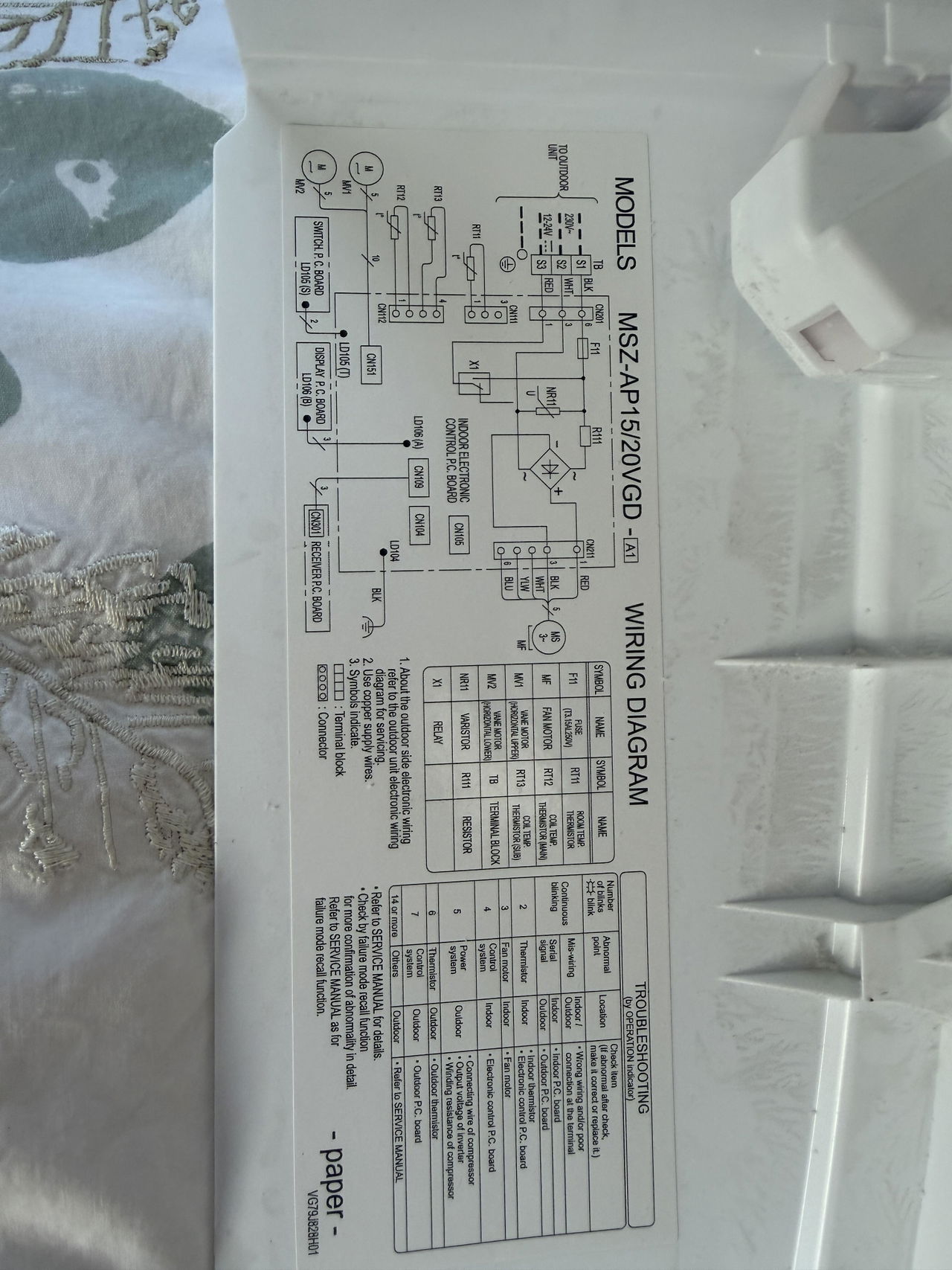
Unit was easy to setup and get working. Some of the controls exposed to HomeKit are not needed for me, but others might like to control them.. The tricky thing is finding the instructions to remove the panels, which takes some searching on YouTube videos for your specific model. The Serin-Labs device is great though!
Quick shipping and board, case, and cable are well-made!
Descriptive instructions and quick setup via their web flasher. Now I can control our Mitsubishi Minisplit fully in HomeAssistant instead of hoping the IR repeater relays the commands correctly. Highly recommend!
Reviewed on Etsy
Totally bought this on a whim and after installing it, I can’t believe how I lived without it. Seriously Mitsubishi, why didn’t it come like this in the first place? Can’t recommend this more. Just buy it. Just install it. Super easy. TEN STARS!!!!!
Reviewed on Etsy
This great little device does the job -- let's me monitor and control my Mitsubishi mini split using Home Assistant. Works great, easy to install (once I learned how to take the cover off my mini split). Shipping was prompt.
Reviewed on Etsy
After googling precise install steps, the programming, install and setup was flawless. Unit(s) operate flawlessly in my Google Home network. Though I use a shortcut to the served web page interface more frequently.!!
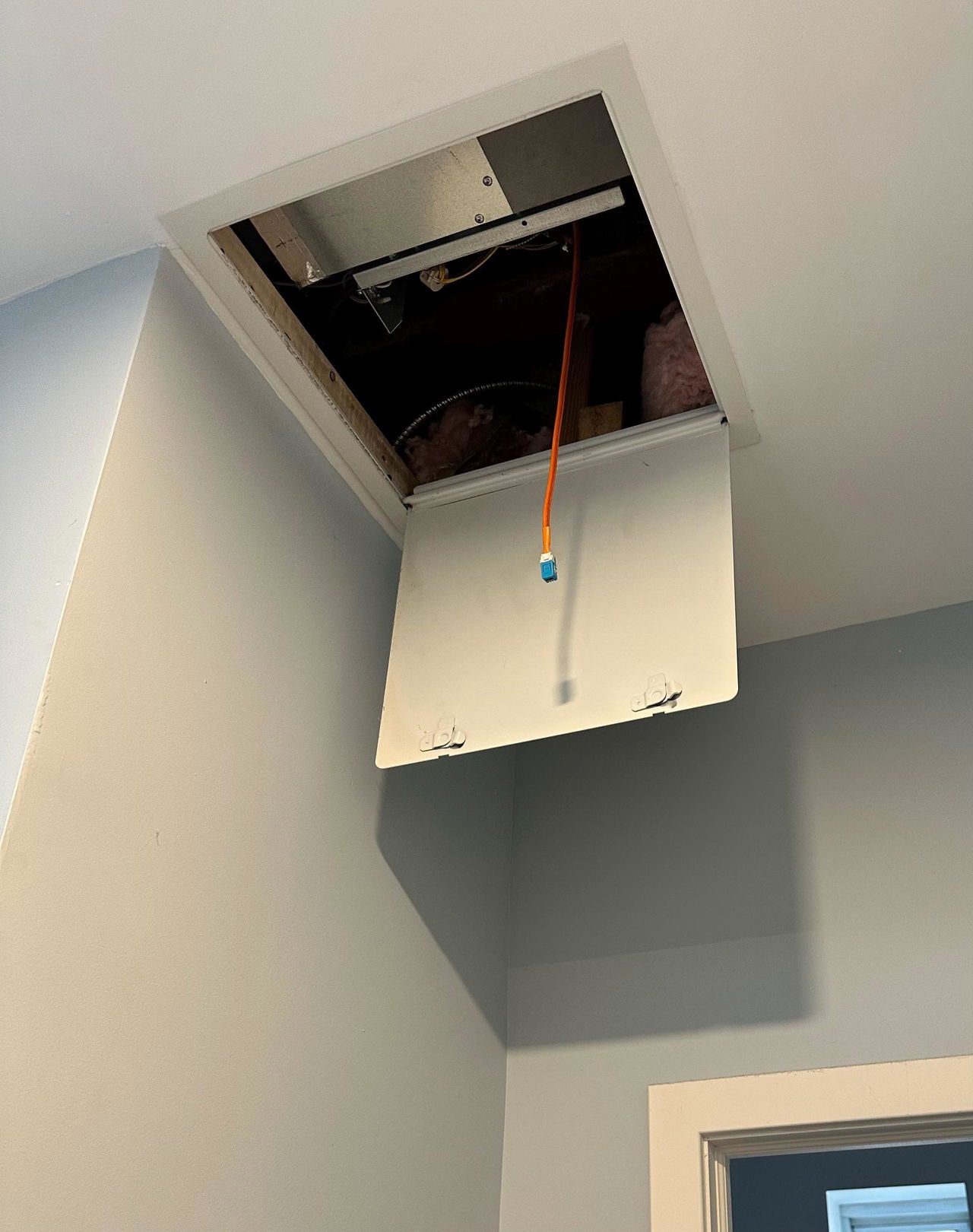
This is the hardware Ive been dreaming of. Had my in ceiling unit connected to Apple Home in less than 20 mins. Online instructions are great, and best of all at a fraction of the cost. Very pleased.
Reviewed on Etsy
It didn't work with our system but that was not the seller's fault. Something with the manufacturer was disabled that prevented it working. But we loved the idea of this!
Reviewed on Etsy
Hardware is great, lots easier than sourcing all the parts yourself, and I wouldn't have built it as well even if I did. Seller is quick with support too.
Reviewed on Etsy
It just works. Plugged this into my laptop, told Claude Code to flash it and link it to home assistant, the whole process was as plug and play as it gets
fast delivery. The flash process was easy to do. The website made it simple. One note: the flash process doesn't work for Safari; I had to use Chrome.
Works exactly as stated. Easy to install, even easier to configure. Thanks for saving me hundreds over the Mitsubishi alternative!
Great item and excellent seller! Very helpful, responsive, and easy to work with. Outstanding customer service. Highly recommend!
Reviewed on Etsy
Super fast shipping, device is really nicely packaged. I flashed my own firmware, but it worked first time! Highly recommend.
Reviewed on Etsy
Explicit directions, simple installation, functions exactly as advertised, fast delivery, 6 star rating if I could.
Worked great. It booted up and was already flashed due to the fact that I ordered the remote temp module.
Reviewed on Etsy
Excellent device, works great with my system. Seller is very responsive and helpful if needed! Thanks!
Reviewed on Etsy
Amazing product! Works seamlessly. Allowed me to add my "dumb" Mitsubishi heatpumps to Home Assistant.
Reviewed on Etsy
Great customer service and quick reply to messages. Item is quality and works as expected! Thank you!
Reviewed on Etsy
Very fast in reaction, sadly the shipping to Europe took ages, which has nothing todo with the seller
Reviewed on Etsy
Compact unit that let me control Mitsubishi mini splits directly instead of with their buggy app
Reviewed on Etsy
Setup had a big learning curve, as I had never worked with ESPHome before, but it works well.
Reviewed on Etsy
controller exactly as described. bonus points for providing it flashed with HomeKit firmware
Works great at a great price. Setup can be a bit technical, but Claude Code helped me
Reviewed in the Shop app
Surprisingly easy to install. Now my mini splits are in my apple home app. Love it.
Reviewed on Etsy
The wifi adapters worked great. Very impressed with the capability this provides.
Simple set up. It just works (which is exactly what you want from this!)
Works great! Had to reflash since I needed ESPHome but worked out fine.
Reviewed on Etsy
Works perfect and super easy install . 3 screws and I was connected
Reviewed on Etsy
Works as described. Firmware was easy to install from the website.
Reviewed on Etsy
Really easy way to hook up my Mitsubishi mini split to Apple home
Reviewed on Etsy
Works great and unlocks so much functionality! Well worth it!
Reviewed on Etsy
Worked perfect for connecting to my 15 year old split AC unti
Serin Controller for Mitsubishi Mini Split Heat Pumps
Reviewed on Etsy
Just worked. Exceptional support. Full recommendation
Reviewed on Etsy
Product exceeded my expectations, well packaged too.
Compact well made de-cloudifier for home assistant
Reviewed on Etsy
These worked perfectly, highly recommended!
Reviewed on Etsy
If you are thinking about it, just do it!
Reviewed on Etsy
Great stuff, would definitely recommend
Reviewed on Etsy
Worked real easy. Amazing product.
Reviewed on Etsy
Easy to use and works flawlessly.
Reviewed on Etsy
Quick shipping and great quality
Reviewed on Etsy
Great purchase with fast replies
Reviewed on Etsy
Great he went above and beyond!
Reviewed on Etsy
Works super well and seamlessly
Reviewed on Etsy
Exzellent tool, runs super well
Very easy to install and setup.
Worked great. Easy to install.
Great unit, install was easy
Reviewed on Etsy
Easy to setup! Great product
Reviewed on Etsy
Fast shipping. Great product
Reviewed in the Shop app
Worked like a charm.
Excellent product
Very very good
After it arrives
Install the free firmware from Chrome or Edge on a computer. Then connect the controller to your mini-split and pair it with your app. You can switch firmware later over USB.