 serin labs
Add a Mitsubishi mini-split to Apple Home and Siri
Flash the free, open-source HomeKit-compatible build onto a CN105 ESP32 controller and the Mitsubishi heat pump pairs directly with the Apple Home app. No Home Assistant, Homebridge, vendor cloud, or subscription is required. You can buy the pre-assembled CN105 controller or build one from the parts list.
Already have a controller? Set it up with Apple Home.
At a glance
- Pairs directly with the Apple Home app; no bridge, Homebridge, or Home Assistant is required.
- Supports Siri, scenes, and automations as an Apple Home thermostat.
- Uses open-source firmware built on
esp-homekit-sdk.
Good to know
- Remote access and automations require an Apple Home Hub, such as an Apple TV or HomePod.
- Additional controls are available from the built-in web interface.
- You can add the web interface to your phone's home screen.
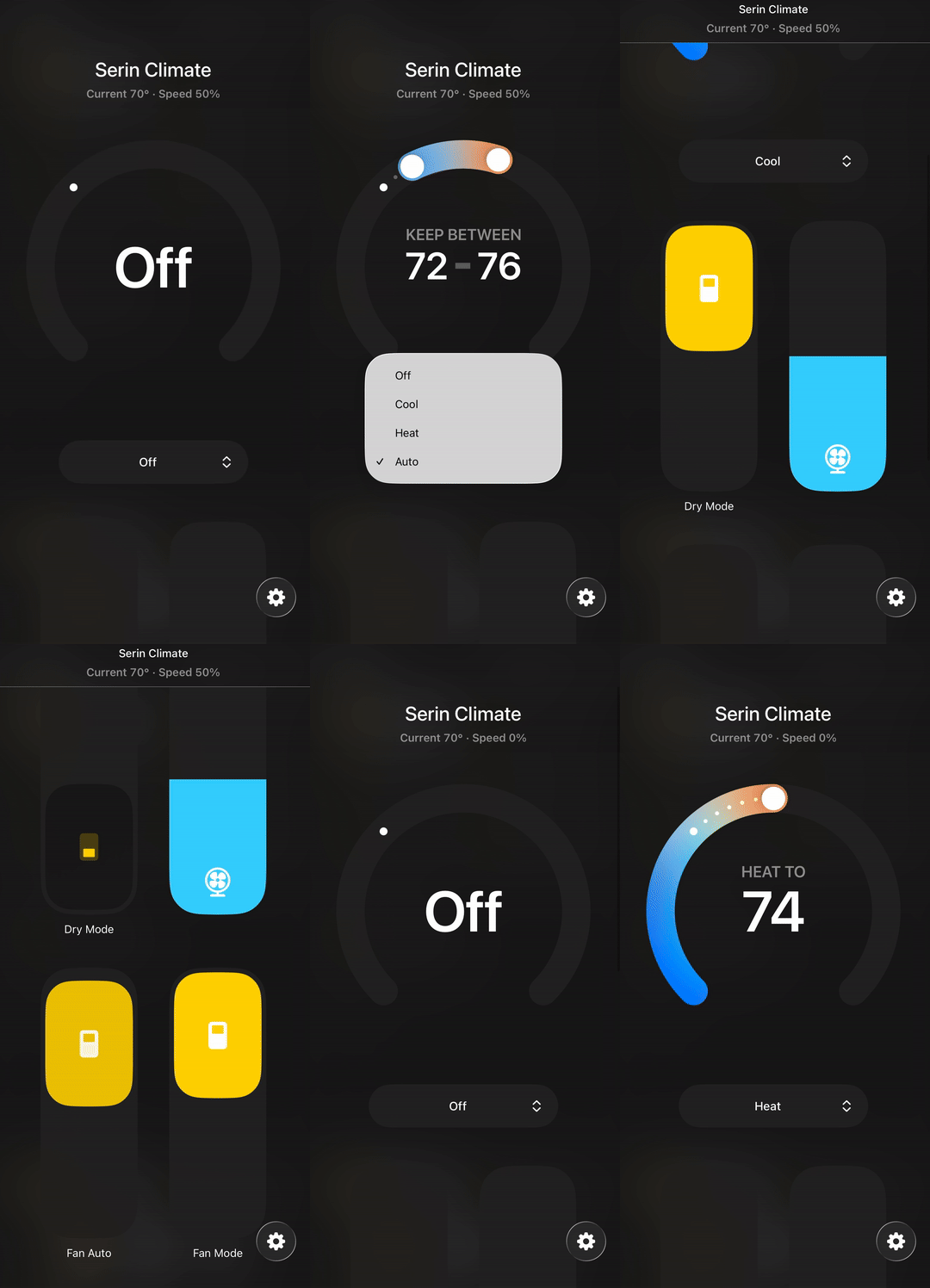
Apple Home pairing
The free HomeKit-compatible firmware pairs directly with Apple Home using a QR code from the flasher or web interface. Apple Home displays an uncertified-accessory notice. Follow the Apple Home setup guide to join Wi-Fi, add the thermostat, and verify control.
Climate control
The firmware supports Off, Heat, Cool, Auto, Dry, and Fan, with temperature adjustments in 0.5°C increments and independent heating and cooling targets in Auto mode. The web interface provides the additional controls beyond Apple Home's thermostat card. See the complete control reference for fan speeds and settings.
Vane control
Adjust the vents to direct air up and down or left and right from the web interface or a paired Serin Link. Vertical control offers Auto, five positions, and Swing; horizontal control offers five positions, Split, and Swing on units fitted with that vane. Apple Home does not provide vane controls.
Diagnostics
Compressor frequency, outside temperature, runtime, error codes, sub mode, and stage information are available in the web interface. The diagnostics reference explains the readings; the status light reference covers the controller's signals.
Room temperature sensor
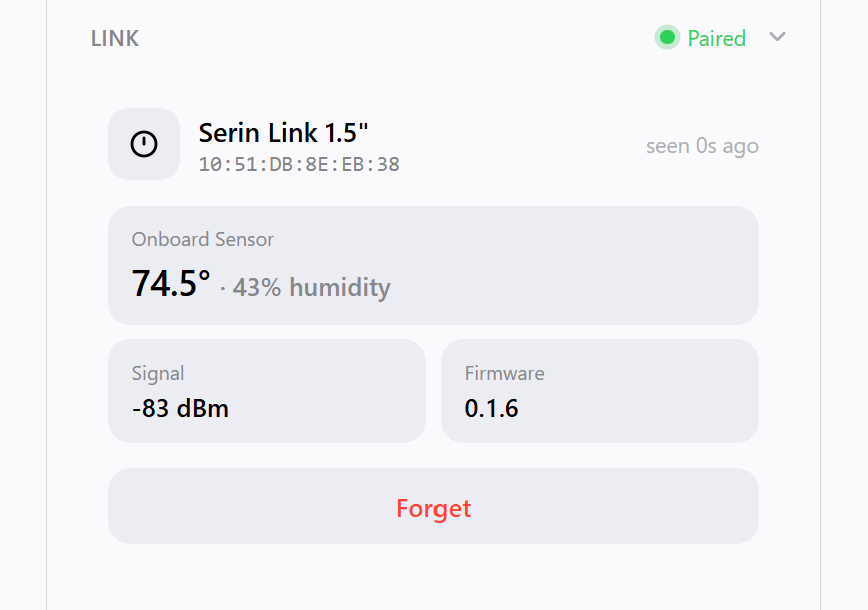
Measure the air where you sit instead of relying only on the return-air sensor near the ceiling. In the Room Sensor card, choose one temperature sensor or average the readings from several. You can adjust each sensor’s reading to correct for a difference from a reference thermometer. It supports up to four automatically detected Bluetooth thermometers, the indoor unit's sensor, and a paired Serin Link.
The first Bluetooth sensor appears in Apple Home with temperature, humidity, and a low-battery warning. If a sensor stops reporting, the heat pump falls back to its own until it returns. Follow room sensor setup to choose sources.
Serin Link dial
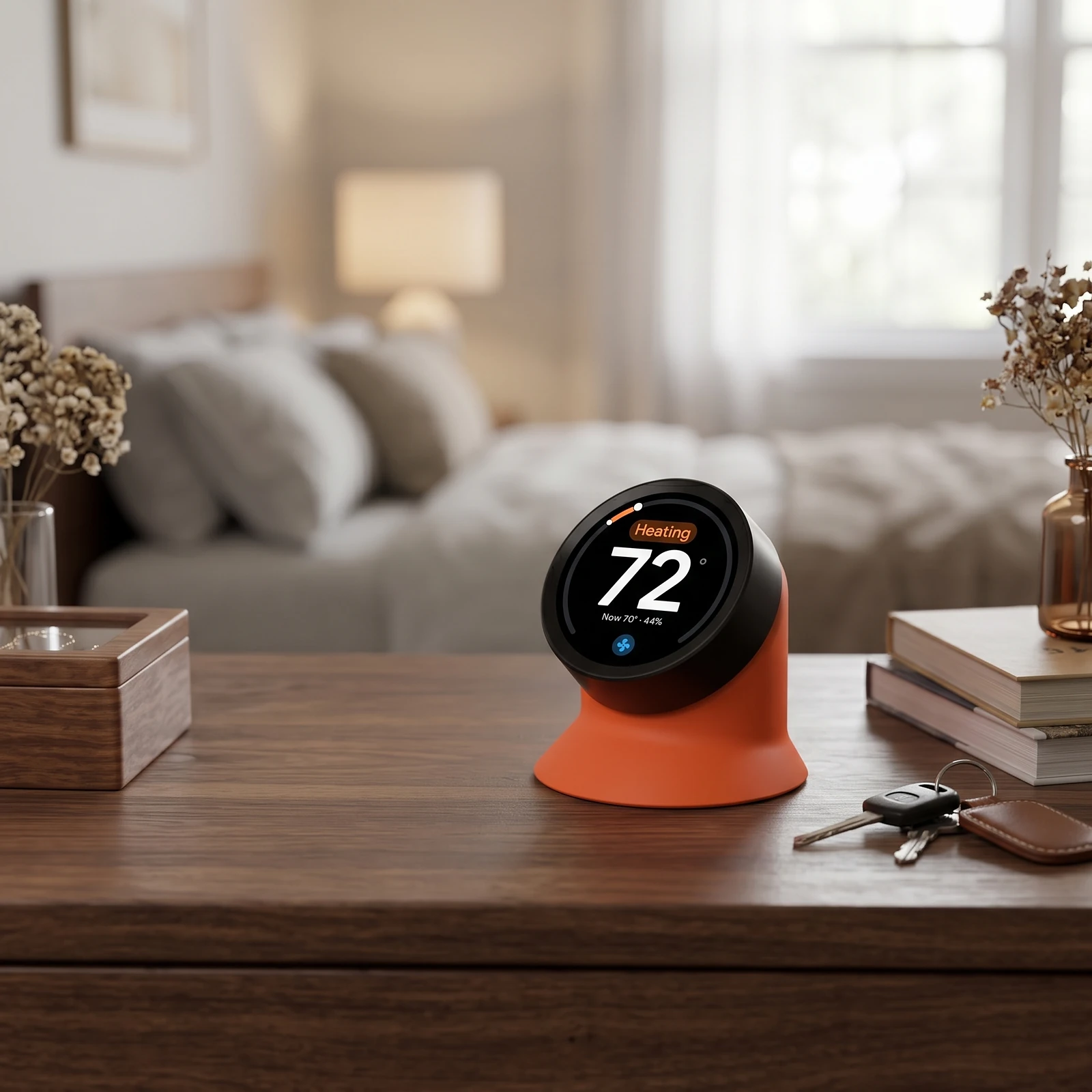
The firmware can pair with a Serin Link, a rotary control and display for a desk or nightstand. It operates without Wi-Fi or a cloud account. Pair it from the web interface. Each controller supports up to four Serin Links. The Serin Link remains in development, but the firmware already includes support for it.
- Control from the dial: mode, target temperature, fan speed, airflow direction, and the °C/°F display preference.
- Wi-Fi recovery: reconnect a controller that has lost its network from the dial, no computer needed
Crash-loop safe mode
After repeated crashes, safe mode keeps Wi-Fi and the web interface available for a firmware update while other functions are disabled. See safe-mode recovery.
Wireless firmware updates
Check for and install releases from the web interface, or upload a firmware file manually. The controller returns to the previous firmware if an update does not start correctly. Follow the update instructions.
Web interface
The local interface combines thermostat, fan and vane controls, pairing QR code, device settings, Wi-Fi scanning, and live logs. You can add it to your phone's home screen. See opening and using the web interface.
Supported boards
M5Stack NanoC6 and Atom S3 Lite are supported. ESP32-C3 SuperMini and XIAO work but are not tested every release; generic ESP32 DevKit boards are not tested. The parts reference covers boards and cables.
Source code
The HomeKit-compatible firmware is open source. See the GitHub repository for protocol documentation, project structure, and build instructions.
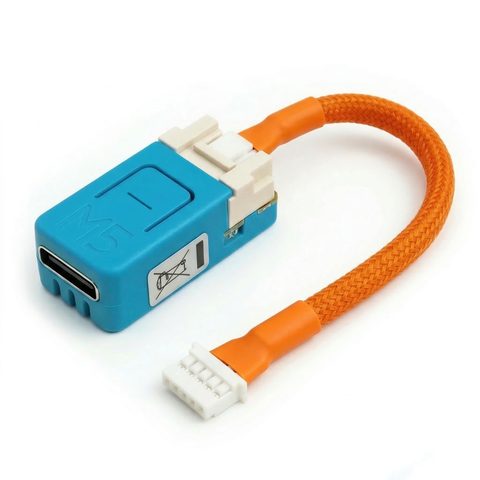
Get the Serin Controller
The pre-assembled board with the CN105 cable already attached. Nothing to solder or crimp, and free shipping in the US.
Buy Now from $35Already have a board?
The firmware is free. Install the HomeKit-compatible build from your browser in about two minutes, then follow the setup guide to connect and pair.
Building your own? The parts list covers the boards this runs on and the CN105 cable, including the connector part numbers if you want to crimp it yourself.