 serin labs
Making a Multi-Zone Mitsubishi System Smart: One Board Per Head
A three-head Mitsubishi system ships with three handheld remotes. By year two, one is in a drawer, one is under a couch cushion, and the third has become the house remote for whichever room somebody is complaining about. That's usually the point where people go looking for a smart thermostat that covers the whole system.
There isn't one. The question I get is some version of "can I run all five heads off a single box," and on a residential M-series system the answer is no. Every indoor unit has its own CN105 port, and every interface that uses that port — ours, Mitsubishi's own Wi-Fi adapter, their wall controllers — talks to exactly one head.
That sounds like a limitation until you look at what it gets you. Five boards means five genuinely independent setpoints, which is exactly the thing you paid extra for when you bought a multi-zone system instead of a single big head. One wall thermostat can't do that. Five can.
There's a real limit underneath all of this, and I'd rather put it near the top than bury it: independent setpoints are not independent capacity. More on that below.
Quick Facts
- One board and one cable per indoor head. Each indoor unit carries its own CN105 port. The outdoor unit — the MXZ — doesn't need a controller at all.
- No hub, no pairing between boards. Each one is an independent device on your Wi-Fi with its own web UI.
- Independent per room: mode, temperature, fan speed, vane position, and its own remote temperature sensor.
- Cost: $35 per head pre-assembled, so $105 for three heads and $175 for five.
- Ducted heads want the 50 cm cable ($40 assembled) so the board sits outside the sheet-metal cabinet.
- What the boards don't change: the outdoor unit still arbitrates capacity between heads, and most residential multi-splits commit to one mode at a time.
- Diagnostics caveat: compressor frequency and outside air temperature are often unavailable when several heads share one outdoor unit.
Why a Multi-Zone System Has No Hub
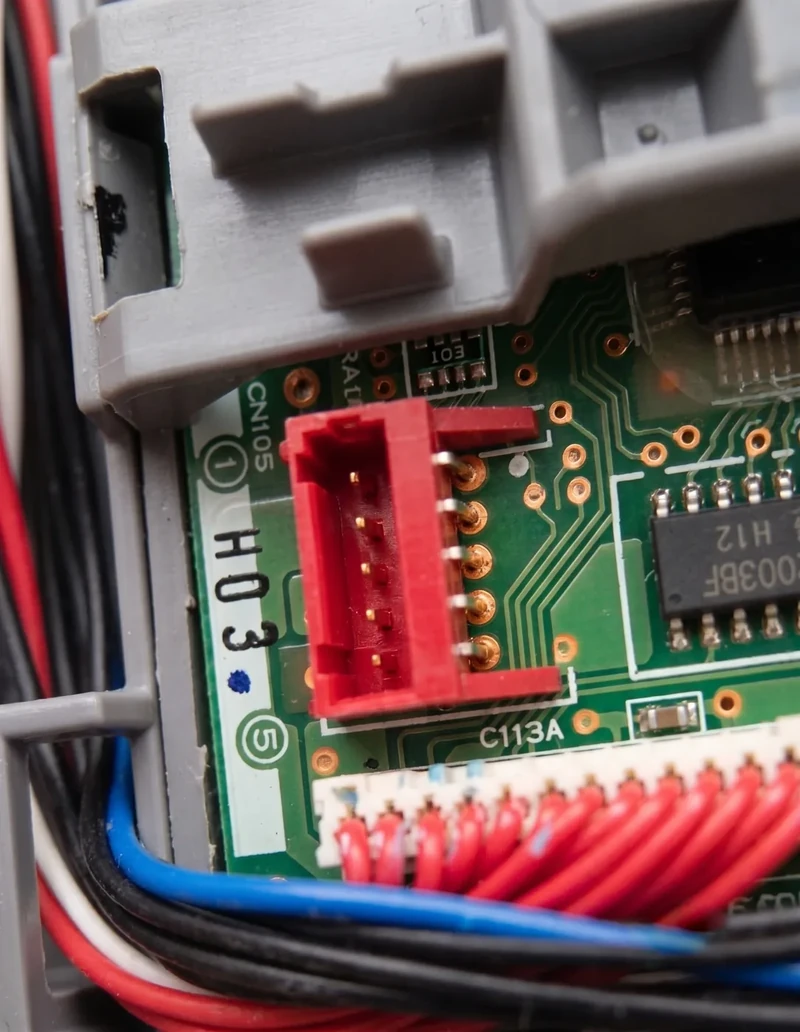
The CN105 port lives on the control board inside each indoor unit, not on the outdoor unit. It's a serial service port, and it's the same port Mitsubishi's own Wi-Fi adapter and their wall controllers plug into. Whatever you connect to it talks to that one head and nothing else.
So the architecture falls out of the hardware. Five heads, five control boards, five ports, five controllers. The compatibility FAQ puts it plainly: each indoor head in a multi-zone system has its own CN105 port, you need one controller per indoor unit, and the outdoor MXZ needs nothing.
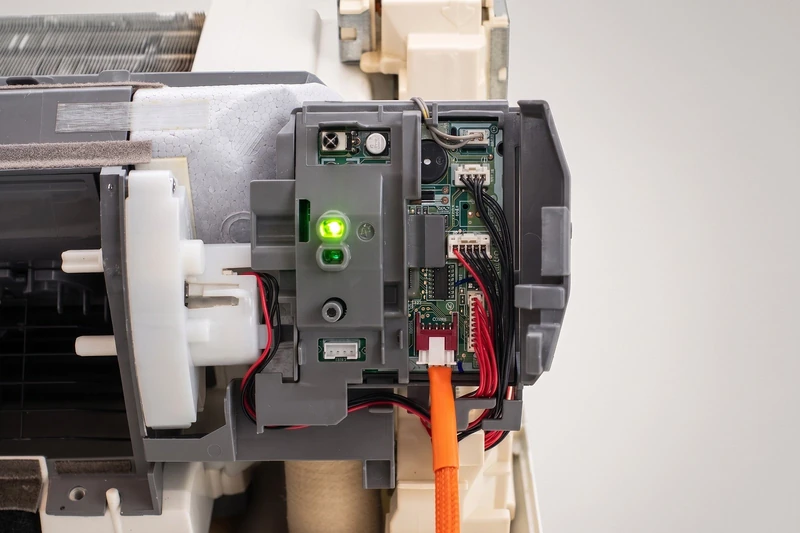
The upside is that nothing is shared and nothing is coupled. Each board runs its own firmware, reboots on its own, and updates on its own. One dead board is one room back on the handheld remote, not a whole house offline.
What One Board Per Head Actually Buys You
Every head gets its own setpoint, its own mode, its own fan speed, and its own vane position. That's the whole argument for a multi-zone system, and it's the one thing a single wall-mounted thermostat structurally cannot deliver.
It also means each room can regulate off its own sensor. A mini-split's built-in thermistor reads return air up at the ceiling rather than the air where you sit, and I wrote that up in full here. On a multi-zone system you get to fix it per room, with a sensor on the nightstand in one and none at all in another.
Scheduling follows the same logic. Bedrooms that only run at night, an office that ramps at 8 and stops at 6, a guest room that stays off until somebody's coming. The schedule is per-zone because the controller is per-zone.
The Part the Boards Don't Change
Here's the limit. Your indoor heads are independent; your system isn't. A multi-split runs every head off one outdoor unit, which means one compressor and one shared refrigerant circuit.
The CN105 port carries setpoints, modes, and state readings. It does not carry authority over the outdoor unit. When four heads call for heat at once, the outdoor unit divides what capacity it has by its own logic — exactly as it would if you were pressing four handheld remotes. Four boards don't create four independent systems. They tell one system four different things you want.
Two consequences worth planning around:
- Mode is usually system-wide. Most residential MXZ multi-splits are single-mode: everything heats or everything cools, not a mix. If you're counting on cooling the office while heating the bedroom, your outdoor unit's installation manual is the authority, and you should check it before you buy anything.
- Sizing is still sizing. If the system was undersized for a design-day load, better instructions won't invent capacity. The boards make the system legible and controllable. They don't make it bigger.
None of that is a knock on the controllers — it's equally true of Mitsubishi's own adapter and their wall controllers. It's the deal you signed when you bought one outdoor unit for five rooms.
What a Multi-Zone Install Costs
This is where the multi-zone math stops being academic, because every option on the market multiplies by head count. Here's ours, at current store pricing:
| Heads | Controller, 20 cm | With room sensor | Ducted, 50 cm cable |
|---|---|---|---|
| 2 | $70 | $110 | $80 |
| 3 | $105 | $165 | $120 |
| 4 | $140 | $220 | $160 |
| 5 | $175 | $275 | $200 |
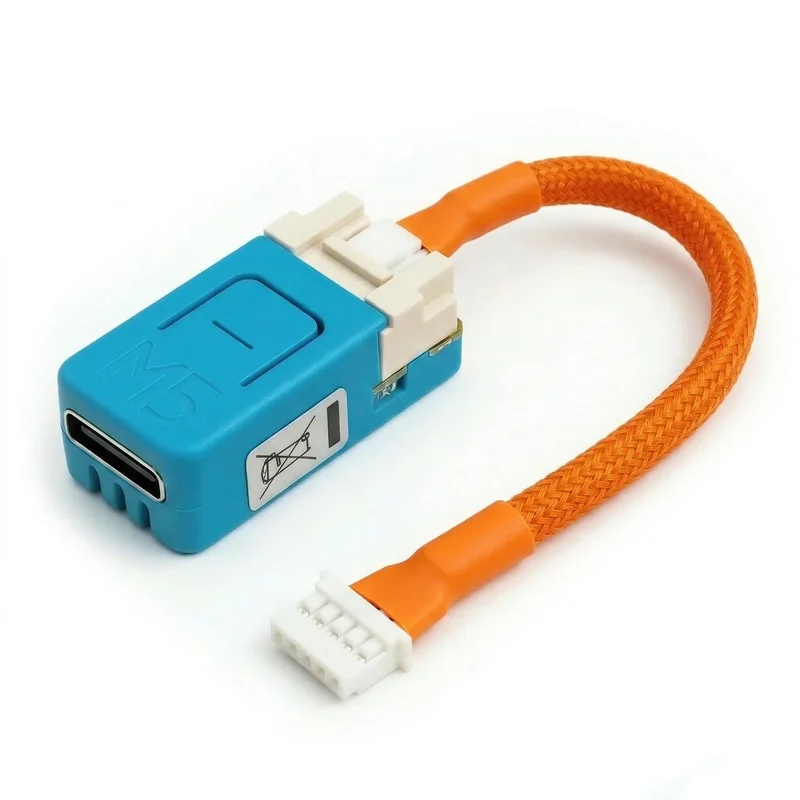
If you're building your own, the cable is the part you can't buy off a shelf: $8 for one 20 cm cable or $30 for a four-pack, $13 for one 50 cm or $50 for four. The four-pack saves two dollars — not a reason to buy one, but it's the same order either way. The ESP32 boards are stock M5Stack modules you order separately; the parts list covers both supported ones.
Now the same zone count, the other ways. The Mitsubishi figures come from the full comparison post. The MHK2 and IR ranges are the newer ones from the thermostat roundup, which prices Sensibo and Cielo separately and found the older three-hundred-dollar MHK2 figures to be a floor rather than a street price. Re-check all of them before you spend, because they move.
| Per indoor head | 1 head | 3 heads | 5 heads |
|---|---|---|---|
| Mitsubishi Wi-Fi adapter (~$227) | $227 | $681 | $1,135 |
| MHK2 (~$415–$475) | $415–$475 | $1,245–$1,425 | $2,075–$2,375 |
| PAC-SDW01RC-1 (~$179) | $179 | $537 | $895 |
| Sensibo / Cielo IR (~$79–$139) | $79–$139 | $237–$417 | $395–$695 |
| Serin controller ($35) | $35 | $105 | $175 |
One thing that surprises people: the IR controllers don't consolidate either. An infrared blaster needs line of sight to the head it's driving, so a five-head house needs five of them, in five rooms. Nothing on this list is a whole-house box — each one attaches to a single head, whether by cable or by line of sight.
Mixed Systems: Wall Heads, Cassettes, and a Ducted Handler
Multi-zone systems are frequently mixed — two wall units, a ceiling cassette, and a ducted air handler doing the upstairs. The port and the protocol are the same across all of them. What changes is the cable and what the firmware can expose.
Wall units and cassettes take the standard 20 cm cable with the board tucked inside. Multi-position ducted air handlers — SVZ, MVZ, PEAD, PVA — have a sheet-metal cabinet that weakens Wi-Fi, so the parts page recommends the 50 cm cable instead. That length lets you route out of the cabinet and mount the board on the insulated plenum or ductwork, where the radio has a chance.
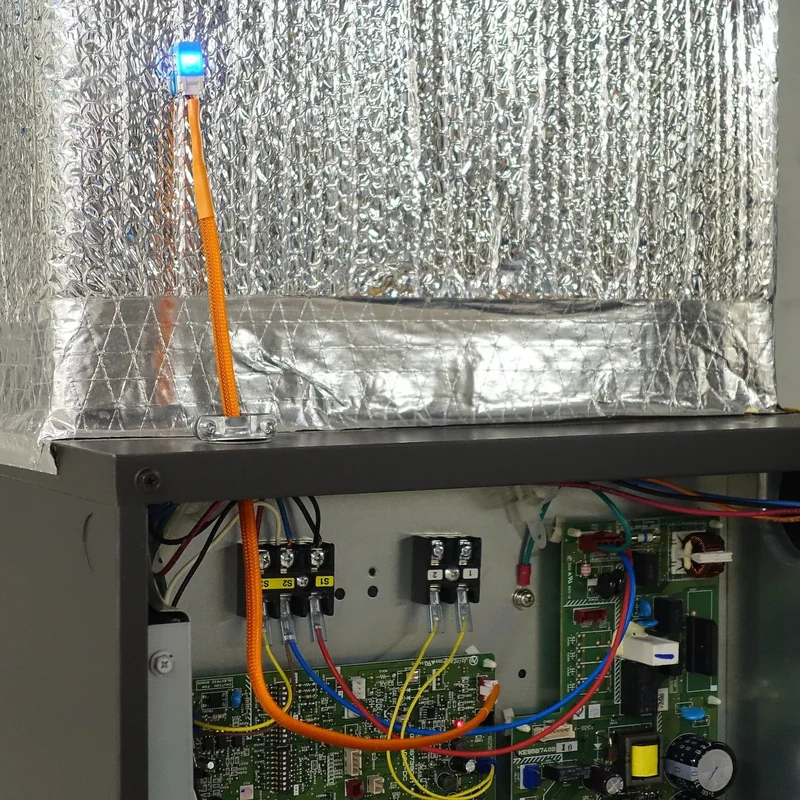
Feature coverage varies by head, too. Vertical vane control doesn't apply to ducted units, and horizontal wide-vane control only exists on some wall-mount models. Your ducted zone will simply show fewer controls than your bedroom head, on identical firmware.
Check every model number, not just one. Heads on the same system can carry different verdicts, and a few Mitsubishi trims ship a CN105 connector that isn't wired for control. The model checker answers this in about a minute per head, and the port-check walkthrough covers what you're looking for behind the cover.
Name Them Before You Flash the Second One
This is the advice that saves the most grief on a multi-head install, and it costs nothing. Decide on names first.
On ESPHome, step 6 of the setup guide is explicit: give each device a distinct name in the YAML generator — living-room, bedroom-1, office — and the friendly name is what shows up in Home Assistant. You flash, connect, and adopt each board individually, then all of them appear in one ESPHome dashboard where you can push updates across the fleet.
On the Apple Home firmware, each board names itself. The access point and the local hostname are Serin-XXXX, where XXXX is the last four characters of that board's Wi-Fi address, so five boards get five distinct names with no effort from you. The trouble is that Serin-8A3F means nothing to a human. Rename each one from its web UI settings, and assign it to the right room in the Home app, before you move to the next board.
Two more habits. Do one head at a time, start to finish — flash, install, name, confirm it responds — rather than flashing five boards on a desk and losing track of which is which. And label the cables: the parts list suggests a label maker for exactly this reason, and you'll want it the first time a board goes quiet.
The Diagnostics You Lose on a Multi-Split
Now the honest part, because this is the one place a multi-zone owner gets less than a single-zone owner.
The deep diagnostics come from the unit, not from the board, and several of them are tied to the outdoor unit. The compatibility page is direct about it: compressor frequency is often unavailable on multi-split systems, and some models simply report 0 forever. Outside air temperature depends on the outdoor unit and isn't available on some multi-zone configurations. The multi-zone FAQ entry says the same thing in one line.
That matters if compressor frequency is why you're buying. On a single-head system it's genuinely interesting — you can watch the unit modulate. On a five-head MXZ, you may find that field flat at zero on every board, and no firmware can conjure a value the unit doesn't send.
What does work: climate control on all models, remote temperature sensor support on most, and vane control on most wall-mount units. The control half is solid across multi-zone. It's the telemetry half that gets thin.
Who Should Buy What
- You have 2–5 heads, want per-room control, and run Home Assistant or Apple Home. Buy one controller per head — $105 for three, $175 for five — and follow the naming discipline above. This is the case the product is for.
- Two of your five rooms are guest rooms nobody sets foot in. Then don't do those. Buy three boards, leave the rest on their handheld remotes, and add them later if those rooms ever get used.
- You want a real screen on the wall in the main living space. Put a PAC-SDW01RC-1 on that head — $179, no network, no phone — and boards on the rest. Each head's CN105 port is independent, so you choose interface per zone. You just can't stack two on the same head, since most units have exactly one port. The wall-controller comparison covers that trade in full.
- You rent, or there's a head you're not comfortable opening. Put a Sensibo or Cielo in that room. It's blind — one-way IR with no state feedback — but it needs no cover off and no wiring, and for a rented bedroom that's the right call.
- You want the manufacturer's app and a support line to call. Mitsubishi's own Wi-Fi adapter, around $227 a head — roughly $1,135 across five. Still a legitimate choice if official matters more than local.
- You bought the multi-zone system specifically to heat one room and cool another. Check the outdoor unit's manual before you buy any of this. If your system is single-mode, no controller on this page changes that.
- You'd rather wait for one box that drives the whole system. A Multi-Zone Controller is on our roadmap, but it covers City Multi, P-series and branch box M-series systems. A ported MXZ like the 4C36NA isn't on that list, so if that's your outdoor unit, five boards is still the answer. If you're on a branch box or a City Multi, put your name down instead of buying boards you'd replace.
The Short Version
There's no hub because there's no port for one. Every indoor head has its own CN105 connector, so every head gets its own board, and what you get back is the per-room control that a multi-zone system was supposed to give you in the first place. What you don't get is a bigger compressor.
- Check each head's model number — all of them, not just one.
- Order one controller per head you actually want to control, picking the 50 cm cable for any ducted air handler.
- Flash and install them one at a time, naming each one before you start the next.
You bought a system that can hold five different numbers. This is what it takes to finally tell it five different numbers.
Related
- Get the hardware
- Check your unit for a CN105 port
- Set up ESPHome and Home Assistant
- Every smart-control option compared
Next step
Check your unit first
Type your indoor unit's model number for a verdict in under a minute. If it fits, the firmware flashes in the browser in about two minutes.