 serin labs
The Best Smart Thermostat for a Mini-Split (2026)
"Nest thermostat for mini-split." "ecobee on a ductless heat pump." Some version of that gets searched every day. You buy the thermostat, open the box, and hit a wall: there's nowhere to wire it. A Nest or ecobee expects four or five low-voltage wires behind a wall plate, and a mini-split doesn't have them.
So the real question isn't which smart thermostat. It's which of the few things that actually control a mini-split fits how you live. There are four categories, they run from $35 to nearly $500, and each wins for a different person. If you want every smart-control path compared head to head, I put all of them side by side in the pillar post. This one starts a step earlier, from "my Nest won't fit, now what," and adds the thermostats that post doesn't dwell on, like Mysa.
Why Your Nest or Ecobee Won't Work
A conventional smart thermostat is built for central HVAC: a furnace or air handler that cycles on and off through low-voltage 24V wiring, the familiar R, W, Y, G, C terminals. The Nest sits in that wire run and closes a circuit to call for heat or cool.
A mini-split has none of that. The indoor head talks to the outdoor compressor over the manufacturer's own control bus, and it takes commands one of two ways: a proprietary serial connection on a port called CN105, or infrared from the handheld remote. There's no 24V loop to tap, so there's physically nothing for a Nest's wires to land on — not a settings problem, not a missing adapter. The two systems just don't speak the same language.
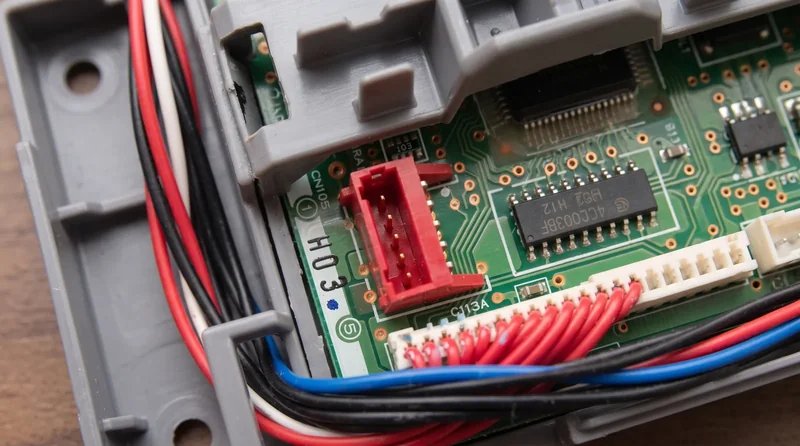
So every real option below does one of two things: speaks the unit's CN105 serial protocol, or mimics the IR remote.
Quick Facts: What Actually Controls a Mini-Split
- Mitsubishi wall controllers (MHK2, PAC-SDW01RC-1): a real thermostat on the wall, wired to CN105. Senses temperature in the room, zero cloud. PAC ~$179, MHK2 ~$415–$475. No app on their own.
- Mitsubishi Wi-Fi adapter (Kumo Cloud / MAC-587IF-E): the OEM way to add a phone app. Also on CN105. ~$227, and it runs through a Mitsubishi cloud account.
- IR smart controllers (Sensibo, Cielo, Mysa): plug-in or stick-on boxes that mimic the remote. Any brand, five-minute install, ~$79–$164, vendor cloud.
- Local CN105 control (Serin): an ESP32 board on CN105 with two-way state and a built-in web UI. Fully local. $35 pre-assembled, or $15–20 in parts.
Category 1: Mitsubishi's Own Wall Controllers
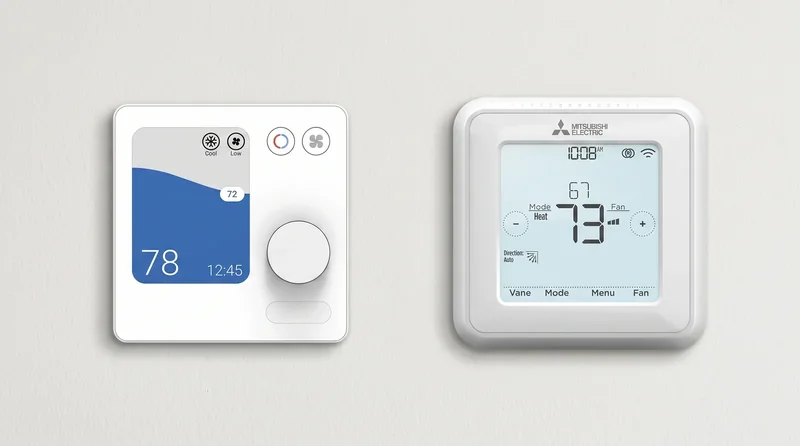
If "smart thermostat" to you means a screen on the wall you can walk up and touch, this is the closest a mini-split gets to a Nest. The MHK2 is a wireless wall thermostat plus a receiver that wires into the unit; the PAC-SDW01RC-1 is a simpler wired controller with a color screen. Both connect through CN105, both run with no network at all, and both do the one thing a mini-split badly needs: they read room temperature at the wall, where you sit, instead of at the ceiling where the unit's own sensor sits.
That standalone, cloud-free operation is the real reason to buy one. The catch is price and the app gap. The PAC runs about $179; the MHK2 streets around $415–$475 now; the three-hundred-dollar figures still quoted around the web are a floor, not a typical price. And neither gives you an app on its own. Phone control on an MHK2 means bolting on Mitsubishi's separate Wi-Fi adapter (the Kumo Cloud MAC-587IF-E, ~$227), which lands you back on a cloud account. I go deeper on these in the dedicated MHK2 comparison.
Category 2: IR Smart Controllers (Sensibo, Cielo, Mysa)
This is the category most people find first: easiest to install, and it works on any mini-split, not just Mitsubishi. These boxes sit in the room and mimic your handheld remote over infrared — no cover off, nothing wired. Five minutes and you're running.
Sensibo sells three models: the Sensibo Sky (around $89), Sensibo Air ($109), and Sensibo Air Pro ($139). The HomeKit split matters if you're an Apple household: the Sky does not support Apple HomeKit, while the Air and Air Pro do. Home Assistant support is official, but cloud-polling only, roughly once a minute through Sensibo's API with no local mode. The core app features are free; a $2.49/month "Energy Saver" plan gates the advanced scheduling and analytics.
Cielo's Breez line runs from the Breez Lite ($79) and Breez Eco ($100) — each with a small segment display — up to the Breez Max (~$125), whose full-color touchscreen you can run without a phone. No current Breez model does full Apple HomeKit; Cielo offers Siri Shortcuts (a voice bridge) but not Home-app integration. Cielo markets "free app, no subscription," and its official Home Assistant integration is also cloud-polling only, about every two minutes through Cielo's cloud.
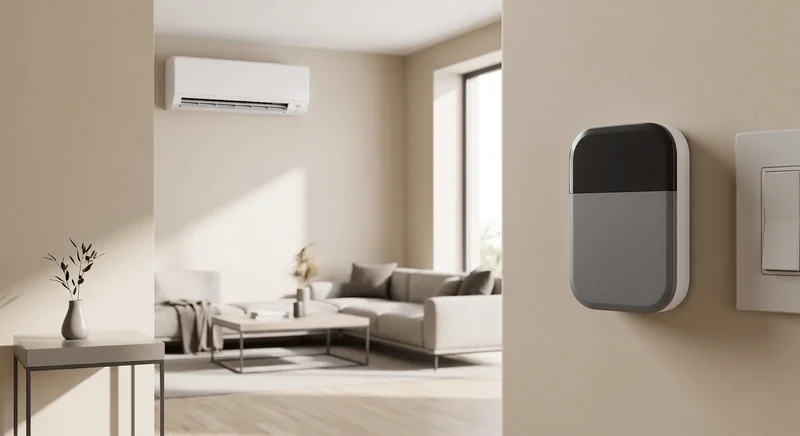
Mysa takes the thermostat shape furthest: its mini-split model (~$131 on sale, ~$164 regular) is a wall-mounted unit that sticks on with adhesive or a stand and runs off a plugged-in 5V USB adapter. It supports Apple HomeKit, Google Home, and Alexa. Mysa markets energy savings of "up to 26%" — a vendor claim, not something I've measured. Like the others, it requires a Mysa cloud account; there's no official local control, and Home Assistant support is community-built only.
The shared tradeoff across all three: infrared is one-way. The controller fires a command like your remote does and assumes it landed — it can't read the unit's real state back (no compressor frequency, no error codes), and if someone picks up the factory remote, the app's picture drifts from reality. You're also just trading Mitsubishi's cloud for the vendor's; none of these run without an account.
Category 3: Local CN105 Control (the Serin Controller)
The last category is the one I build, so here's my bias up front. The Serin controller is a small ESP32 board — an M5Stack NanoC6 or Atom S3 Lite — that clips onto the same CN105 port the OEM adapter and wall controllers use. The difference from the IR boxes is the connection itself. CN105 is a two-way serial link, so instead of firing commands blind, the controller reads the unit's actual state back: compressor frequency, outside air temperature, runtime, error codes, and live logs, all in a built-in web UI with no app or cloud in between.
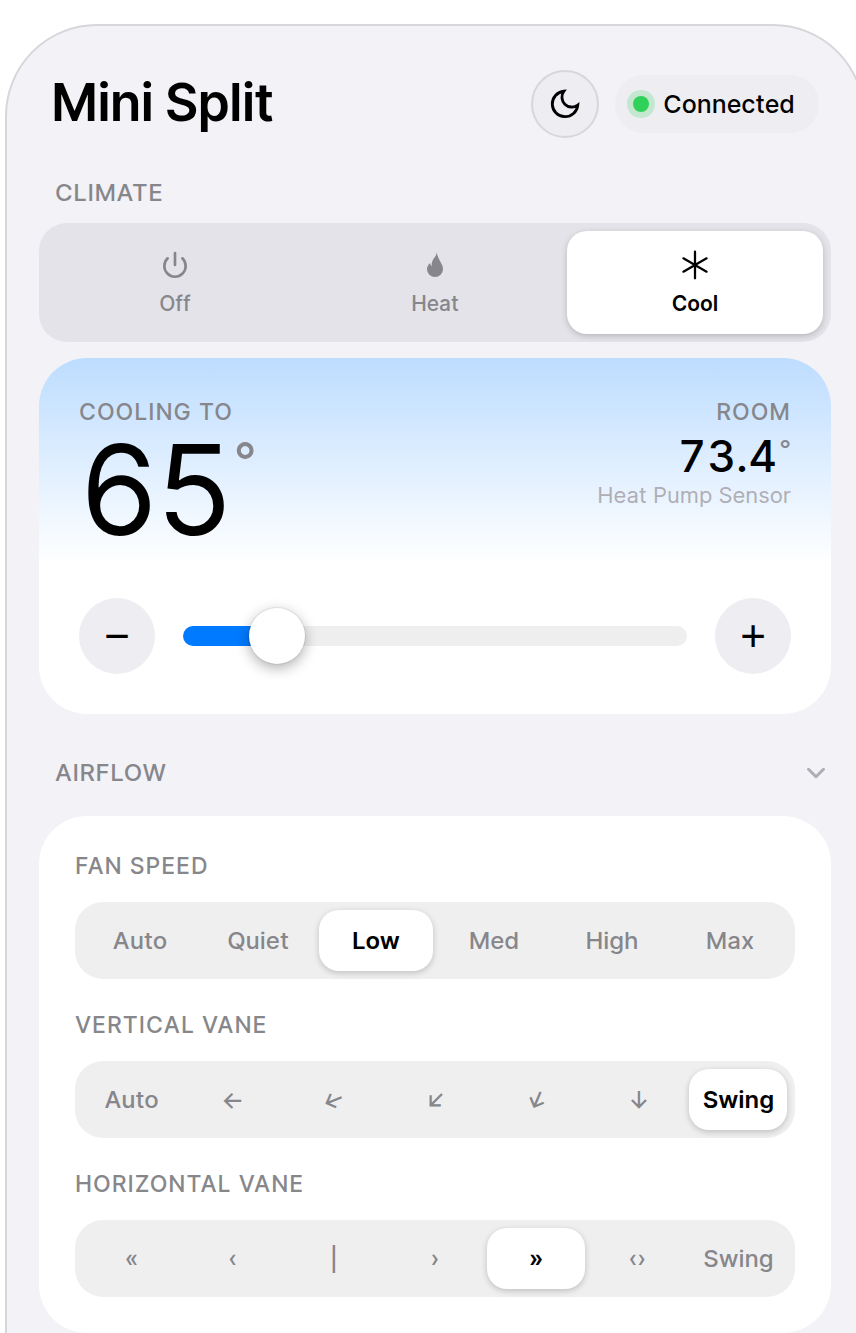
You flash it from a browser over USB — no soldering, nothing to compile — and pick one of two free, open-source firmwares: ESPHome, which makes the mini-split a native Home Assistant device, or an Apple Home compatible build for Siri and the Home app. Because that firmware isn't MFi-certified, pairing it in the Home app shows an "Add Anyway" prompt once; tap through and it works normally after. Both are fully local, no account, no fees. It's $35 pre-assembled, or $15–20 in parts if you'd rather build it, and the factory IR remote keeps working alongside it.
Where it's the wrong tool, plainly: it only works on Mitsubishi units with a CN105 port, not other brands. You have to open the indoor unit once to plug it in. There's no screen on the wall — control is your phone, your voice, or the web UI (a wall display is in the works). And support is a community and open-source project, not a manufacturer's hotline. If any of those is a dealbreaker, a category above fits you better, and I'd rather you buy that.
Side by Side
| MHK2 / PAC | Kumo adapter | Sensibo | Cielo | Mysa | Serin | |
|---|---|---|---|---|---|---|
| Price | PAC ~$179, MHK2 ~$415–$475 | ~$227 | ~$89–139 | ~$79–125 | ~$131–164 | $35 (or $15–20 DIY) |
| Wall display | Yes | No | — | Plus & Max only | Yes | No |
| Senses temp at human height | Yes | No | — | — | — | Optional remote sensor |
| Phone app | Only with Wi-Fi adapter | Yes (Kumo Cloud) | Yes | Yes | Yes | Yes (web UI + Home/HA) |
| Apple HomeKit | No | No | Air & Air Pro (not Sky) | No (Siri Shortcuts only) | Yes | Yes (Apple Home firmware) |
| Home Assistant | No | Not officially | Official (cloud only) | Official (cloud only) | Community only | Native (ESPHome) |
| Real unit state | Error codes | Limited | No (IR) | No (IR) | No (IR) | Yes, live |
| Cloud / account required | No | Yes | Yes | Yes | Yes | No |
| Install effort | Open unit, wire CN105 | Open unit, CN105 | Plug in, no wiring | Plug in, no wiring | Stick on wall, USB power | Open unit once, flash USB |
| Works on non-Mitsubishi | No | No | Yes, any brand | Yes, any brand | Yes, any brand | No |
Who Should Buy What
- You want a real screen on the wall and no network in the loop. Buy the MHK2 or PAC-SDW01RC-1. They sense room temperature and run forever with no cloud, and the PAC at ~$179 is the affordable end. Full breakdown here.
- You rent, can't open the unit, or want it running in five minutes on any brand. Get an IR controller. If you're an Apple household, the Sensibo Air or Mysa give you real HomeKit; if you just want cheap and simple, the Cielo Breez Lite or Sensibo Sky are the budget picks (the Sky skips HomeKit). All of them lean on the vendor's cloud.
- You want Apple Home, Home Assistant, or local diagnostics for the least money, and you'll open the cover once. Flash the Serin controller. It's the only local, two-way option here, and the cheapest.
- You just want Mitsubishi's official app and don't mind the cloud. Add the Kumo Cloud Wi-Fi adapter (~$227). It's the manufacturer path, with their support behind it.
The Short Version
There's no single best smart thermostat for a mini-split, because a mini-split isn't wired for one. What you're really choosing is how to reach the unit: a wall screen on CN105, the OEM cloud adapter, an IR box that mimics the remote, or a local CN105 board.
If what you want is local control and real diagnostics for the least money:
- Check that your unit has a CN105 port.
- Get the board and cable, one per indoor unit, or the pre-assembled controller.
- Flash the firmware from your browser — ESPHome for Home Assistant, or the Apple Home build for Siri.
Same mini-split, four ways to run it. Match the one to how you actually live with it.
Related
- Every smart-control option compared
- Cheaper alternative to the MHK2
- Check your unit for a CN105 port
Next step
Check your unit first
Type your indoor unit's model number for a verdict in under a minute. If it fits, the firmware flashes in the browser in about two minutes.