 serin labs
Cheaper Alternative to the Mitsubishi MHK2 Wall Controller
If you're pricing out a Mitsubishi MHK2, an older MHK1, or a wired PAC-SDW01RC-1, your instinct is right: the little credit-card IR remote that came with the unit is no way to run a heat pump you live with. You want a real controller. Something on the wall, something precise, something that isn't a cloud app asking you to sign in.
Good news and better news. The good news: those Mitsubishi wall controllers are solid, and I'll be fair about what they do well. The better news: all three of them plug into the exact same port a $15–40 controller uses, and that one fact changes the math on the whole purchase.
Quick Facts: The Four Options
- MHK2 (Kumo Touch, RedLINK): wireless wall thermostat plus receiver. Connects via CN105. Around $415–$475. App control needs a separate Wi-Fi adapter.
- MHK1: the MHK2's discontinued predecessor. Same idea, older hardware.
- PAC-SDW01RC-1: wired wall controller, color screen. Ships with a CN105 adapter, runs on 18/4 AWG wire. 7-day schedule, dual-setpoint auto changeover, PIN lock. Around $179.
- Serin controller: ESP32 board on the same CN105 port. App, Siri, and Home Assistant control. Around $15–40.
What These Mitsubishi Controllers Actually Are
Let's get the lineup straight, because the names blur together.
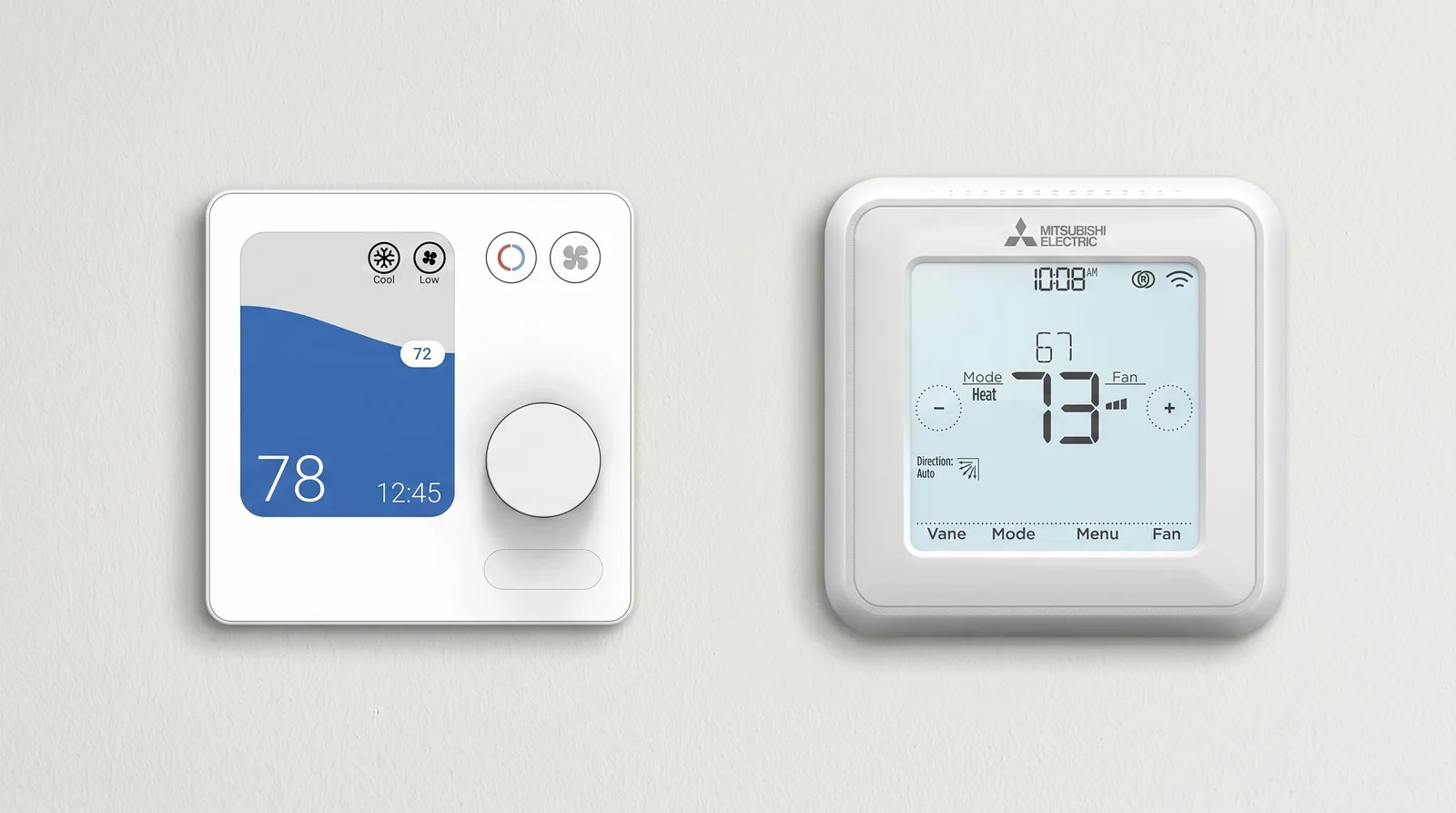
MHK2 (Kumo Touch, RedLINK) is a wall-mounted wireless thermostat plus a small receiver. The receiver wires into the unit; the thermostat talks to it over RF, so you can hang the display anywhere. Real screen, 7-day scheduling, temperature sensed at the wall. It's the premium option, and it's priced like one.
MHK1 is the MHK2's discontinued predecessor. Same idea, older hardware. If you're searching for one, you're usually replacing a dead one, and the MHK2 is the stand-in.
PAC-SDW01RC-1 (Simple Ductless Wired Remote Controller) is a wired wall controller with a color screen. It's the "precise climate control" puck most people find first, and the cheapest of the three. Dual-setpoint auto changeover, a 7-day program, a PIN lock.
All three do the same core job the factory remote won't: give you a fixed, physical, room-aware way to run the unit.
They All Use the Same CN105 Port
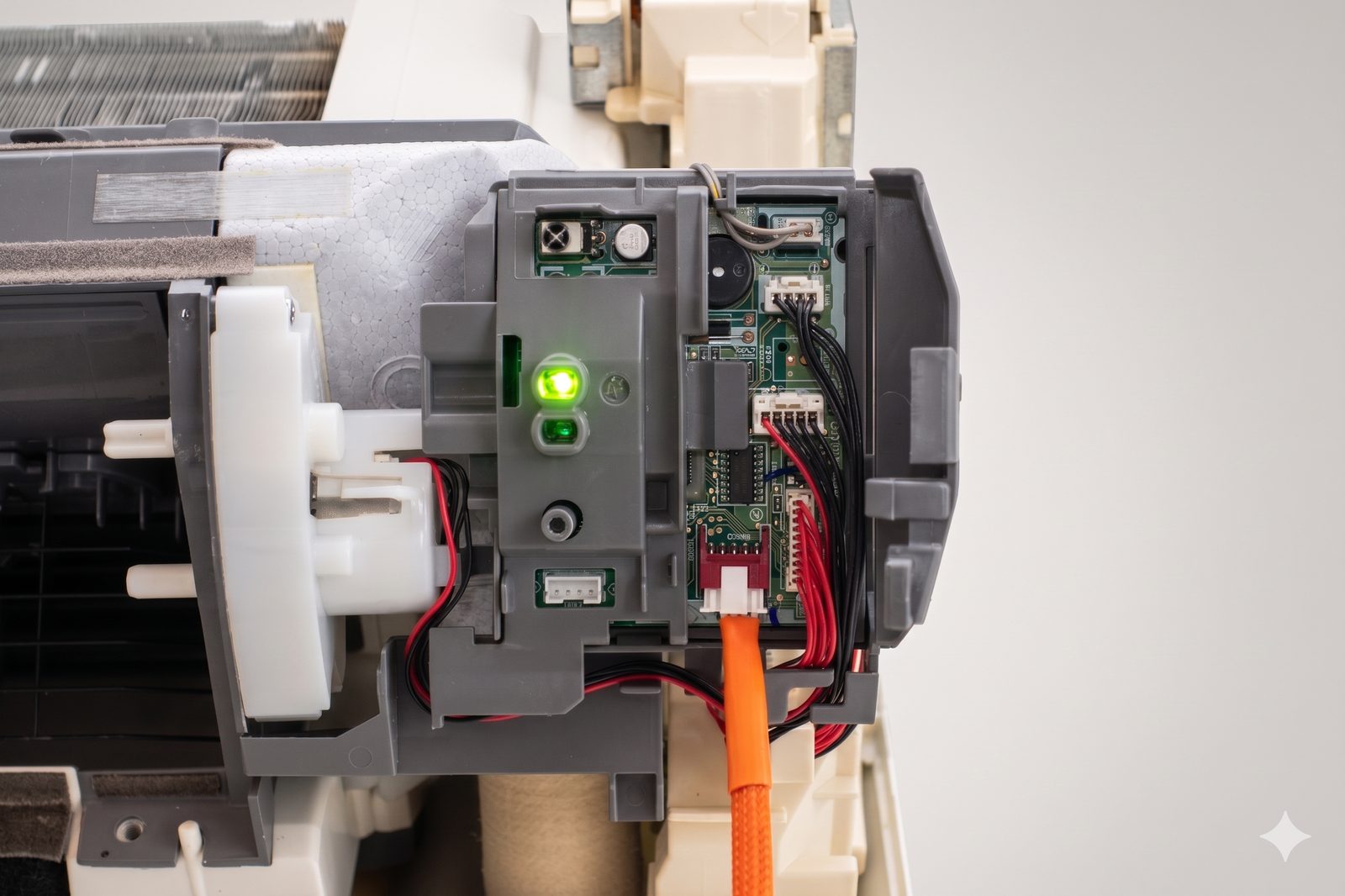
Here's the part that reframes everything. The MHK2 receiver and the PAC-SDW01RC-1 both connect through the CN105 port. The MHK2 gets there via its control cable to CN105, the wired controller via the CN105 adapter in the box. That's the same serial port on the same control board that the Serin controller clips onto.
Most indoor units have exactly one CN105 port. That makes it a straight either/or: one device owns the port, and you decide which. You're choosing an interface for your heat pump. Seen that way, a $179–$475 wall puck and a $15–40 ESP32 board are competing for the very same slot.
What the Wall Controllers Do Well
I'm not going to pretend the wall controllers aren't useful. They do two things the Serin controller doesn't do out of the box, and if either matters to you, buy the Mitsubishi part with a clear conscience.
They're standalone. No phone, no Wi-Fi, no hub, no network at all. Power the unit, touch the screen, done. For a rental, a guest room, a workshop, or anyone who simply doesn't want a smartphone in the loop, a physical wall thermostat is the honest right answer.
They sense temperature where you are. That's the whole "precise climate control" pitch, and it's real. A mini-split normally reads the air up at the indoor unit near the ceiling, which runs a few degrees warmer than head height. A wall controller measures the room where you actually sit, so the setpoint means what it says.
Those are the two reasons to spend the money. Hold onto them, because the second one has a much cheaper answer.
What the Serin Controller Adds
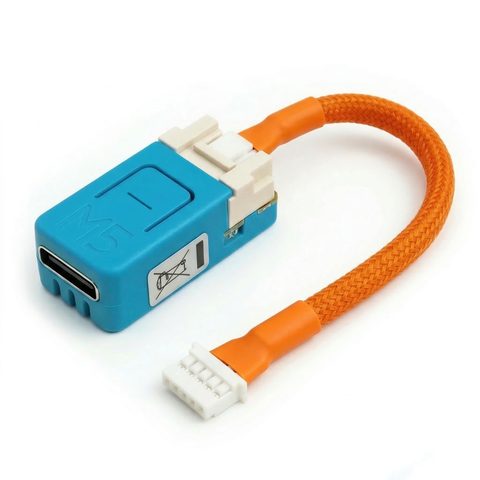
The Serin controller is a small ESP32 board that clips onto CN105 and turns your mini-split into a normal device on your Wi-Fi. You flash it from your browser over USB (no soldering, nothing to compile) and pick one of two free, open-source firmwares. Then:
You control it from your phone, Siri, or Home Assistant. The MHK2 on its own has no app. Want phone or away-from-home control? You bolt on Mitsubishi's separate Wi-Fi adapter, which drops you right back onto Kumo Cloud, account and all. The Serin controller does app and voice control natively, and keeps every command on your own network. (If you're specifically trying to escape Kumo Cloud, that's its own post.)
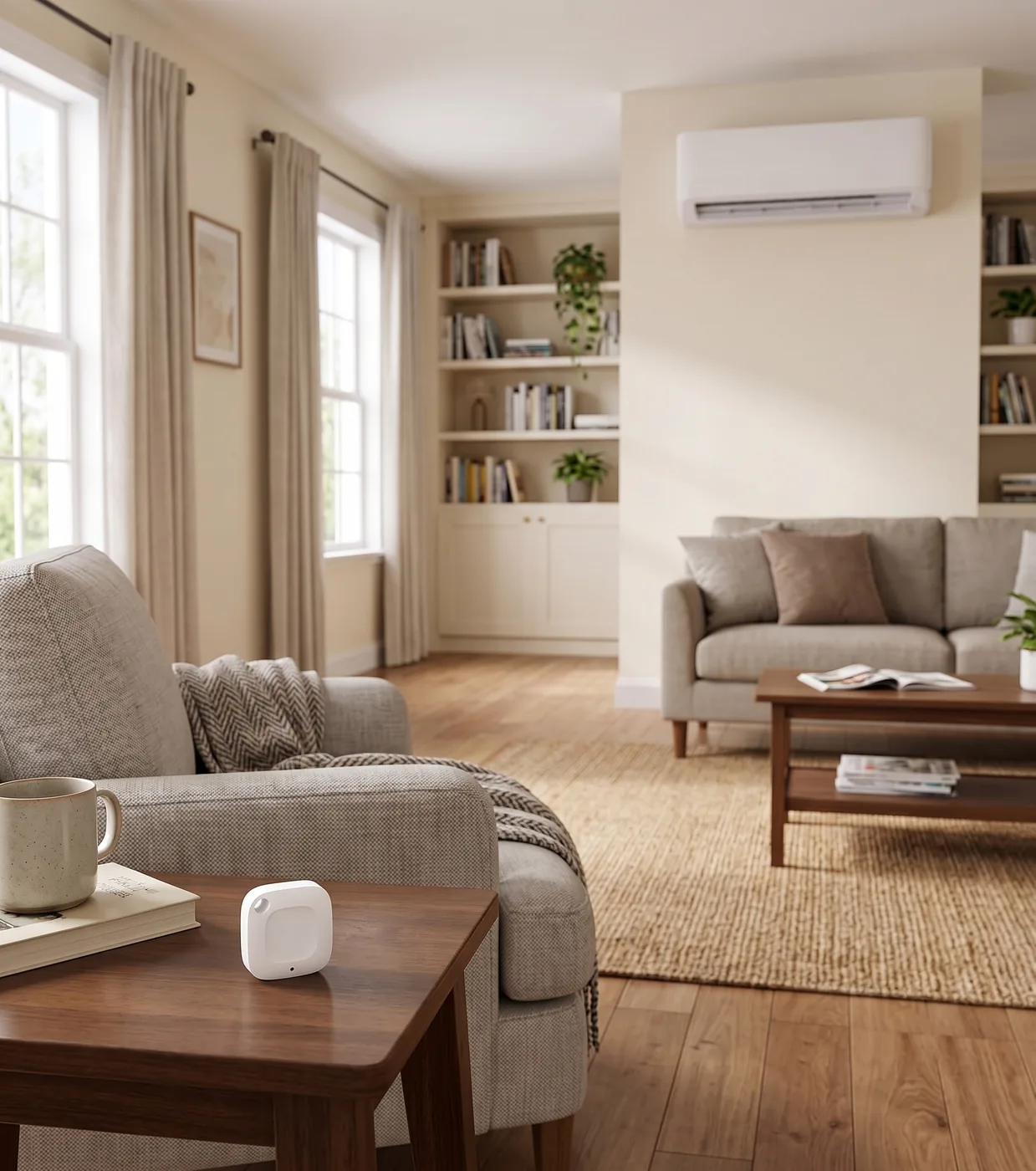
You get remote temperature sensing too, for about $15. Remember the wall controller's best trick, reading temperature where you sit? Serin has an optional remote temperature sensor that does the same job. Feed it any Home Assistant sensor on the ESPHome side, or a BLE thermometer on the Apple Home side, and the heat pump regulates off the temperature where you actually sit instead of the warm air at the ceiling. That erases the wired controller's main advantage at a fraction of the price, and you can place the sensor anywhere, not just on the wall the display happens to hang on.
You can actually see the unit. The built-in web UI shows what no wall puck exposes: compressor frequency, outside air temperature, runtime, live logs, and error codes in plain view. Open the controller's IP in any browser and drive the heat pump directly. No app, no cloud.
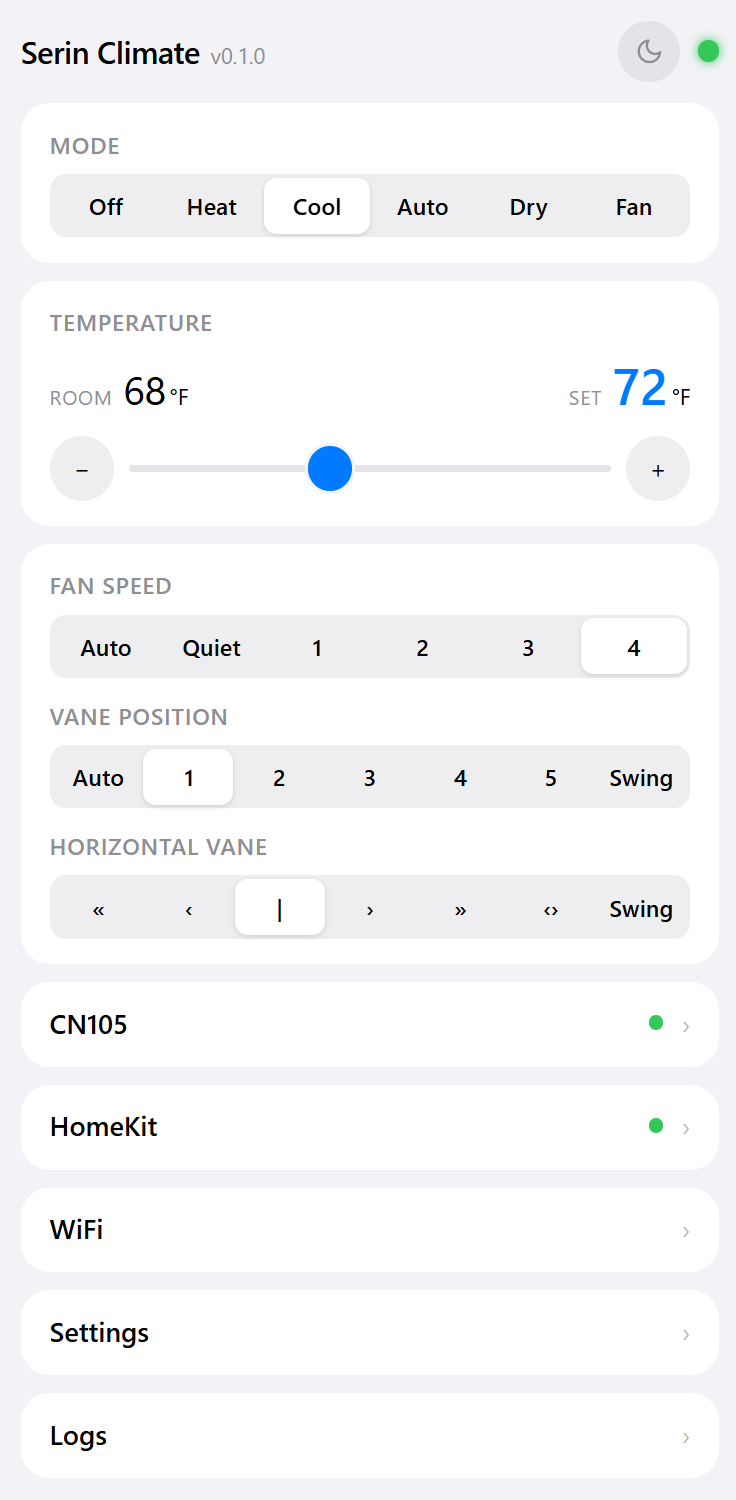
You keep the handheld remote. Installing on CN105 doesn't disable the factory IR remote. It keeps working right alongside app, voice, and web control, so nothing you have today goes away.
Side by Side
| PAC-SDW01RC-1 (wired) | MHK2 (wireless) | Serin controller | |
|---|---|---|---|
| Typical price | ~$179 | ~$415–$475 | ~$15–20 DIY, or pre-assembled |
| Physical wall screen | Yes | Yes | No (phone / web UI) |
| Works with no network | Yes | Yes | No |
| App control | No | Only with add-on Wi-Fi adapter | Built in |
| Voice (Siri, etc.) | No | No | Yes (Apple Home firmware) |
| Home Assistant | No | No | Native, via ESPHome |
| Room-height temp sensing | Yes, at the wall | Yes, at the wall | Yes, optional remote sensor (~$15) |
| Cloud / account | None | None, unless you add the Wi-Fi adapter | None, ever |
| Live diagnostics | Error codes | Error codes | Compressor freq, air temp, logs, error codes |
| Connects via | CN105 adapter | CN105 (receiver cable) | CN105 |
So Which One Should You Buy?
It comes down to one question, and it's the same one CN105 forces: do you want a thing on the wall, or a thing on your phone?
- You want a physical thermostat and never want a phone or network involved. Buy the Mitsubishi wired controller. That's exactly what it's for, and the Serin controller isn't trying to be a wall screen.
- You want app, voice, or Home Assistant control, with precise room sensing, for a fraction of the price. Flash the Serin controller. Add a cheap room sensor and you've matched the wall puck's accuracy while spending well under half of it, with no cloud attached.
One honest caveat, since it's the same port: you generally can't run a wired Mitsubishi controller and the Serin controller on one indoor unit at the same time. There's a single CN105 to give. Pick the interface you actually want to use every day.
Will It Fit Your Unit?
Everything hinges on that one connector. The Serin controller needs the CN105 port, which is built into most Mitsubishi Electric indoor units, the same port those wall controllers were going to use. A quick proxy: if your unit runs on Kumo Cloud or MELCloud today, it almost certainly has CN105. Still, take five minutes and confirm your unit has the port before ordering anything.
The Short Version
The MHK2, MHK1, and PAC-SDW01RC-1 are fine controllers with one expensive assumption baked in: that the answer has to hang on your wall. If a physical screen is what you're after, buy one. If what you actually want is real, precise, cloud-free control from your phone, your voice, or Home Assistant, the same CN105 port will give it to you for a small fraction of the cost.
- Check that your unit has a CN105 port.
- Get the board and cable, one per indoor unit, or a pre-assembled controller.
- Flash the firmware from your browser. ESPHome for Home Assistant, or the Apple Home compatible build for Apple households.
Same heat pump, same precision, without the $475 wall puck.
Related
- Check your unit for a CN105 port
- Get the hardware
- The best Kumo Cloud alternative
- Flash the firmware
Next step
Check your unit first
Type your indoor unit's model number for a verdict in under a minute. If it fits, the firmware flashes in the browser in about two minutes.