 serin labs
Why IR Smart Controllers Fall Short on Mitsubishi (and When They're Still Right)
You set the app to heat, 70, before bed. In the morning it still says heat, 70, running. The room is cold and the unit is off, because somebody picked up the handheld remote at midnight and turned it off.
Nothing failed. No error, no offline badge, no push notification. The app is showing you exactly what it believes, and what it believes is the last command it sent — which stopped being true six hours ago.
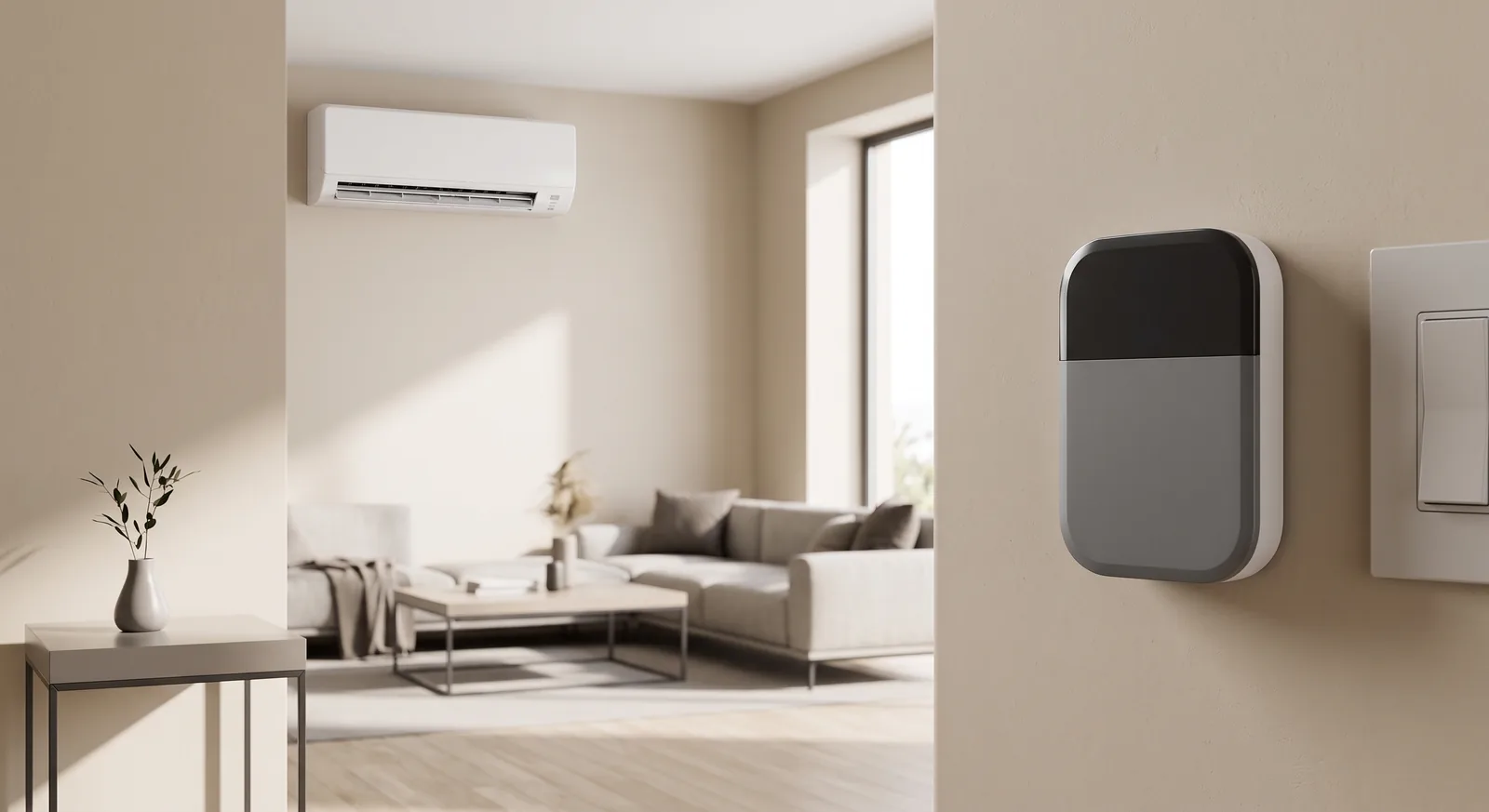
That's the whole story of infrared control in one paragraph. An IR controller is a remote that never loses its batteries and never leaves the room. It's genuinely useful. But it can only talk, never listen, and everything below follows from that one fact.
I've covered where IR sits among all four smart-control options and among the thermostats that actually fit a mini-split. This post goes one level down: why it's one-way, what specifically drifts, and who should still buy one anyway. Because plenty of people should.
Quick Facts: One-Way vs Two-Way
- Infrared is transmit-only in practice. Your indoor unit has an IR receiver. It has nothing pointed back at the room to answer with.
- Every button press sends the whole state. A Mitsubishi IR frame is 18 bytes — 144 bits carrying power, mode, temperature, fan, and vane together, not a single "temp up" instruction.
- So the app's "current state" is dead reckoning. It's a model the controller maintains from what it last sent, not a reading it took.
- The handheld remote breaks that model silently. There's no collision, no warning. The two pictures just quietly disagree.
- CN105 is a request-and-response link. A board on that port polls the unit and reads back real settings plus compressor frequency, outside air temperature, runtime, and error codes.
- IR still wins on installation. Nothing opened, any brand, five minutes, roughly $79–$164 depending on the model.
What "One-Way" Actually Means Here
The published posts both say infrared is one-way, and then move on. It's worth slowing down, because "one-way" isn't a firmware limitation somebody could patch. It's the wiring of the room.
Your remote has an IR LED. Your indoor unit has an IR receiver behind that little tinted window, plus a beeper and a couple of status lights. That's the entire return channel: a beep and an LED, both meant for a human standing there, neither readable by a plastic box on the opposite wall.
So there is no protocol here in the two-party sense. There's a broadcast, and a hope. Sensibo, Cielo, and Mysa are all in the same position on this, and no amount of money moves them out of it — a $164 IR thermostat is exactly as deaf as a $79 one.
Your Remote Sends 18 Bytes of State, Every Time
I went and read the frame format rather than paraphrasing it. In IRremoteESP8266, the open-source library most of the hobbyist world uses to decode these signals, a Mitsubishi A/C transmission is defined as kMitsubishiACStateLength = 18 — eighteen bytes, 144 bits, sent as one block.
Look at what's packed into that block and the design becomes obvious. The library's Mitsubishi protocol struct carries power, mode, temperature, fan speed, vane, wide vane, clock, and timer fields in the same frame. Press "fan up" on the handheld and you don't send a fan-up command. You retransmit all eighteen bytes, with every other setting alongside it.
Which means the remote in your drawer is itself a little state machine. It holds a complete picture of what it thinks the unit should be doing, and it overwrites the unit with that picture on every press.
An IR smart controller has to do the same thing. It has no choice — the frame format demands a full state, so it must maintain one. That maintained state is what the app draws on your screen. It is a guess with a nice UI on it.
Three Ways the Guess Drifts
The comparison post mentions the handheld remote. That's the famous one, but it's one of three, and the other two are the ones that surprise people.
Someone uses the handheld remote. The unit obeys, because it can't tell a remote from a robot. The IR box never hears about it, because nobody told it and nobody can. Turn the unit off from the couch and your app will still be showing "cooling, 72" tomorrow.
A transmission doesn't land. Infrared needs line of sight, so a closed door, a person walking through, a box on a shelf angled slightly wrong, or a bright afternoon on the receiver window can all eat a frame. The controller has no acknowledgement to wait for, so it can't retry intelligently. It sent, therefore it assumes it worked.
The unit changes state on its own. This is the one nobody plans for. Heat pumps shut down on error codes, run defrost cycles, and act on timers you set months ago from the remote. Every one of those is invisible to a device that only transmits. Your unit can be sitting on a fault code for a week while the app cheerfully reports "heating, 70."
There is a genuine consolation here, and it comes straight from the 18-byte frame. Because every transmission is absolute state rather than a delta, any single command resyncs everything at once. Drift doesn't accumulate — it persists until the next command, then vanishes completely. That's why IR controllers feel fine day to day and feel broken at 6 a.m., which is exactly when a schedule fires into a state nobody has corrected since midnight.
What an IR Controller Can Actually See
Here's where the honest version diverges from the sales pitch, in both directions. An IR controller is blind about the unit. It is not blind about the room.
The Sensibo Air product page lists a "High accuracy temperature & humidity sensor" on board, and every serious IR controller in this category has the equivalent. So the box does close a loop — just a different one. It measures the room, compares against your setpoint, and fires commands until the number moves.
For most households that's the loop that matters. You don't care what the compressor is doing; you care whether the bedroom is 68 or 74. Measuring the room directly is arguably a better signal than the unit's own sensor, which sits up at the ceiling reading return air — the reason we sell a remote temperature sensor for the CN105 board at all.
What you can't do is reason backwards from room temperature to unit state with any confidence. A room that's warming might mean the unit's heating, or it might mean afternoon sun on a west window. That's inferring a cause from an effect, and it's guessing dressed up as sensing.
One more thing worth knowing if you're heading for Home Assistant: as I covered in the thermostat roundup, Sensibo's and Cielo's official integrations are cloud-polling only — roughly once a minute and once every two minutes respectively, through the vendor's servers. So Home Assistant isn't reading the unit. It's reading a copy, over the internet, of the vendor's copy of a guess.
What Two-Way Looks Like on the CN105 Port
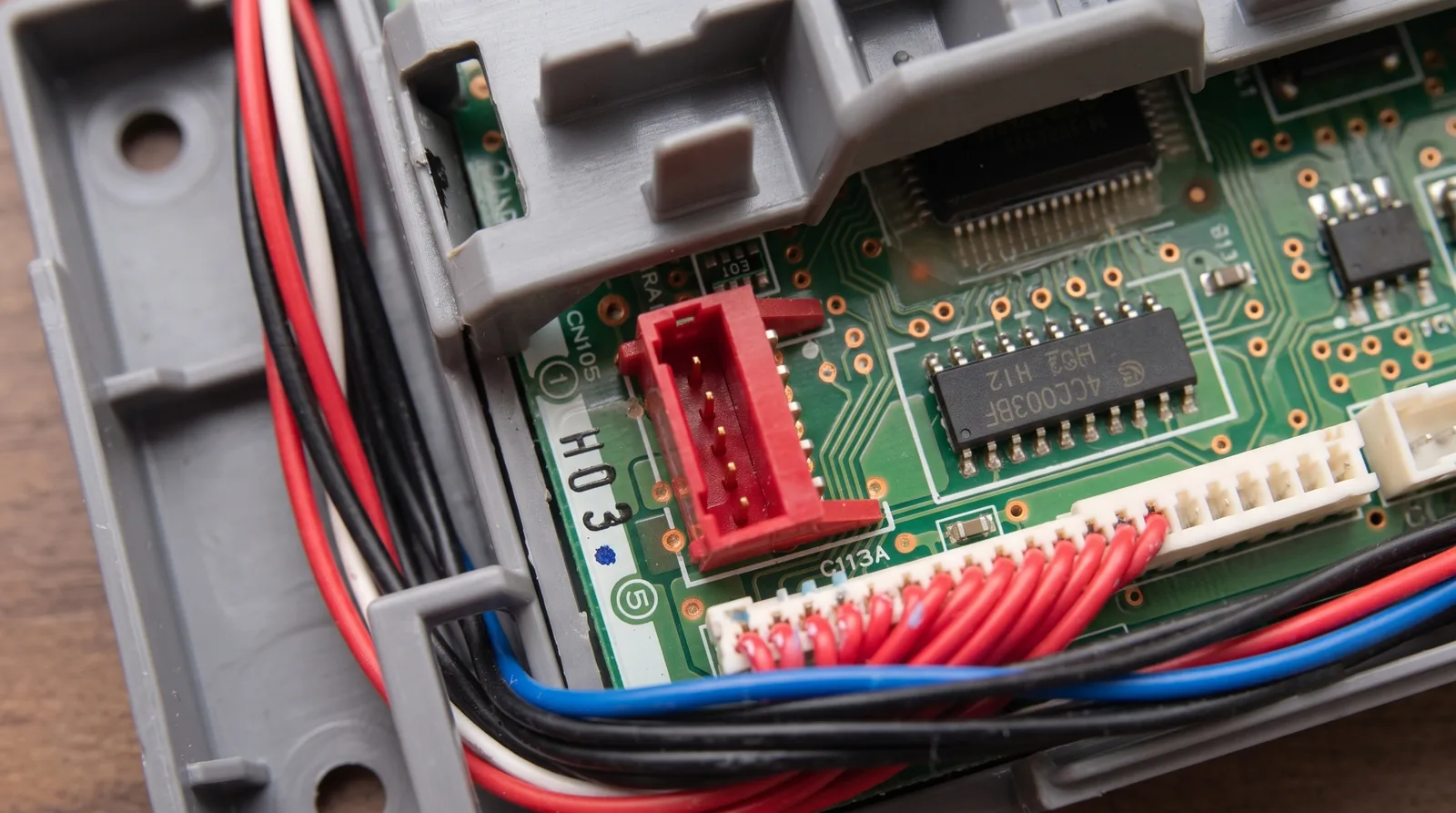
CN105 is the service port on the indoor unit's control board — the same one Mitsubishi's own Wi-Fi adapter and wall controllers use. It's a serial connection, which means frames go both directions. A controller can ask, and the unit answers.
That changes the vocabulary entirely. The HomeKit-compatible firmware exposes a poll interval as an ordinary device setting, alongside the device name and log level, because polling is the basic verb of the thing. It doesn't hold a model of your unit. It asks your unit, on a schedule you choose, and shows you the reply.
The reply carries more than the settings. The firmware's diagnostics list compressor frequency, outside temperature, runtime hours, error codes, and sub-mode information — values that exist nowhere in an IR frame because the remote was never meant to receive them.
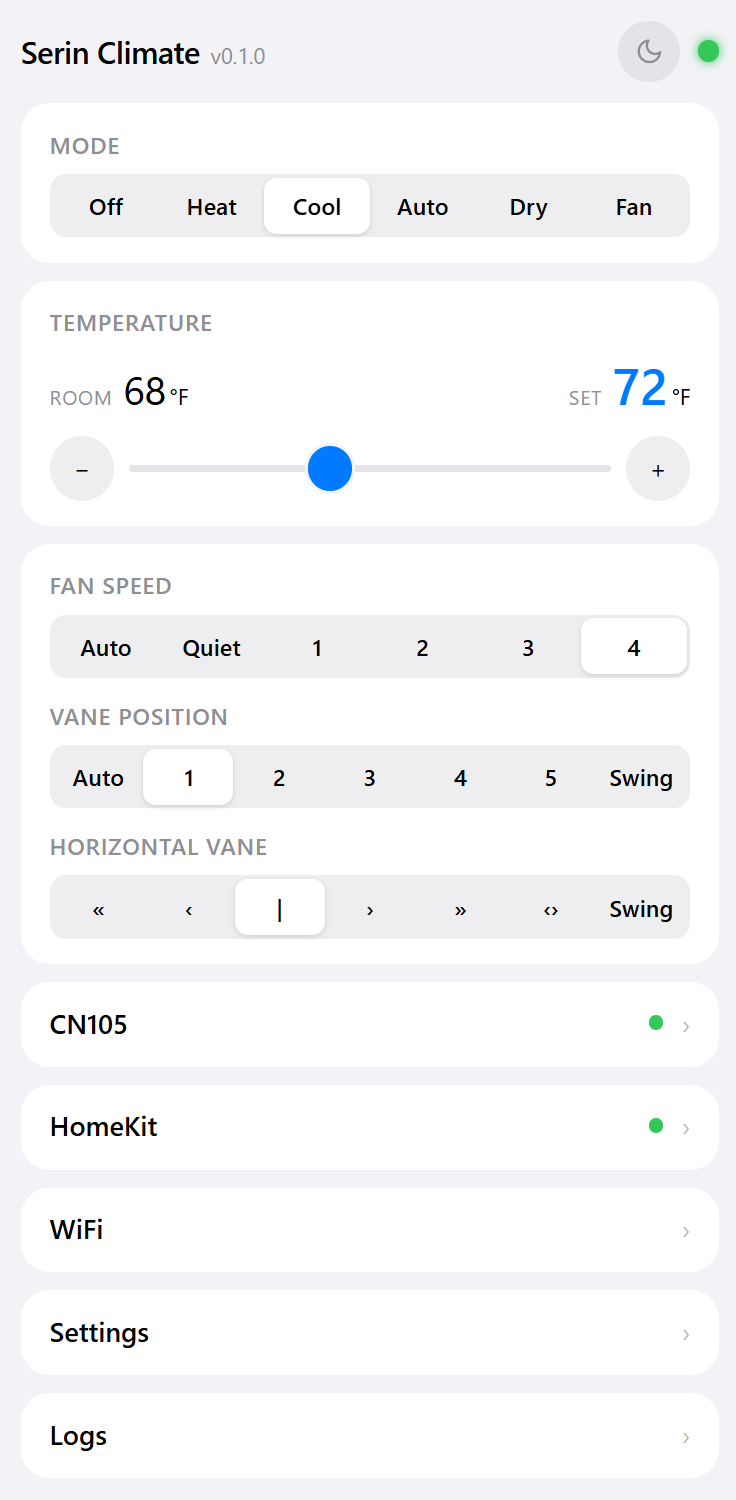
The clearest illustration is a small feature that simply couldn't exist open-loop. When the firmware is feeding a Bluetooth room sensor's temperature to the heat pump, and that sensor goes quiet, it falls back to the unit's internal thermistor after a stale timeout. Detecting that something stopped arriving requires expecting arrivals. Transmit-only devices don't get to have that idea.
Open Loop vs Closed Loop, Side by Side
| IR controller (Sensibo, Cielo, Mysa) | Local CN105 board (Serin) | |
|---|---|---|
| Direction | Transmit only | Request and response |
| What "current state" is | The last command it sent | The last reading it took |
| Sees a handheld-remote change | No | Yes, at the next poll |
| Sees a lost command | No, assumes it landed | Yes, the reply disagrees |
| Sees the unit shut down on a fault | No | Yes, error code reported |
| Compressor frequency, outside air temp | No | Yes |
| Room temperature | Yes, its own onboard sensor | Return air, or an optional room sensor |
| Drift recovery | Next command overwrites it | No drift to recover from |
| Needs line of sight | Yes | No |
| Works on non-Mitsubishi brands | Yes, any brand | No |
| Installation | Plug in, nothing opened | Open the indoor unit once |
Where IR Is Genuinely the Better Buy
I sell the CN105 board, so read the next few sentences with that in mind — and then take them at face value, because they're true.
If you rent, buy the Sensibo or the Cielo. Opening a landlord's HVAC equipment to plug something into a service port is not a fight worth having over compressor frequency graphs. IR touches nothing, leaves nothing behind, and comes with you when you move.
If you won't open the indoor unit, same answer. Some people are fine pulling a plastic cover after killing the breaker, and some people are not, and the second group isn't wrong. There's also a real warranty conversation to have with your installer before adding anything to CN105.
If you have mixed brands — a Mitsubishi in the living room and a Fujitsu in the bedroom — IR covers both from one app. The CN105 board only works on Mitsubishi, and no amount of wanting changes that.
And if what you actually want is a thermostat that holds a room at a temperature, IR does that competently. The blind spots I've spent this post describing are about the unit's state, and plenty of households genuinely never need to know it.
Who Should Buy What
- You rent, share the unit with a landlord, or won't open the cover. Get a Sensibo or Cielo. The state drift is real, and it's a fair price for touching nothing. For an Apple household the Sensibo Air is the one with real HomeKit; the roundup has the model-by-model breakdown.
- You have several brands of mini-split. Get IR. It's the only category here that doesn't care what's on the badge.
- You want the app to be right, every time, without a resync ritual. Get on CN105. Two-way is the only way to be sure, and the household using the handheld remote is exactly who needs it.
- You want diagnostics, or automations you trust. Get on CN105. An automation firing into an unknown state is a coin flip; one firing off a fresh reading isn't.
- You want a wall screen and no network at all. Neither category. That's the MHK2 or PAC-SDW01RC-1, covered in the full comparison.
The Short Version
Infrared didn't fall short by being cheap. It fell short by being a monologue — the frame format has no room for a reply, and the unit has nothing to reply with. Everything else is downstream of that.
If your household is one person who only ever uses the app, IR's guess will be right almost always, and $79 is a good price for almost always. If two people share the unit, or somebody likes the handheld, or you want automations you don't have to babysit, buy the connection that can listen.
If that's you:
- Check that your unit has a CN105 port — five minutes, and it's the only hard requirement.
- Get the board and cable, one per indoor unit, or the pre-assembled controller at $35.
- Flash the firmware yourself from your browser — ESPHome for Home Assistant, or the Apple Home compatible build for Siri.
A remote that never loses its batteries is still a remote. It talks to your heat pump; it has never once heard it answer.
Related
- Every smart-control option compared
- The best smart thermostat for a mini-split
- Check your unit for a CN105 port
- The pre-assembled Serin controller
Next step
Check your unit first
Type your indoor unit's model number for a verdict in under a minute. If it fits, the firmware flashes in the browser in about two minutes.