serin labs
On this page
Parts: the display mounted in the stand, assembled PCB, and the remaining M2.5 × 8 mm socket-head screw. Tool: Allen key.
Connect and secure the PCB
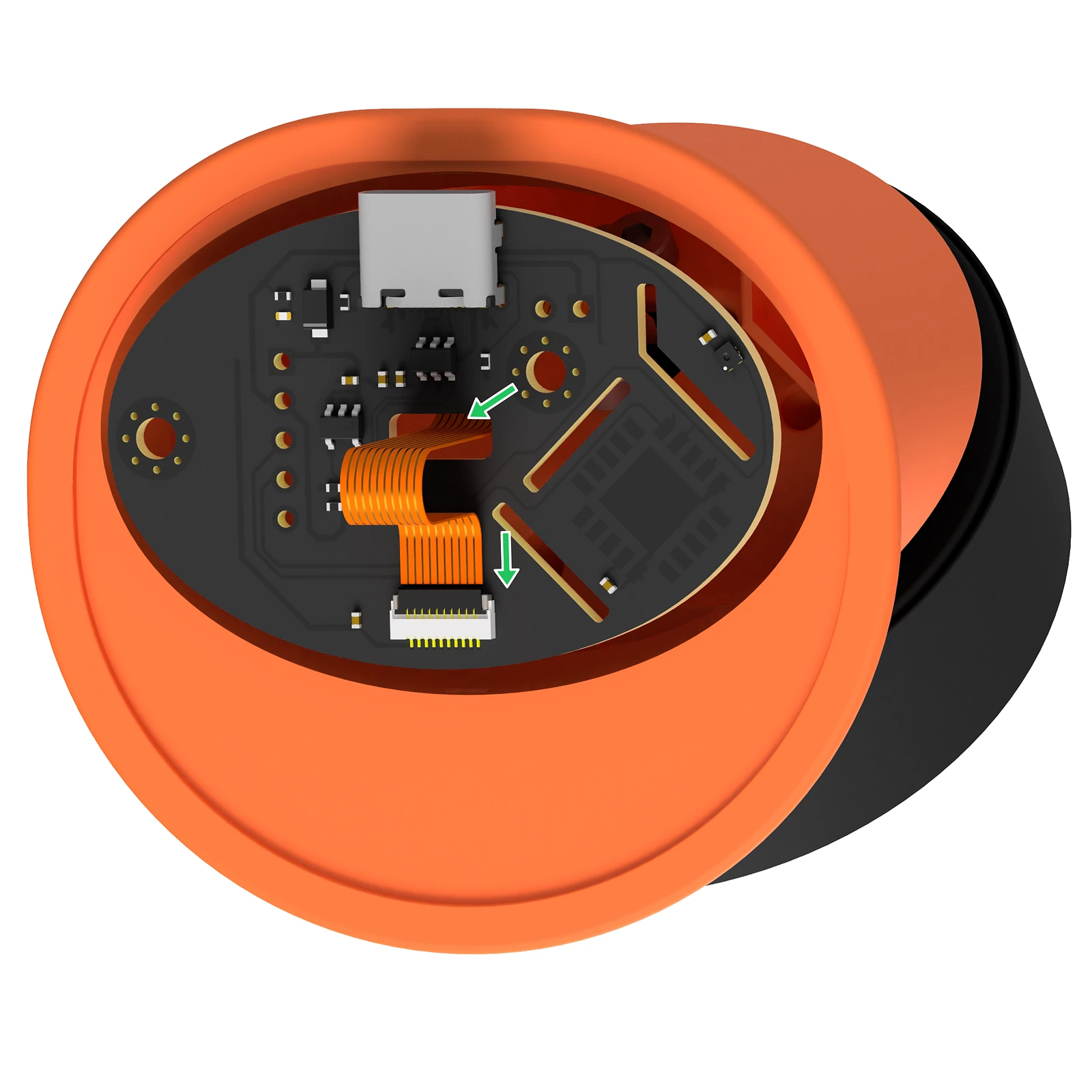
- Orient the PCB so its FPC connector faces the bottom cap. Pass the FPC cable through the PCB's center hole, from the display side to the connector side.
- Flip up the PCB connector's latch to open it. Insert the FPC cable with its
exposed contacts facing the PCB, then close the latch.
FPC cable through the PCB's center opening and into the connector. Enlarge illustration. - Place the connected PCB into the stand.
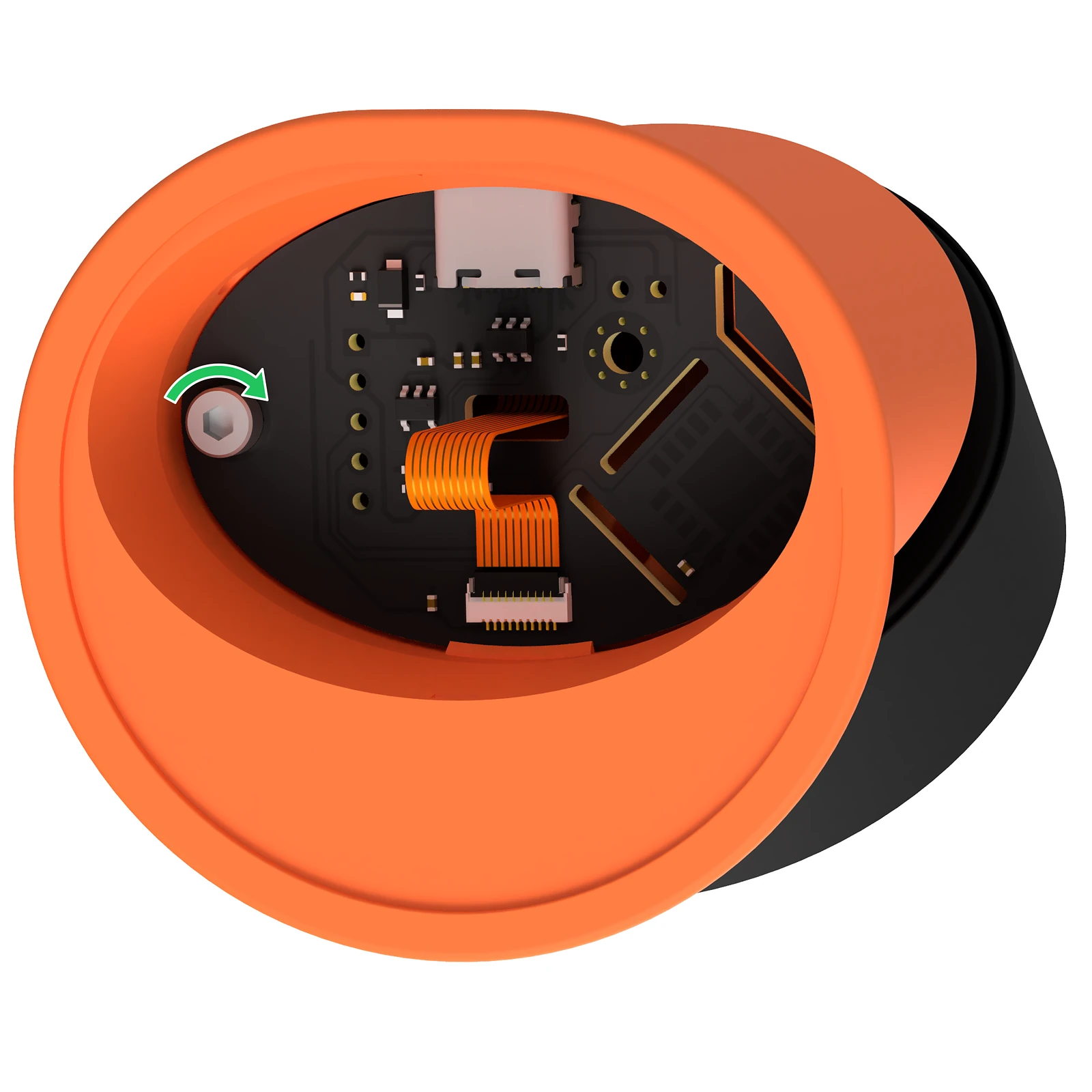
- Secure the PCB with the remaining screw. It threads directly into the
plastic; tighten gently.
The remaining screw secures the PCB to the stand. Enlarge illustration.