serin labs
On this page
Disconnect USB power before assembly.
Parts and tools
Parts: the purchased display, stand, and three screws. Tool: the supplied Allen key.
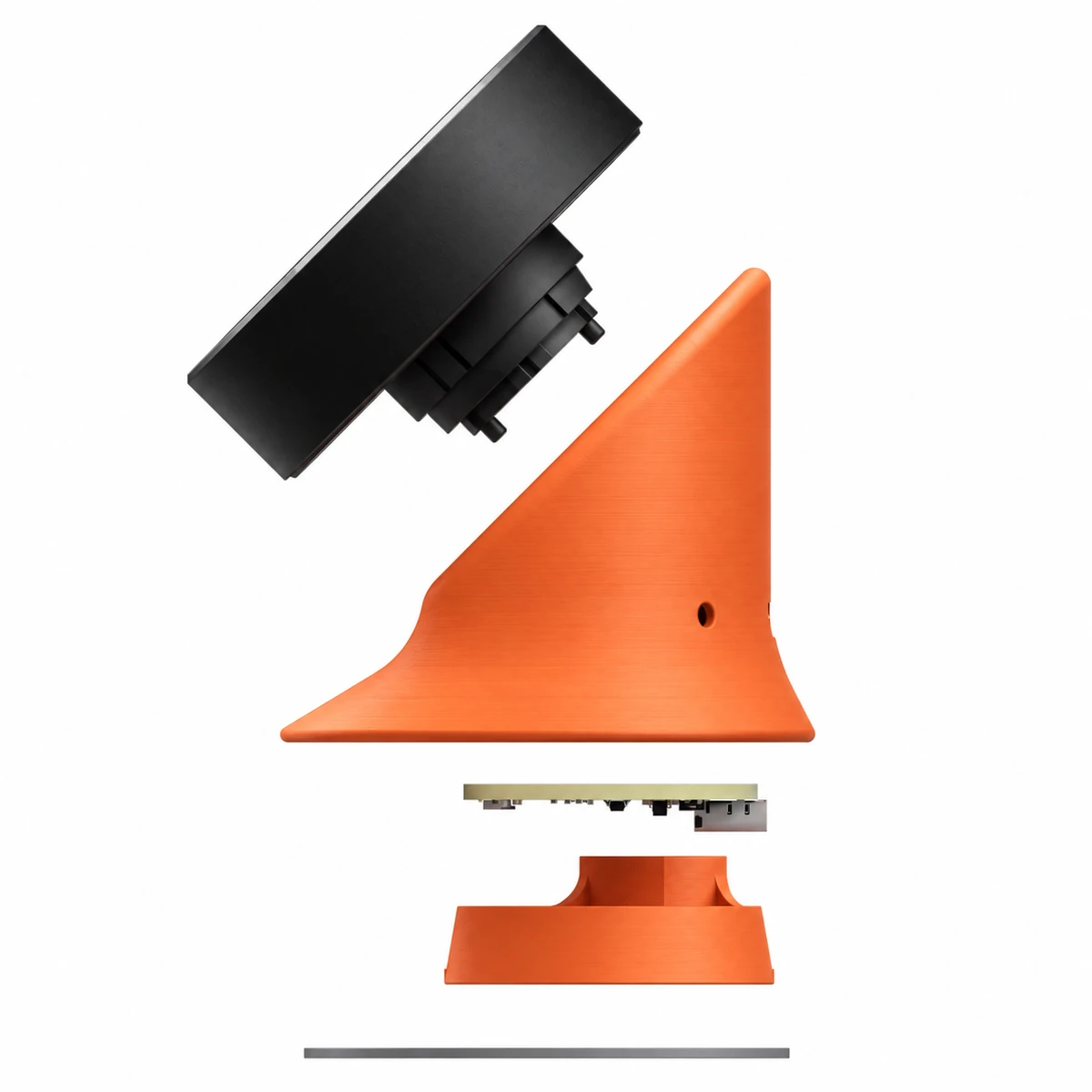
Mount the display
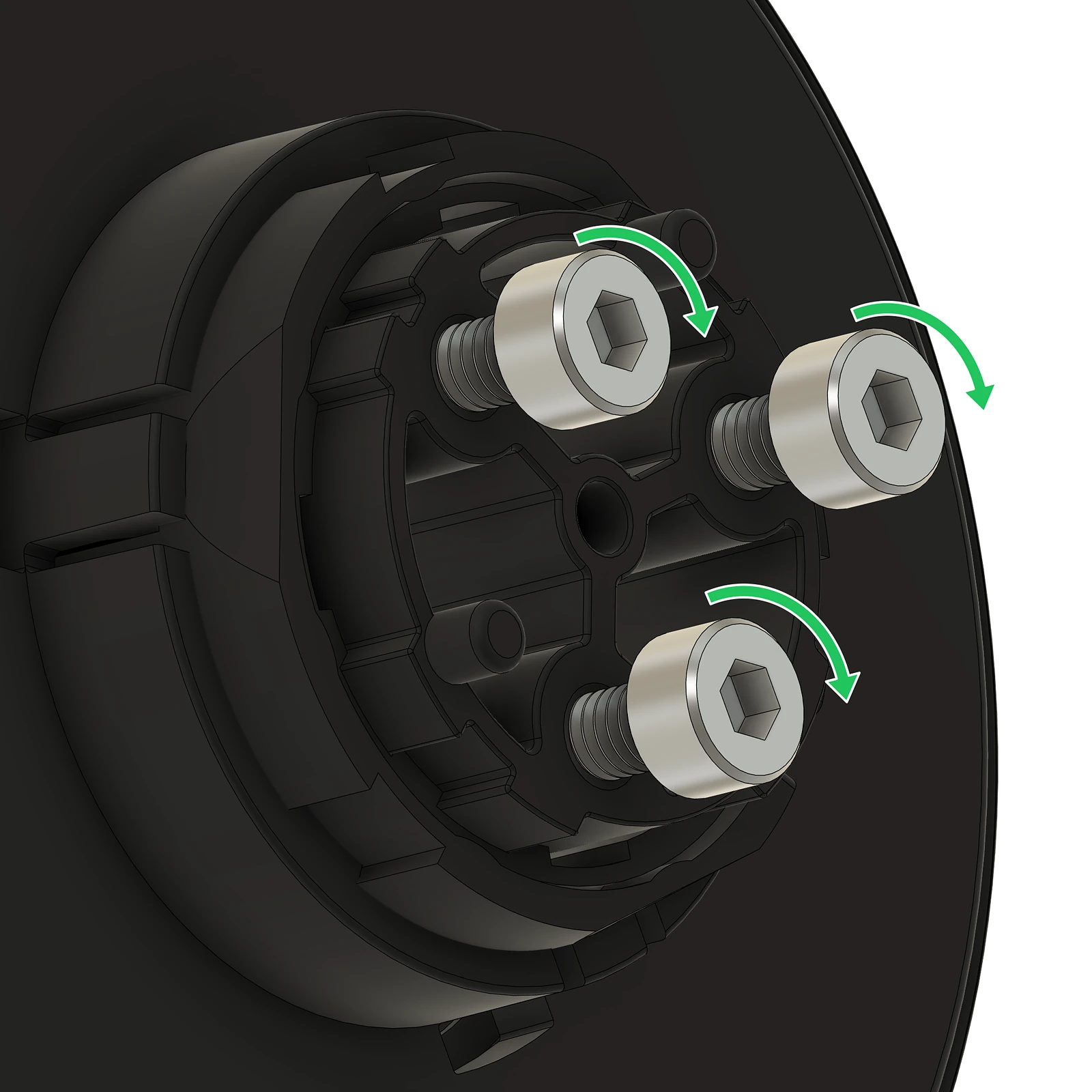
- Partly install three screws in the display, leaving enough space under the
heads for the stand's keyhole slots.
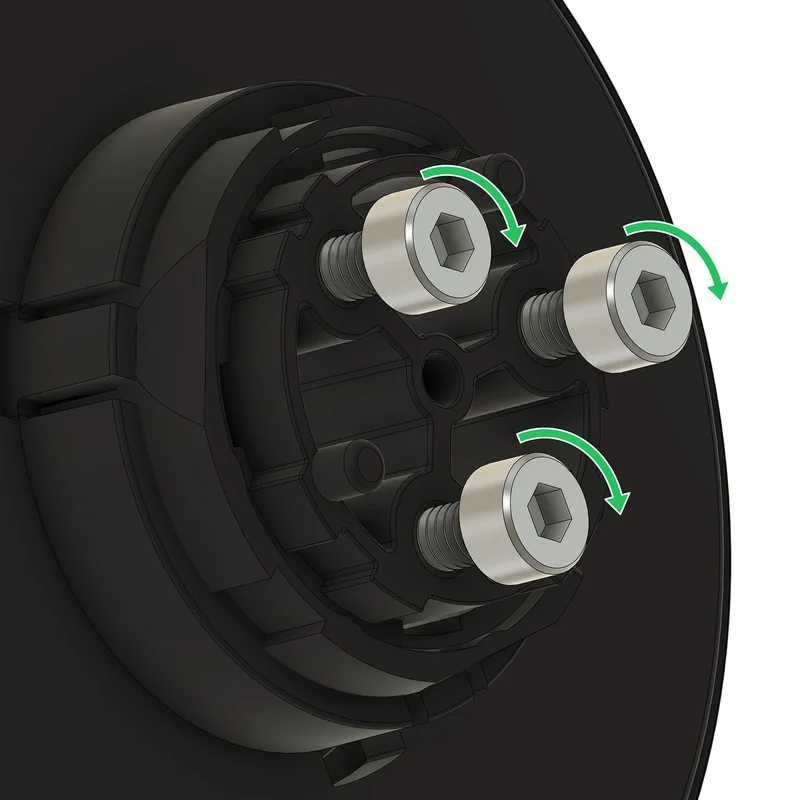
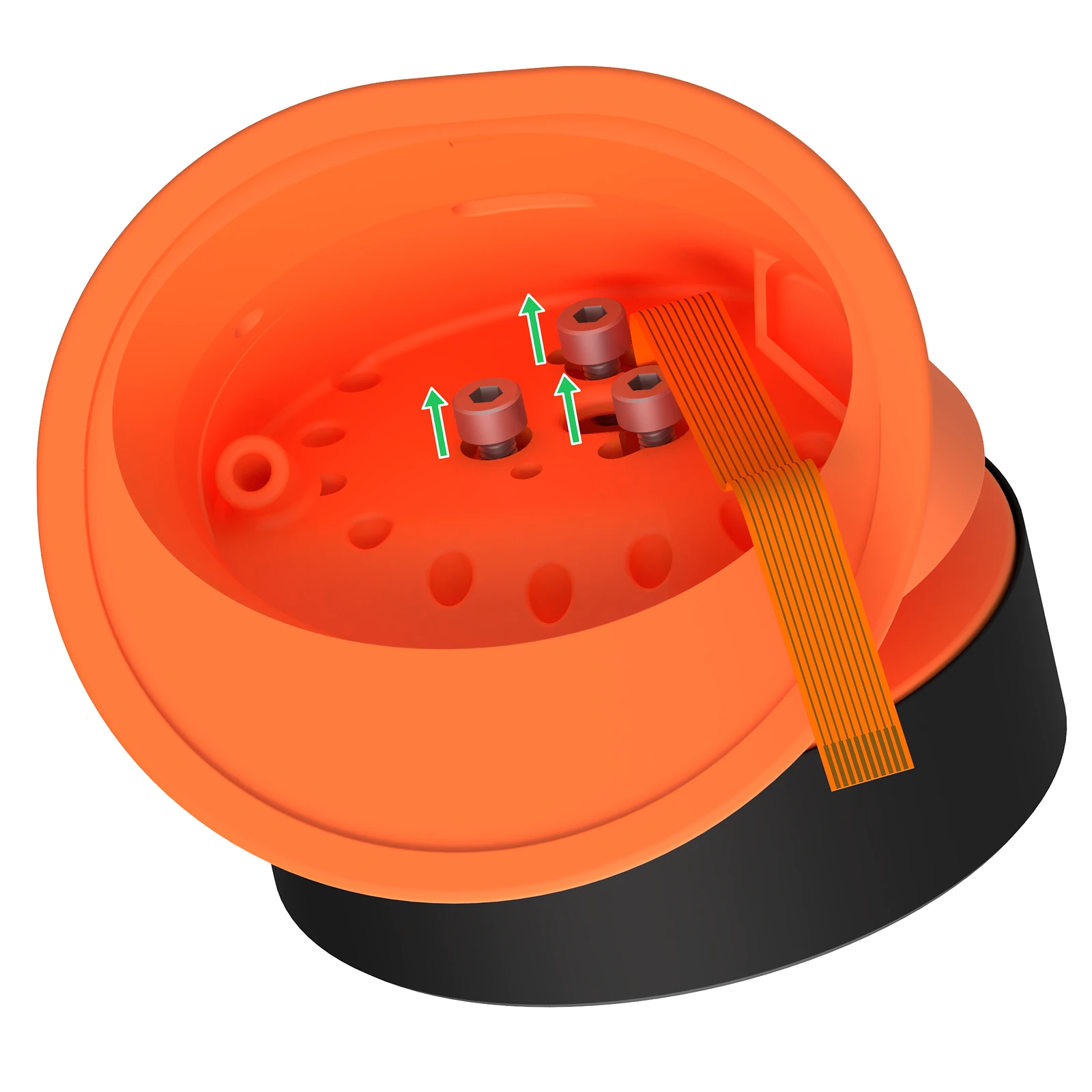
Leave a gap beneath each screw head for the stand. Enlarge illustration. - Pass the free end of the display's built-in FPC cable through the larger hole in the stand.
- Align the screw heads with the openings in the stand's keyholes and place
the display into the stand.
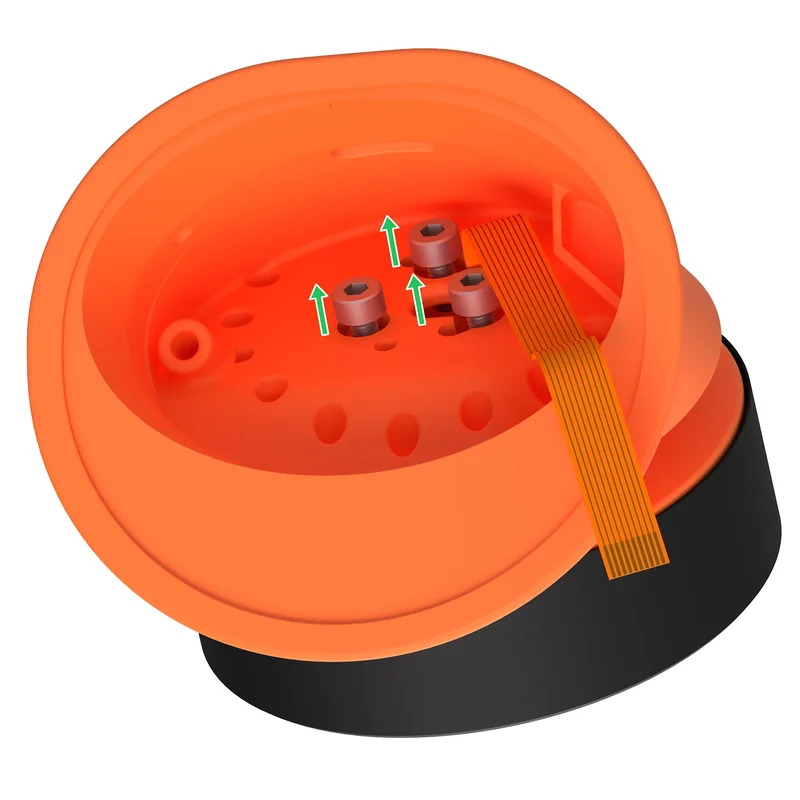
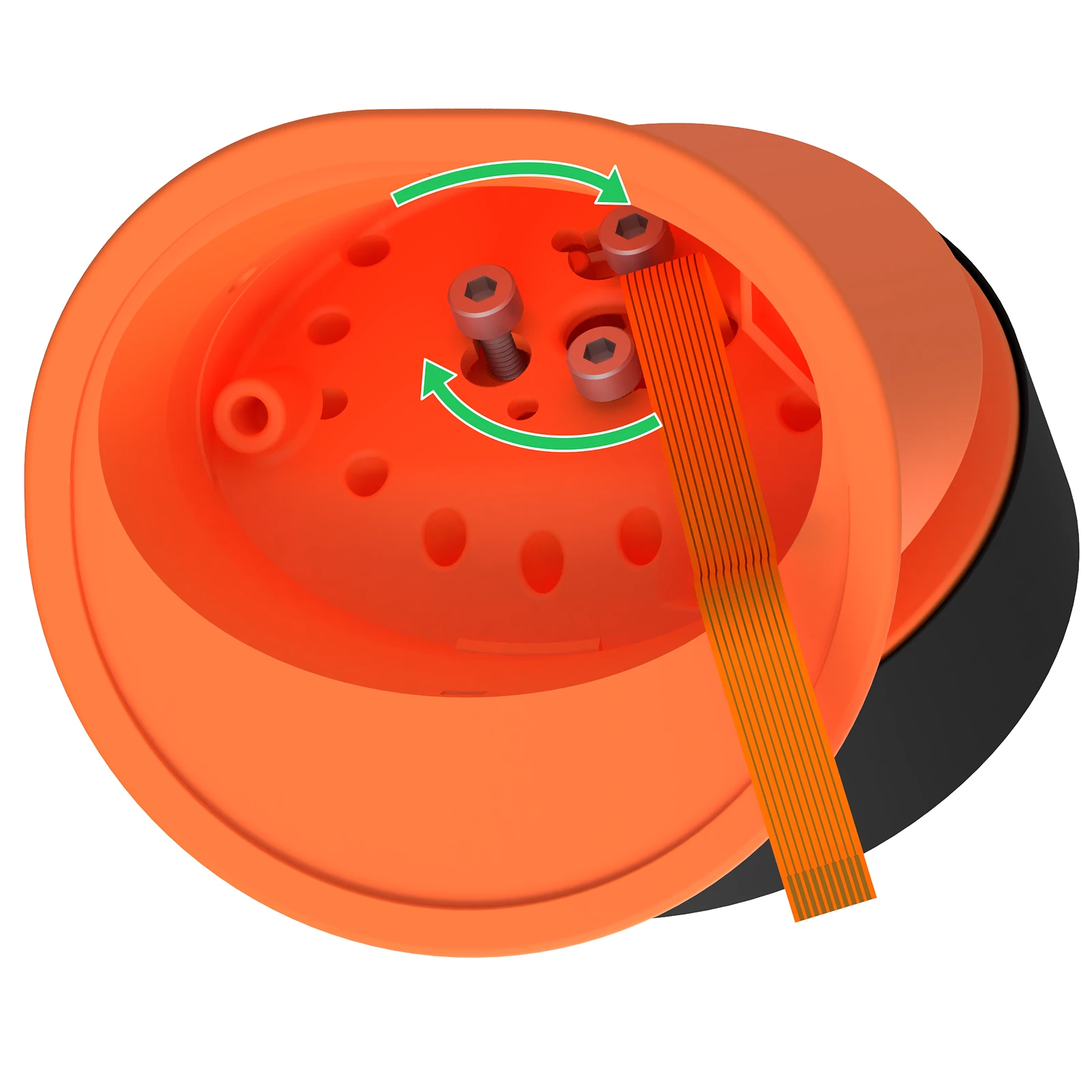
Screw heads through the keyhole openings, with the FPC cable through the larger hole. Enlarge illustration. - Looking into the open bottom of the stand, rotate the display clockwise
until the screws are seated in the keyhole slots.
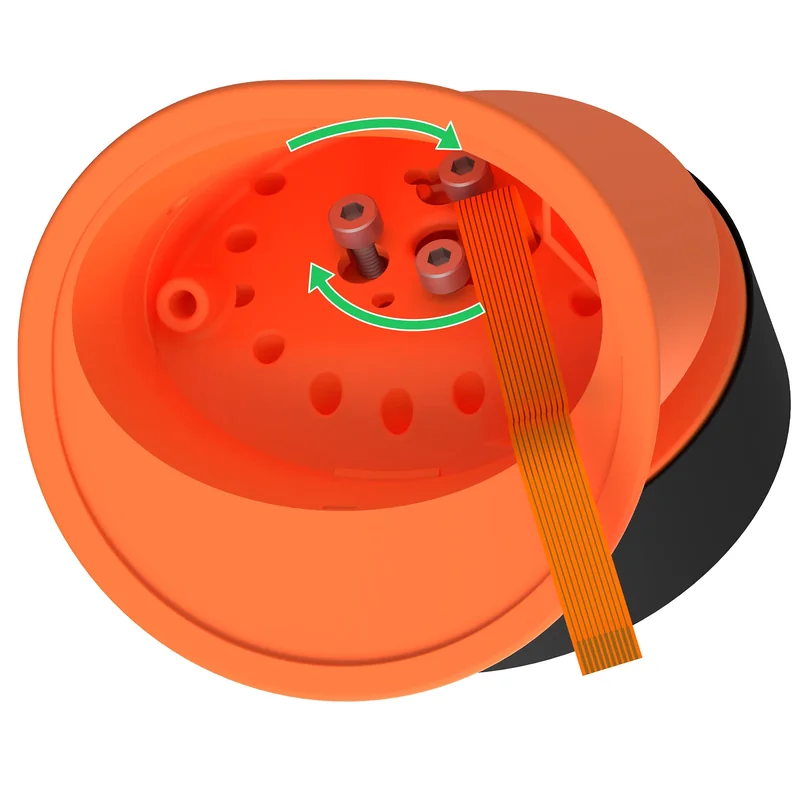
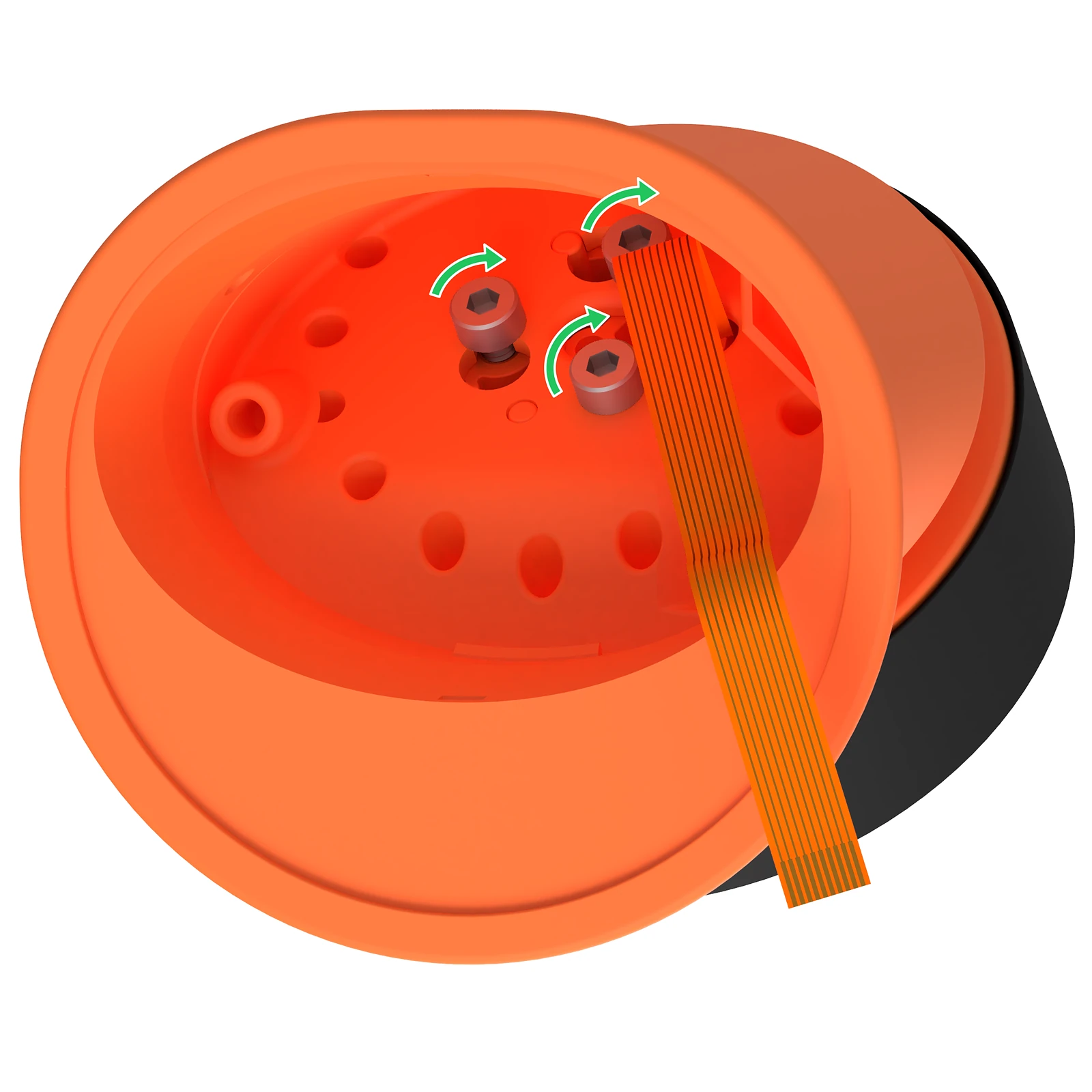
Clockwise rotation engages the screws in the narrow slots. Enlarge illustration. - Tighten the three screws.
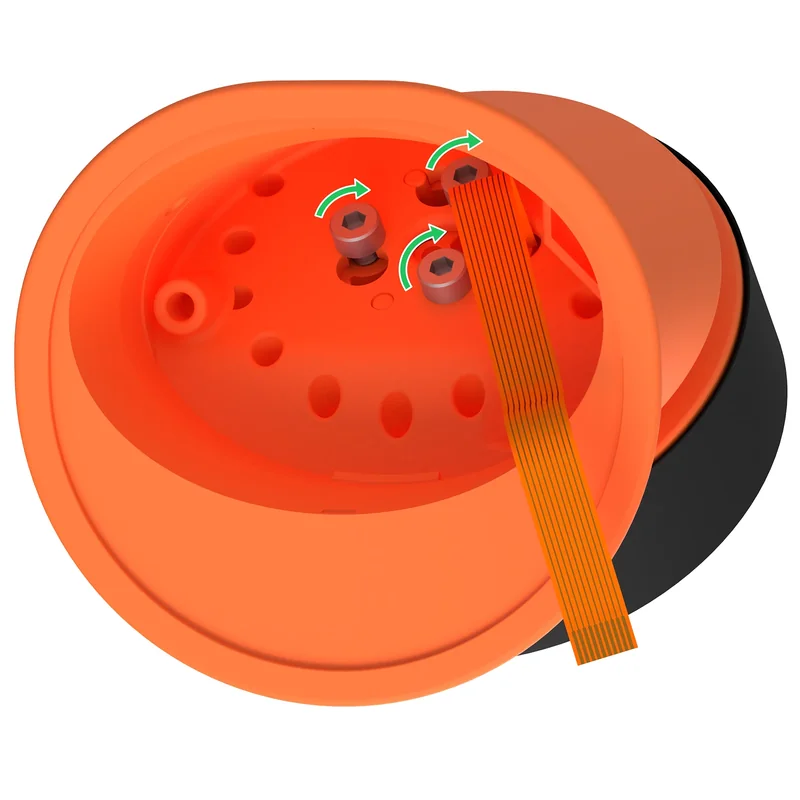
The three screws secure the display to the stand. Enlarge illustration.