 serin labs
Your Mitsubishi Doesn't Have a Usable CN105 Port. Here's What Still Works.
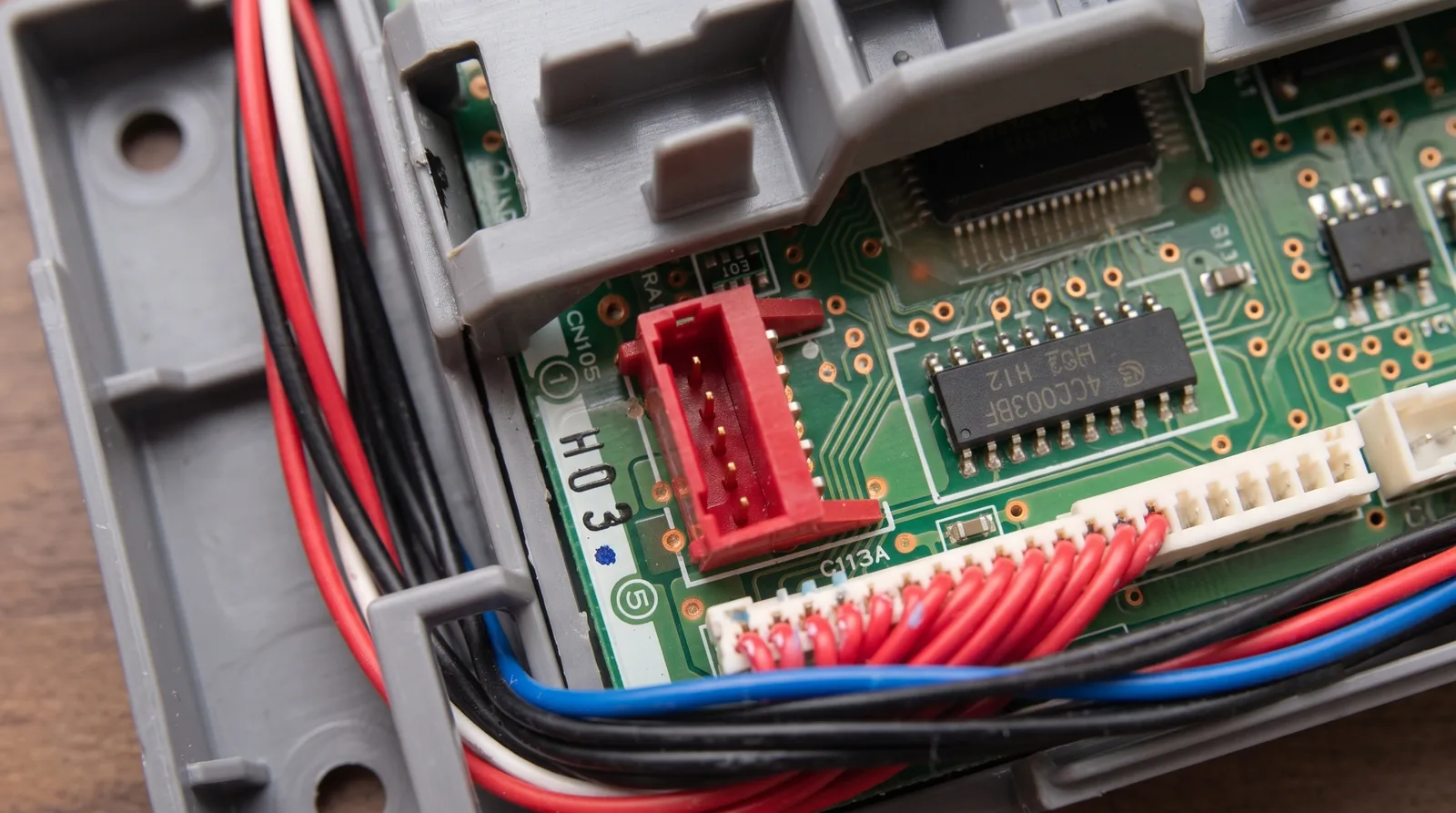
You typed your model number into the checker and got a red answer back. Not supported. Maybe you'd already had the front panel off and seen a connector labeled CN105 sitting right there on the board, which makes the verdict feel like a mistake.
It isn't. On a handful of Mitsubishi series the connector is fitted but isn't wired for control, and finding it doesn't overturn anything. Here's what that actually means, how to be sure you're really in that group, and what to buy instead. That last part is an infrared controller, and Serin Labs doesn't sell one.
Quick Facts: What the "No Control" Verdict Means
- Four wall-mounted series are marked "No": MSZ-FD, MSZ-HE, MSZ-A / MSY-A, and MS-WA.
- The connector may still be fitted. On some of those boards CN105 is physically present but isn't wired for control. Seeing it proves nothing.
- Four more families split by trim suffix: MSZ-FE, MSZ-GE / MSY-GE, MSZ-D / MSY-D, and SEZ-KD. Read your label again before you accept a no.
- This locks out Mitsubishi's own hardware too. The "No" lives in the CN105 Remote Controllers, Interfaces, and Accessories row — that's the MHK2 and the Kumo Cloud adapter as much as my board.
- What still works: an IR controller. Sensibo, Cielo, or Mysa, roughly $79–$164. None of them are mine.
What "Not Wired for Control" Actually Means
Every CN105 verdict on this site traces back to Mitsubishi's own M-Series controls compatibility table. The row that matters is the one for CN105 remote controllers, interfaces, and accessories. Where a series is marked "NO" in that row, Mitsubishi is telling you the unit doesn't support control through that port.
That's a statement about the interface, not about the solder. Some boards in those series carry a CN105 connector anyway — Mitsubishi's table doesn't say why, and I'm not going to guess at it. What matters is the consequence. The port is real, it's labeled, and it does nothing for you.
Which is why the compatibility page says the same thing three different ways: the port being present does not overrule the verdict. Check your model number as well as the port.
The Four Series Mitsubishi Marks "No"
These are the units where the answer is a flat no, regardless of what you find inside the cover. All four are wall-mounted.
| Series | What the compatibility data says |
|---|---|
| MSZ-FD | Marked "NO" in the CN105 Remote Controllers, Interfaces, and Accessories row |
| MSZ-HE | Marked "NO" in the same row |
| MSZ-A / MSY-A | Marked "NO". Some of these units do have a CN105 connector fitted, but it isn't wired for control |
| MS-WA | Marked "NO" in the same row |
Before you accept that, make sure you're reading your own label right. These four sit uncomfortably close to series that work fine. MSZ-AP and MSZ-AY are compatible; plain MSZ-A / MSY-A isn't, even though those boards may have the connector. MSZ-HM, MSZ-HR and MSZ-HX work; MSZ-HE doesn't. MSZ-FH and MSZ-FS work; MSZ-FD doesn't.
Two letters. That's the whole difference.
Check the Suffix Before You Give Up
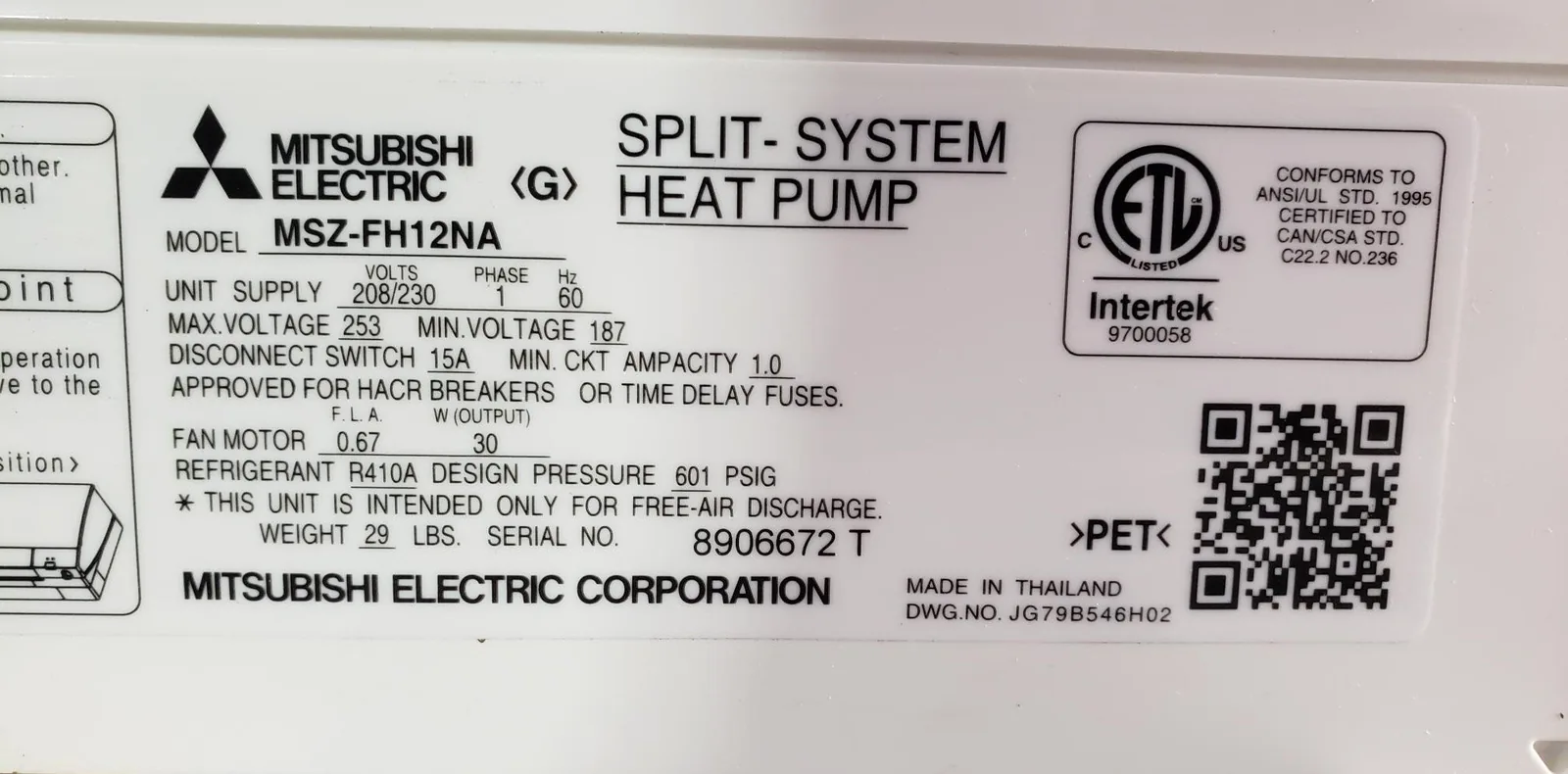
There's a second group where the verdict isn't about the series at all. It's about the trim, and the trim is printed on the same label as everything else. If you typed a partial model number, this is where you go back and get the full one.
| Family | Has CN105 | Doesn't |
|---|---|---|
| MSZ-FE | MSZ-FE09NA-8, MSZ-FE12NA-8, MSZ-FE18NA | Base MSZ-FE09NA, MSZ-FE12NA |
| MSZ-GE / MSY-GE | The -8 and -9 trims, MSZ-GE24NA, and the EU/Asia VA trims (e.g. MSZ-GE25VA) | Base 06–18NA, no suffix |
| MSZ-D / MSY-D | Only the -NA-8 trim | Base -NA, no suffix |
| SEZ-KD | SEZ-KD09NA4, SEZ-KD12NA4R1, SEZ-KD25VAQ | Base SEZ-KD09NA |
A base MSZ-GE12NA is out. An MSZ-GE12NA-8 is in, and it's the same unit as far as most people looking at it can tell. So read the capacity code and the tail. If you've already sent the wrong string to the checker, that's a free minute to get back.
The Other Ways to Land on "No"
Not every dead end is about wiring. A few units end up here for entirely different reasons, and it's worth knowing which one you've hit, because the fix differs.
The connector was never fitted. MSZ-HJ boards have the CN105 solder pads but no connector installed. Advanced users have soldered one on; I don't recommend buying hardware on that basis. Some China-market MSH-BF and MSZ-ZF models are the same story, pads only, so look at the board before you order anything. Units from roughly pre-2006 may have no port at all.
You found CN110 instead. That's where Mitsubishi's own Wi-Fi module lands, and it's a separate port from CN105. Many newer units have both. If yours has only CN110, this project isn't compatible with it.
It's Mitsubishi Heavy Industries, not Mitsubishi Electric. Model numbers starting SRK, SRC, or SRF are a different company entirely, with a different control protocol and no CN105 connector. This is the mix-up I see more than any other.
It's air-to-water. Ecodan, Zubadan and Geodan units have a CN105-style connector but speak a different serial dialect. If that's you, Mitsubishi-CN105-Protocol-Decode is where the Ecodan-specific work lives. Lossnay (LGH) ventilators are a different protocol again.
Mitsubishi's Own Accessories Are Out Too
Here's the part that usually surprises people. That "NO" isn't about my board specifically, because Mitsubishi has never heard of my board. It's their row for their own CN105 controllers, interfaces, and accessories.
So on an MSZ-FD or an MS-WA, you're not just locked out of a $35 ESP32. You're locked out of the MHK2, the wired PAC-SDW01RC-1, and the MAC-587IF-E Kumo Cloud adapter, all of which reach the unit through the same port. Every wired option in my comparison post depends on CN105 working for control. If a dealer offers to sell you a Kumo adapter for one of these units, ask them to show you that row first.
That leaves exactly one category standing.
What Still Works: Infrared
An IR controller doesn't touch CN105. It sits in the room, watches nothing, and fires the same infrared codes your handheld remote does — a remote that never loses its batteries and answers your phone. Everything you just read about wiring, trims and compatibility rows is irrelevant to it.
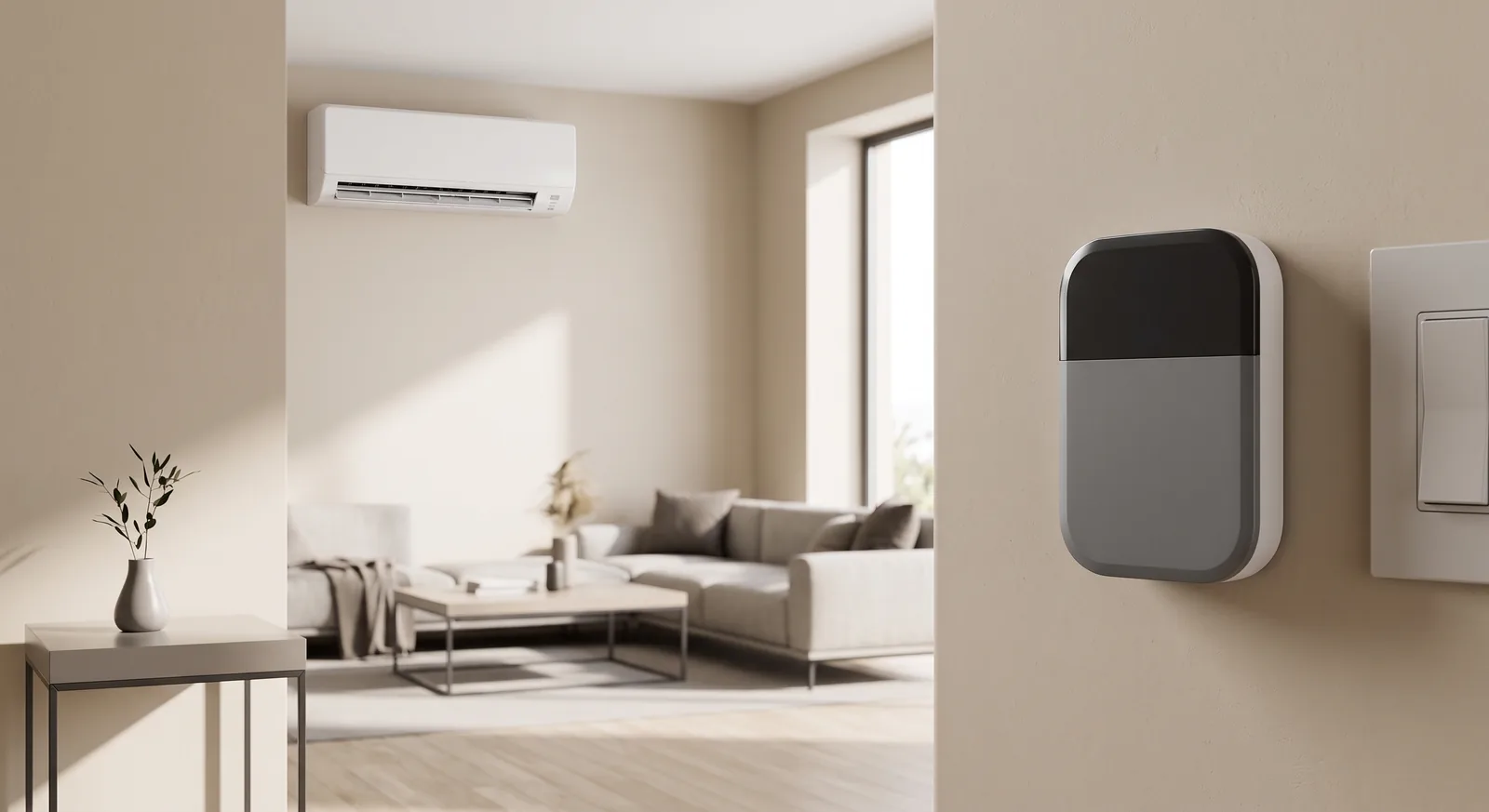
That also means it doesn't care about the badge on the box. Mitsubishi Electric, Mitsubishi Heavy Industries, or something else entirely — if the unit takes a handheld IR remote, an IR controller can drive it. No cover comes off, nothing gets wired, and you're running in about five minutes.
Sensibo, Cielo, and Mysa Compared
Three brands cover most of this category. These are the prices and capabilities I checked when I wrote the smart thermostat roundup in July 2026, and IR hardware discounts constantly, so treat them as a starting point rather than today's checkout total.
| Sensibo | Cielo Breez | Mysa | |
|---|---|---|---|
| Price | Sky ~$89, Air ~$109, Air Pro ~$139 | Lite ~$79, Eco ~$100, Max ~$125 | ~$131 on sale, ~$164 regular |
| Apple HomeKit | Air and Air Pro, not the Sky | No — Siri Shortcuts only | Yes |
| Home Assistant | Official, cloud-polling ~1 min | Official, cloud-polling ~2 min | Community-built only |
| Form factor | Shelf or plug-in box | Plug-in box; display on Plus and Max | Wall-mounted, adhesive or stand, 5V USB |
| Subscription | Core app free; $2.49/mo Energy Saver plan gates advanced scheduling and analytics | "Free app, no subscription" | Account required |
| Cloud account | Required | Required | Required |
| Works on any brand | Yes | Yes | Yes |
If you're an Apple household, that HomeKit row is the decision. The Sensibo Sky is the cheapest way in and the one that skips Apple Home entirely, which catches people out. Mysa takes the thermostat shape furthest, and it's the one that looks most like the wall unit you probably pictured when you started this search. Mysa markets energy savings of "up to 26%" — that's a vendor claim, not something I've measured.
What Infrared Costs You
I'd be selling you short if I didn't say what the trade is. Infrared is one-way. The controller sends a command and assumes it landed, exactly like your remote does, and it can't read the unit's actual state back — no compressor frequency, no error codes, no confirmation that the unit even heard it.
The practical consequence shows up the first time someone in the house picks up the factory remote. The unit changes; the app doesn't know. From then on the app's picture and reality drift apart until something resyncs them. It also needs line of sight to the unit's IR receiver, same as any remote.
And you'll need an account. All three run scheduling and remote access through the vendor's own cloud, so you're not escaping the cloud model here — though on the units in this post, you were never going to. This isn't IR losing to a wired connection you could have had. It's IR being the only thing on the table.
Who Should Buy What
- Your model is MSZ-FD, MSZ-HE, MSZ-A / MSY-A, or MS-WA. Buy an IR controller. Apple household, get the Sensibo Air or a Mysa; otherwise the Cielo Breez Lite or Sensibo Sky are the cheap way in. Don't buy anything that plugs into CN105, mine included.
- Your model is MSZ-FE, MSZ-GE / MSY-GE, MSZ-D / MSY-D, or SEZ-KD. Go read the label again first. A suffix you skipped over may put you back in the compatible column, and that's worth two minutes before you spend $89.
- It's a Heavy Industries SRK / SRC / SRF, or another brand entirely. IR, and it genuinely doesn't care what the badge says.
- It's an Ecodan, Zubadan, Geodan, or a Lossnay LGH. An IR controller only helps if your unit takes a handheld IR remote, so confirm that before you buy one. For Ecodan specifically, Mitsubishi-CN105-Protocol-Decode is where the community work lives.
- It's an MSZ-HJ, MSH-BF, or MSZ-ZF with bare solder pads. Technically solderable, and I still wouldn't. Buy the IR box and keep your warranty.
If you want to be certain before you spend anything:
- Read the full model number off the label on the indoor unit — capacity code and suffix included — and run it through the model checker once more.
- Still not supported, or not recognized at all? Send it to us. Our list isn't exhaustive, and I'd rather look yours up by hand than have you buy hardware that can't help.
- Buy the IR controller that matches your platform. Prices, HomeKit support, and the Home Assistant caveats are here.
A connector you can see isn't a connector you can use. Buy the box that talks to your unit, even when it isn't mine.
Related
- Check your model — instant compatibility answer
- Every smart-control option compared
- IR controllers and wall thermostats, priced
- How to check for a CN105 port
Next step
Check your unit first
Type your indoor unit's model number for a verdict in under a minute. If it fits, the firmware flashes in the browser in about two minutes.