 serin labs
Mini-Split Dry Mode, Explained: What It Does and When to Use It
It's a rainy September afternoon, about 72°F outside, and your living room feels like a locker room. The mini-split says 73. The thermometer agrees. You still want to peel your shirt off.
So you scroll through the modes on the remote and land on the water droplet. Dry mode. Nobody ever explained what it does, the manual in the drawer is four pages of safety warnings, and the internet is full of people confidently contradicting each other.
Here's the honest version, taken from Mitsubishi's own documentation rather than folklore. Dry mode is a real, useful mode. It is also not a dehumidifier with a dial, and the manual is unusually blunt about why.
Quick Facts
- What Mitsubishi says it is: "Dehumidify your room. The room may be cooled slightly." That's the whole description in the operating instructions for the MSZ-FS series, document JG79Y766H01.
- The catch, same page: "Temperature cannot be set during DRY mode." Word for word.
- What it targets instead: the MSZ-FS service manual (No. OBH872, Revised Edition-A) says "the set temperature is determined from the initial room temperature" — the unit picks a target from the room as it found it.
- There is no humidity setpoint. Neither manual offers one, and neither describes a humidity sensor in the indoor unit.
- Mechanically it's cooling, run gently. Dry mode inherits the same coil-frost and low-outdoor-temperature protections as cool mode, per the same service manual.
- Best case: the room is roughly the temperature you want but feels clammy — shoulder season, rainy days, humid mornings.
- Worst case: you need the room several degrees colder, or you need a specific humidity level. Dry mode does neither.
- Model-dependent. Everything above is cited from named Mitsubishi manuals for specific series. Other manufacturers, and other Mitsubishi series, document their own behavior.
What Does Dry Mode Actually Do?
Strip away the branding and dry mode is the cooling circuit, throttled.
Any air conditioner dehumidifies as a side effect. The indoor coil runs colder than the air passing over it, and when a surface is below the air's dew point, water condenses on it. On a mini-split that water beads on the aluminum fins, runs into the drain pan, and leaves through the condensate line. That's why there's a hose coming out of your wall, and it's why cool mode already pulls moisture out of the room whether you asked it to or not.
Dry mode leans into that side effect and dials back the temperature drop. The Mitsubishi operating instructions describe the intent in eight words: "Dehumidify your room. The room may be cooled slightly."
The service manual is where the mechanics show up. In No. OBH872, section 8-2 covers DRY operation, and it's short — three steps and two control behaviors. Coil frost prevention "works the same way as that in COOL mode," and so does low outside temperature operation. Both cross-reference section 8-1, the cool-mode section, which explains that the compressor's operating frequency is controlled by the indoor heat exchanger's temperature to keep the coil from frosting, and that when the coil gets too cold "the indoor fan operates at the set speed and the compressor stops."
So it's the same hardware and the same protections as cool mode. The difference is what the unit is aiming at.
Why You Can't Set a Temperature in Dry Mode
This is the part that surprises people, and it's stated plainly rather than buried.
In the MSZ-FS operating instructions (JG79Y766H01), the mode list gives cool mode a temperature step — press the up or down buttons, each press moves it by 1°F. Heat mode gets the same step. Dry mode doesn't. Instead, under the mode descriptions, the manual says: "Temperature cannot be set during DRY mode."
I checked whether that's a quirk of one North American series. It isn't. The operating instructions for the MSZ-LN25–60VG series (JG79Y486H01, published on Mitsubishi Electric New Zealand's site) carry the identical sentence, in the identical position, for a completely different R32 lineup sold on the other side of the world.
The service manual explains what fills the gap. Section 8-2 lists three steps for starting dry mode, and the third one is: "The set temperature is determined from the initial room temperature." The unit reads the room at the moment you select dry, decides its own target from that, and works to it.
Which means the mode is doing something reasonable — just not something you steer. If you switch to dry mode while the room is already 78°F, you get a different outcome than if you switch at 72°F. Same button, different result, and no display tells you which target it picked.
Dry Mode vs Cool Mode: When to Use Which
| Situation | Use | Why |
|---|---|---|
| Hot and humid, room needs to be several degrees colder | Cool | Only cool mode takes a setpoint. Dry mode's gentle approach won't pull the room down fast. |
| Room temperature is about right, air feels clammy | Dry | Exactly the case the manual describes: dehumidify, cool slightly. |
| Rainy shoulder season — mild outside, sticky inside | Dry | Cool mode would overcool a room that isn't actually too warm. |
| You want a specific temperature held all day | Cool | "Temperature cannot be set during DRY mode." |
| You want a specific humidity level held | Neither | No humidity setpoint exists on these units. Buy a dehumidifier. |
| Damp basement that's already cool | Dry, cautiously | Dry mode is still the cooling circuit, and a cold room can fall outside its published range. See below. |
| Outside is below 14°F (−10°C) | Neither | The manual says don't run cool mode that cold; condensed water "may drip and wet or damage furniture." |
| Multi-zone, another head is calling for heat | Neither wins | Cooling, dry, and fan can't run alongside heating on one outdoor unit. The head selected last goes to standby. |
That last row catches people with multi-head systems every autumn. The operating instructions spell it out: when several indoor units run at once, "cooling/dry/fan and heating operations cannot be done at the same time." Pick dry downstairs while somebody upstairs picks heat, and one of them is standing by, not running. I went through the rest of that arithmetic in the multi-zone post.
Where Dry Mode Falls Short
Three limits, in the order they'll bite you.
It has no humidistat. A dehumidifier has one. You set 50%, it runs until it gets there, and it stops. Dry mode has nothing equivalent in either manual I read. The only humidity figure in either service manual is an operating-condition ceiling — maximum humidity 78% — which is a limit on where the unit may be used, not a number you can dial.
It can't tell you how it's doing. The unit measures return-air temperature at the indoor unit, up near the ceiling. Neither manual describes it measuring room humidity at all, so there's no reading to show you. You run dry mode, and the feedback loop is your own skin.
The room can be too cold for it. The MSZ-FS operating instructions publish a guaranteed operating range, and the cooling row's indoor lower limit is 67°F (19.4°C) dry bulb, 57°F (13.9°C) wet bulb. That row is labelled for cooling rather than dry specifically, but dry mode runs the same circuit under the same protections — which is the honest answer to "can I use this to dry out a 60°F basement." Not really. That's a dehumidifier's job.
It's still an air conditioner in a damp room. The MSZ-LN manual carries a warning worth repeating: don't run the unit more than four hours at high humidity (80% RH or more) or with windows and doors open. Mitsubishi's stated reason is condensation inside the air conditioner, which can drip onto furniture and "may contribute to growth of fungi, such as mold." There's a related habit the manual recommends: after running cool or dry, switch to fan mode for a while "to dry inside the indoor unit."
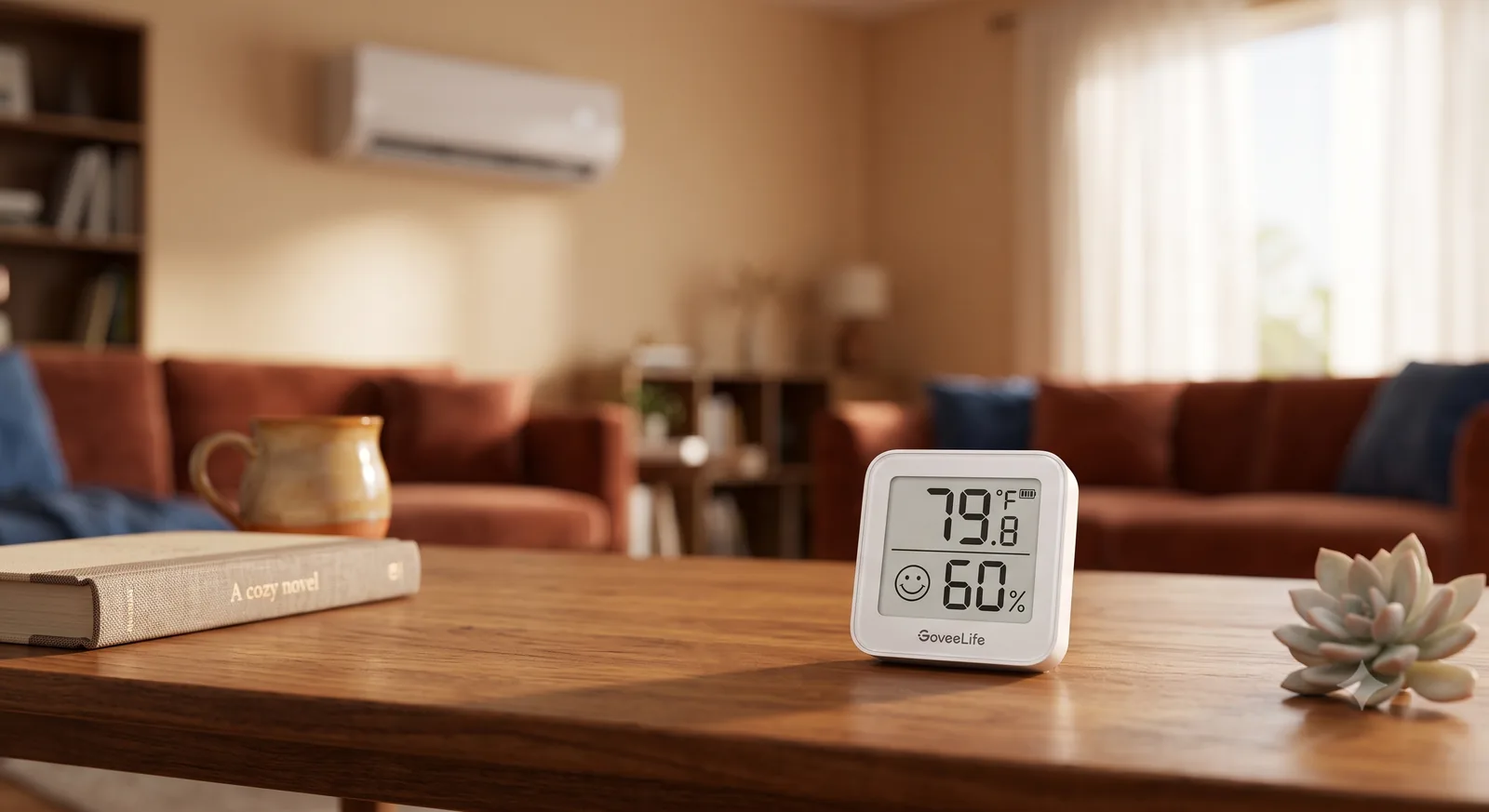
That 60% on the thermometer is the number the mini-split never sees.
What Changes From Model to Model
I want to be careful here, because dry mode is exactly the kind of feature that varies and gets over-generalized.
Everything above is sourced from four named Mitsubishi documents: operating instructions JG79Y766H01 (MSZ-FS06NA through FS18NA) and JG79Y486H01 (MSZ-LN25VG through LN60VG), plus service manuals No. OBH872 (MSZ-FS series) and No. OBH683, Revised Edition-E (MSZ-FH06NA through FH18NA2). Those four agree with each other. That's a decent spread — two continents, two refrigerants, a mid-range series and a premium one — but it is not every unit ever built, and it is emphatically not every brand.
There's one documented wrinkle worth knowing about. The open-source ESPHome component our builds use, echavet/MitsubishiCN105ESPHome, lists an experimental read-only sensor for a "target humidity" value that some premium models — it names the MSZ-LN series — put on the wire. The component's own documentation says the value changes automatically when you switch modes, and that these experimental features "rely on protocol bytes or behaviors that are not officially documented by Mitsubishi and may not work on all unit models."
Read that carefully and it reinforces the point rather than undermining it. Even where a humidity target exists, the unit picks it based on the mode you chose. You're watching a number, not setting one.
If your unit is a different series, different brand, or noticeably older, check your own manual before assuming any of this transfers. That goes double for non-Mitsubishi equipment, where "dry mode" is a shared marketing word for genuinely different control strategies.
What the Remote Won't Show You
Here's where this gets more interesting than a mode explainer usually does.
Every limitation above comes back to the same root: you can't see the room. The remote shows a setpoint and a mode. It doesn't show humidity, it doesn't show what target dry mode picked, and it doesn't show whether the compressor is actually doing anything about it.
A CN105 controller changes what's visible. Both firmwares put the heat pump's live state somewhere you can look at it, and both let you add a room sensor that reads the air where you actually sit rather than the air at the ceiling — the remote temperature sensor post covers why that gap exists in the first place.
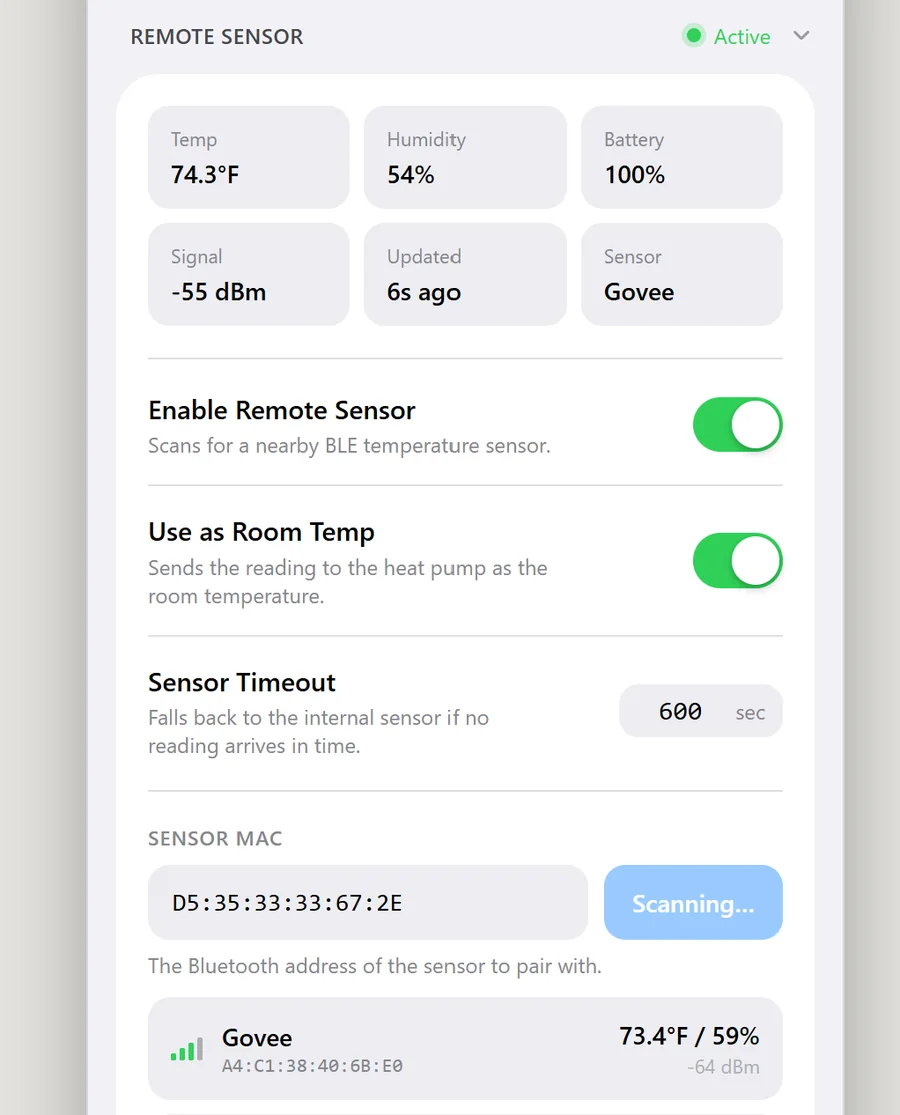
On the Apple Home firmware, a Bluetooth thermometer gets scanned and saved from the web UI, and the panel then shows that sensor's temperature and humidity alongside its battery and signal — that's what the feature list describes, and it's the screenshot above. On the ESPHome side, the controller lands in Home Assistant next to whatever humidity sensors you already own.
Which unlocks the move dry mode itself can't make. Once a real humidity reading and a real room temperature are in the same place, you can compute the room's dew point and act on it — nudge the unit into dry mode when the air gets clammy at a comfortable temperature, and back out when it doesn't. That's the automation worth building, and it's automation, not a feature of the heat pump. The unit still has no humidistat. You just gave the system one from the outside.
So Which Mode Should You Use?
- You're hot. Cool mode, with a setpoint. Dry mode is not a quieter cool mode, and using it that way is why people conclude it "doesn't work."
- You're not hot, you're sticky. Dry mode, and this is genuinely what it's for. Mild rainy days, spring and autumn, humid mornings before the day warms up.
- You need a humidity number held. A standalone dehumidifier. No mini-split mode in these manuals will do it, and I'd rather say that than sell you a workaround.
- You want the decision made for you. That's the controller-plus-automation path, and it needs a humidity sensor in the room, not in the ceiling.
If you're going that route, the sequence is short:
- Check that your unit has a CN105 port — one per indoor head.
- Get the board and cable or the pre-assembled controller, and flash a firmware.
- Add a room sensor that reports humidity, then let the dew point pick the mode instead of your shirt.
The Short Version
Dry mode dehumidifies, cools the room slightly, and refuses to take a temperature — and Mitsubishi says all three of those things in plain English in the manual that shipped with your unit. It's the right mode for a mild, clammy day and the wrong mode for a hot one. It has no humidistat, no humidity readout, and no way to tell you what it's aiming at.
Your mini-split has been quietly wringing water out of the air this whole time. Dry mode just stops pretending that was an accident.
Related
- Put the temperature sensor where you actually sit
- What the Apple Home firmware exposes
- Set up the ESPHome firmware
- Check your unit for a CN105 port
Next step
Check your unit first
Type your indoor unit's model number for a verdict in under a minute. If it fits, the firmware flashes in the browser in about two minutes.