 serin labs
Connect a Mitsubishi mini-split to SmartThings
Connect a CN105 ESP32 controller to the service port inside the Mitsubishi indoor unit, install the Matter-compatible firmware, and add the heat pump from the SmartThings app. It appears as a thermostat for temperature, mode, scenes, and routines. No Mitsubishi Wi-Fi adapter, Kumo Cloud account, Home Assistant server, or Serin Labs subscription is required.
Already have a controller? Set it up with SmartThings.
At a glance
- One CN105 ESP32 controller is required for each Mitsubishi indoor unit.
- Setup begins in the SmartThings app as a Matter thermostat.
- Controls include temperature, Heat, Cool, Auto, power, scenes, and routines.
- No Mitsubishi cloud account or vendor app is required.
Good to know
- A compatible SmartThings Matter hub and an IPv6-enabled network are required.
- The firmware is free to install and not open source.
- The firmware is not Matter-certified; SmartThings may display a warning during setup.
- The controller hardware arrives without firmware installed.
How the CN105 ESP32 controller works with SmartThings
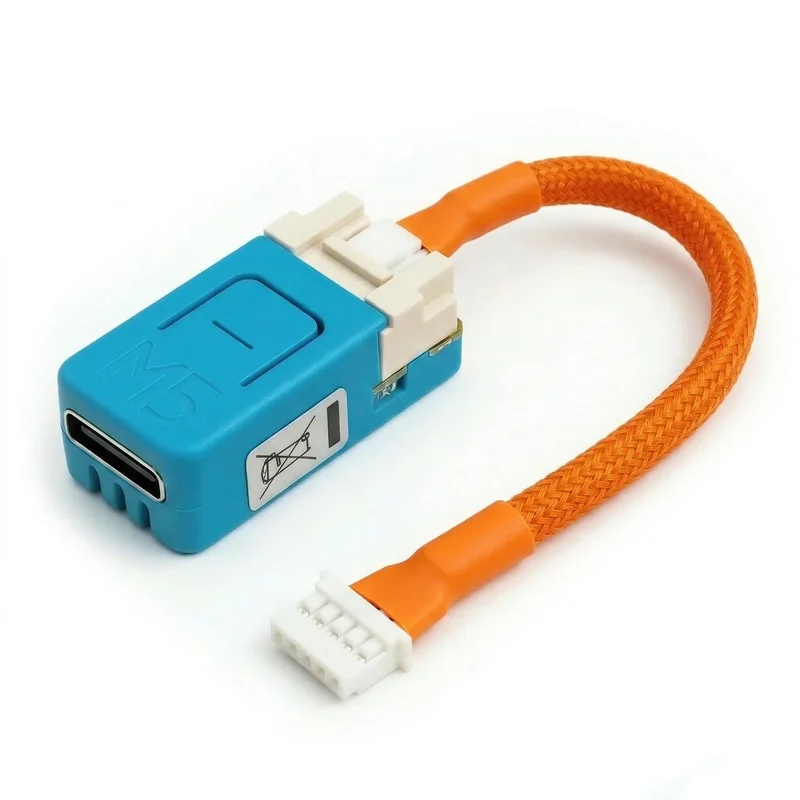
Most Mitsubishi Electric mini-splits have a five-pin service connector called CN105 on the indoor control board. The Serin Controller combines a supported M5Stack ESP32 board with a tested CN105 cable, giving the firmware a direct, two-way connection to the heat pump.
After you install the Matter-compatible firmware, the controller becomes available for setup as a thermostat. Scan its Matter pairing code in SmartThings, allow the app to send your home Wi-Fi credentials to the controller over Bluetooth, and assign the thermostat to a room. Commands between the hub and controller do not depend on Mitsubishi's cloud.
What SmartThings can control
Power and modes
Turn the unit on or off and select Heat, Cool, or Auto.
Target temperature
Set the thermostat target from the SmartThings app.
Room temperature
See the current temperature reported by the controller.
Scenes and automations
Use the thermostat values and commands in SmartThings scenes and routines.
The controller's built-in web interface provides fan speed, vane position, diagnostics, and other controls that are not available through a standard Matter thermostat.
What you need
- A compatible Mitsubishi indoor unit: check the model number before ordering. One controller is needed for each indoor unit you want to control.
- A CN105 ESP32 controller: buy the pre-assembled controller, or use a supported board and cable from the DIY parts list.
- A USB-C data cable and supported browser: the initial flash runs in Chrome, Edge, or Brave on a computer.
- The SmartThings app and a compatible Matter hub: SmartThings requires Matter devices to connect through a compatible hub. Check SmartThings' current Matter guidance rather than relying on an old device list.
- IPv6 on the home network: the firmware depends on IPv6. Confirm it is enabled before troubleshooting the controller.
Set up your controller
Setup has three parts: install the Matter-compatible firmware, connect the controller to the indoor unit, and add the thermostat in SmartThings. The app transfers your Wi-Fi credentials over Bluetooth; there is no separate setup-hotspot step for initial pairing.
Follow the SmartThings setup guide for prerequisites, pairing, and a final check that the indoor unit responds.
Limits to understand before buying
- Not certified: the firmware is not Matter-certified, so SmartThings may show an uncertified-device warning during setup.
- Features not available in SmartThings: dry mode, fan-only mode, fan speed, and vane direction may not appear in SmartThings' thermostat controls.
- Diagnostics are available in the web interface: compressor frequency, outdoor temperature, runtime, and error codes do not appear in SmartThings.
- One occupied CN105 port: the controller cannot share CN105 with a factory Wi-Fi adapter or wired wall controller.
SmartThings firmware or another platform?
Use the Matter-compatible firmware when SmartThings is your main interface and you do not already run Home Assistant. Use ESPHome when Home Assistant is your primary platform and you want the full mini-split feature set, or the HomeKit-compatible firmware for Apple Home and Siri.
The controller hardware is not locked to one build. You can reflash the same supported board later if your smart-home platform changes.
Get the CN105 controller
The ESP32 board and tested cable arrive assembled and ready for you to flash. Free US shipping.
Buy now from $35Already have a board?
Install the free firmware, then add the controller from the SmartThings app. The firmware source is not published.