 serin labs
Browser Flashing Failed? The Five Things It Usually Is
You plug the board into your laptop, open the flash page, and press connect. The browser's port picker opens, and it's empty. Or the board shows up, you pick it, and a red strip appears where the progress bar should be.
This is the most common message we get, and it's almost never the board. Five causes account for nearly all of it, and they have a stable order of likelihood: the cable, the browser, a missing driver, a board that isn't in its bootloader, and something else already holding the serial port. Work down that list and you'll be finished before you reach the bottom.
The troubleshooting page is the lookup table for all of this. This post is the explanation behind it, which matters because the console tells you which of the five you're in — if you know which line to read.
Quick Facts
- What flashing needs: a desktop Chromium browser, a USB data cable, and an ESP32 board. That's the whole list.
- Browser: Web Serial. The flash page states its own requirement as Chrome, Edge or Brave 89+. Safari and Firefox don't implement it.
- Most likely cause: a charge-only cable. Our flash page puts it at nine times in ten, and the FAQ says most "dead board" reports turn out to be one.
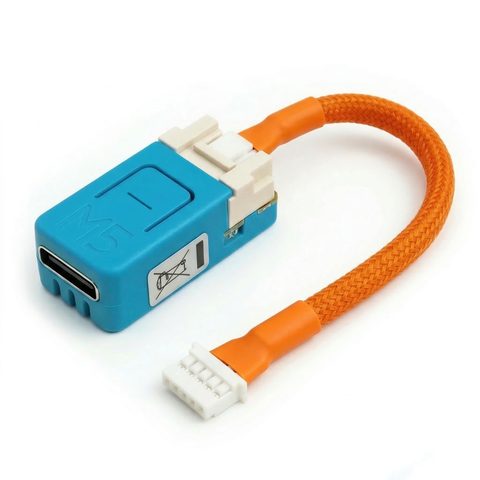
- Boards: M5Stack NanoC6 (ESP32-C6) and Atom S3 Lite (ESP32-S3), both USB-C. ESP32-C3 SuperMini and generic DevKits usually work.
- Nothing is written until you press install. A board that connects and reads is never at risk.
- A failed write is recoverable. The bootloader survives, and the next run overwrites the partial image.
Start With the Two Lines the Page Already Shows You
The flash page has two status lines, and between them they split the problem in half before you touch anything.
The first sits in the hero, next to the headline. It reads something like "Chrome 151 · Web Serial available" in green, or "Web Serial not available · use Chrome, Edge or Brave" in amber. That line is checked in your browser before you connect anything, so it's about your browser and nothing else. The console only names the browser when the user-agent string is unambiguous; otherwise it just says "This browser," which is honest rather than a guess.
The second is the device pill in the top corner of the device bay. It starts at "waiting," moves to "reading" while the console interrogates the chip, and a red alert strip appears below it if something goes wrong. That strip carries the specific sentence you need, and there's a table of them further down this post.
Amber hero line means your problem is the browser. Green hero line and a stuck pill means it's the cable, the driver, or the board.
One: A Charge-Only Cable
Symptom. You press "Connect a device," the browser's port picker opens, and your board isn't in the list. There's no error, because from the computer's point of view nothing was ever plugged in.
Why it happens. A charge-only USB cable carries power and skips the data lines. The board lights up, which is exactly what makes this so convincing, but it never enumerates as a USB device. No device on the bus means no serial port, which means nothing for the picker to list.
The check. Plug the same cable into a phone and try to transfer a file. If your computer doesn't see the phone's storage, the cable is the problem, and it was never going to flash anything.
The fix. Swap in a cable you've actually moved data through. Both boards we ship are USB-C, so the cable that came with almost any recent phone will do. Two adjacent details from the troubleshooting page while you're here: plug into a port on the computer itself rather than through a hub, and try a shorter cable, because long ones can cause communication problems.
This is first on the list for a reason. Before you install anything or reboot anything, change the cable.
Two: The Wrong Browser, or the Wrong URL
Symptom. The hero line is amber and reads "Web Serial not available · use Chrome, Edge or Brave." The connect button doesn't open a port picker at all.
Why it happens. Browser flashing is built on the Web Serial API, and not every browser ships it. Safari and Firefox don't implement Web Serial, so no version of either one will work today. Neither will any browser on iOS or Android — this is a desktop job, and there's no phone workaround.
There's a second half to that check most people never hear about. The console tests two things: that navigator.serial exists, and that the page is running in a secure context. A local copy of the site served over plain http:// fails the same check and shows the same amber line, in Chrome, with a perfectly good cable attached. If you're testing a mirror or a local build, that's your answer.
The fix. Open the flash page over https, in Chrome, Edge or Brave, on a desktop or laptop. All three are Chromium underneath, so if your employer's policy has Chrome locked down, Edge or Brave is often the same engine without the same restrictions. And if you're a Firefox household, this is the one page where you open Chrome, flash the board, and close it again.
Three: A Missing USB Serial Driver
Symptom. The picker opens, your board still isn't listed, and the cable already passed the phone test.
Why it happens. Some ESP32 boards put a separate USB-to-serial bridge chip between the USB connector and the ESP32 itself, usually a CP210x or a CH340. Your operating system needs a driver for that bridge before any serial port shows up. No driver, no port, same empty picker as a bad cable.
Here's the part worth knowing before you go install anything: the two boards in the Serin controller don't have a bridge chip. The NanoC6 and the Atom S3 Lite both enumerate through the ESP32's own built-in USB-serial peripheral — that's why they share the same Espressif USB ID, 303A:1001, and why the console has to use the chip family to tell them apart. If you bought the pre-assembled controller, this step almost certainly isn't your problem. Skip to the next one.
The fix. If you're flashing a generic ESP32 DevKit rather than one of those two, install the CP210x or CH340 USB serial drivers, then unplug and replug the board. While you're testing, move to a USB port directly on the machine rather than a hub or a dock.
Four: The Board Isn't in Its Bootloader
Symptom. The board appears in the picker, you select it, and the console comes back with: "Couldn't read the chip. Unplug it, hold BOOT while plugging it back in, try again."
Why it happens. To read or write flash, the ESP32 has to be in its download-mode bootloader rather than running your firmware. The flash console does this for you: it drives the serial control lines to reset the chip into the bootloader, then reads the chip family, flash size, MAC and app descriptor from there. That sequence isn't identical on every board: a part with native USB-JTAG and one behind a UART bridge need different reset dances, and occasionally the right one doesn't take.
The fix. Do it by hand. Hold the board's BOOT button down, plug in the USB cable while still holding it, then release and press connect. The troubleshooting page gives the same instruction for a write that fails midway: hold BOOT while initiating the flash. Both shipped boards have a button on them, so this needs no extra hardware.
If the board seems totally unresponsive, this is also the recovery path. USB flashing always works as a last resort, and BOOT-button entry is how you get there.
Five: Something Else Is Holding the Port
Symptom. The picker opens, you pick the right board, and the strip reads: "The port would not open. Close any other tab or app using it, then try again."
Why it happens. A serial port is exclusive — exactly one process can have it open. If something else got there first, the flash page can't open it, and the message says so plainly rather than making you guess.
The usual culprits are things you opened deliberately and forgot about. An ESPHome dashboard streaming logs from the device. An Arduino IDE or PlatformIO serial monitor. A screen or minicom session in a terminal tab behind your browser. And the one that catches people most: a second copy of the flash page open in another tab, still holding the port from an earlier attempt.
The fix. Close all of them, then refresh the flash page and connect again. Don't open a monitor to "watch" the flash while it runs, either — the console holds the port for the entire write and only hands it over afterwards, when it asks for your Wi-Fi over Improv Serial.
What the Console Says and What It Means
Every red strip on the flash page is a specific sentence written for a specific failure. Here's what each one is telling you.
| Message | What it actually means | What to do |
|---|---|---|
| "Web Serial not available · use Chrome, Edge or Brave" (hero line) | Wrong browser, or the page isn't in a secure context | Chromium browser, desktop, over https |
| Picker opens but the board isn't listed | No serial device enumerated at all | Data cable first, then a bridge driver |
| "The port would not open. Close any other tab or app using it, then try again." | Another process holds the port | Close monitors, dashboards and extra tabs |
| "Couldn't read the chip. Unplug it, hold BOOT while plugging it back in, try again." | The board didn't enter its bootloader | Hold BOOT while plugging in |
| "The write stopped: … The board is recoverable." | The write was interrupted partway | Shorter cable, direct port, run it again |
| "The firmware could not be downloaded." | Your network, not your hardware | Check the connection and retry |
| "There is no … build for the … on this board." | That chip family has no build in the manifest | Use a supported board |
| "The board was unplugged." | The cable came out mid-read | Reseat it and connect again |
Note the split in that table. Only three of the eight are hardware problems at all.
What Isn't Broken, and What This Can't Fix
A few things look like failures and aren't, so check these before you start swapping parts.
The amber CN105 line on a bench. The controller card shows CN105 as amber until the board is plugged into the indoor unit. On a desk, that's expected and the page says so.
A blank firmware row. The console reads what's already installed from the app descriptor on the flash, falling back to what the running app answers over Improv. A brand-new board has neither, so the row is simply omitted. "Board detected. Nothing written yet." is the normal, correct state, and it's safe to unplug there.
A half-written board. If a write stops partway, the message says the board is recoverable, and it means it — the bootloader survives, and the next run overwrites the partial image. Unplug, plug back in, start again.
No Wi-Fi prompt after a successful write. The board started its backup setup network instead. Join that network and enter your credentials there. The flash page shows the setup network name and a QR code on the completion screen.
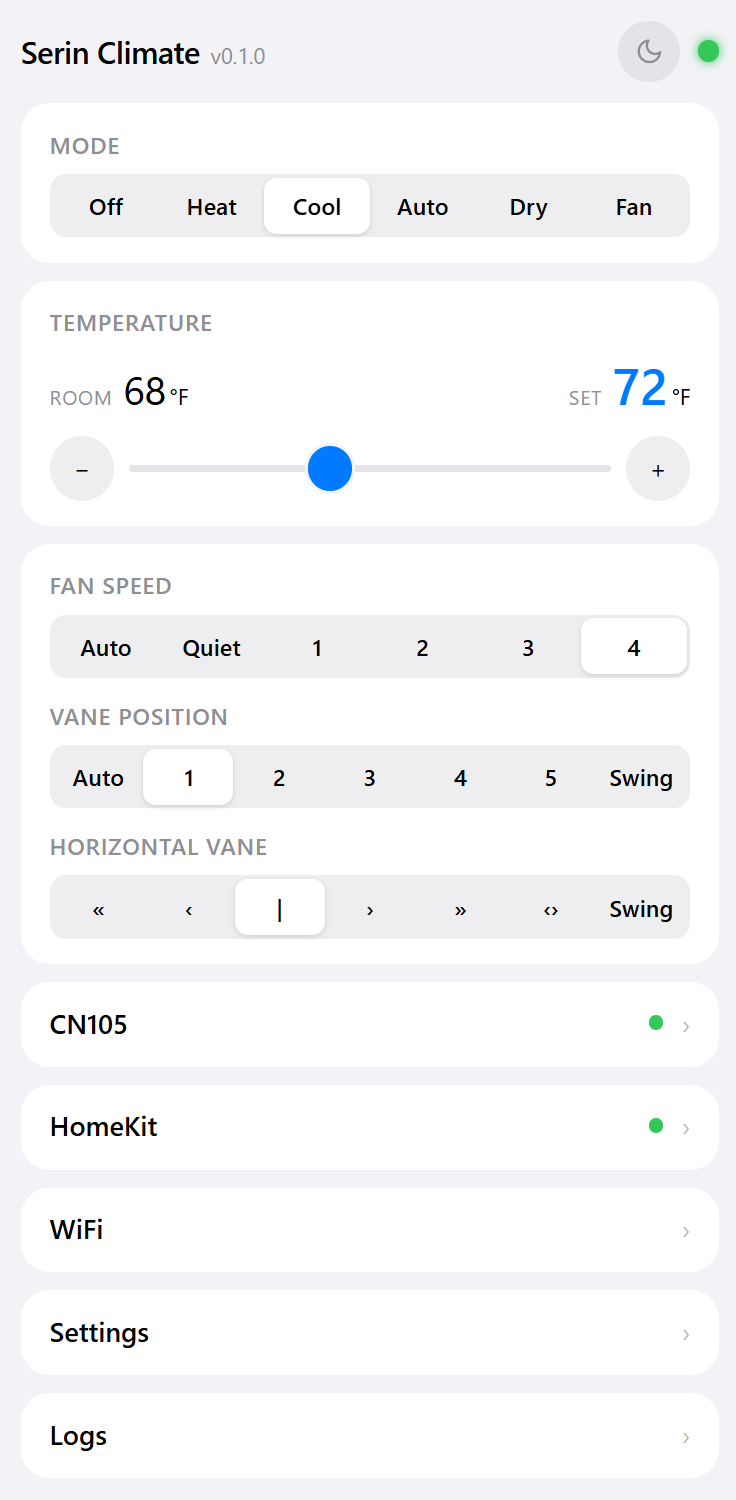
Now the honest limits. If you own no desktop or laptop, none of this helps — Web Serial doesn't exist on iOS or Android, and you'll need to borrow a computer for the one-time flash. And if the board is already installed behind the cover, don't fight a USB cable in an awkward position at all. Install the build over Wi-Fi from the controller's own web interface instead, or, if you run Home Assistant, adopt and install from the ESPHome dashboard, which does the same job over the network. That's genuinely the better route once the first flash is done, and it's the one I'd take.
One last thing worth flagging: erase is off by default, so Wi-Fi credentials and Apple Home pairing survive an ordinary update. Switching from the Apple Home compatible build to ESPHome does wipe the HomeKit pairing, so remove the accessory in the Home app first.
Work Through It in This Order
Match your symptom, then do the one thing next to it:
- The board never appears in the picker. Cable first, then a bridge driver, then a different USB port. In that order, every time.
- The hero line is amber. It's the browser or the URL. No cable, driver or button press will change it.
- The board appears but the console can't read it. Hold BOOT while plugging in, then connect.
- The console names the port in an error. Something else has it open. Close monitors, dashboards and stray tabs.
- The write starts and stops. Shorter cable, port directly on the machine, run it again. The board is fine.
If you're starting from scratch right now:
- Swap in a USB cable you've moved a file through.
- Open the flash page in Chrome, Edge or Brave, on a desktop, over https.
- Close every other serial monitor, ESPHome log stream and flash tab.
- Hold BOOT while plugging the board in, then press connect.
- Still stuck? Work through the troubleshooting guide, or get in touch with your board type and what the red strip said. If the board really is defective, we replace or refund it, shipping included.
The board is almost never the problem. The cable almost always is.
Related
Next step
Check your unit first
Type your indoor unit's model number for a verdict in under a minute. If it fits, the firmware flashes in the browser in about two minutes.