 serin labs
Firmware Features
One controller, a dedicated build for each platform. Both run 100% locally, with the same built-in web UI.
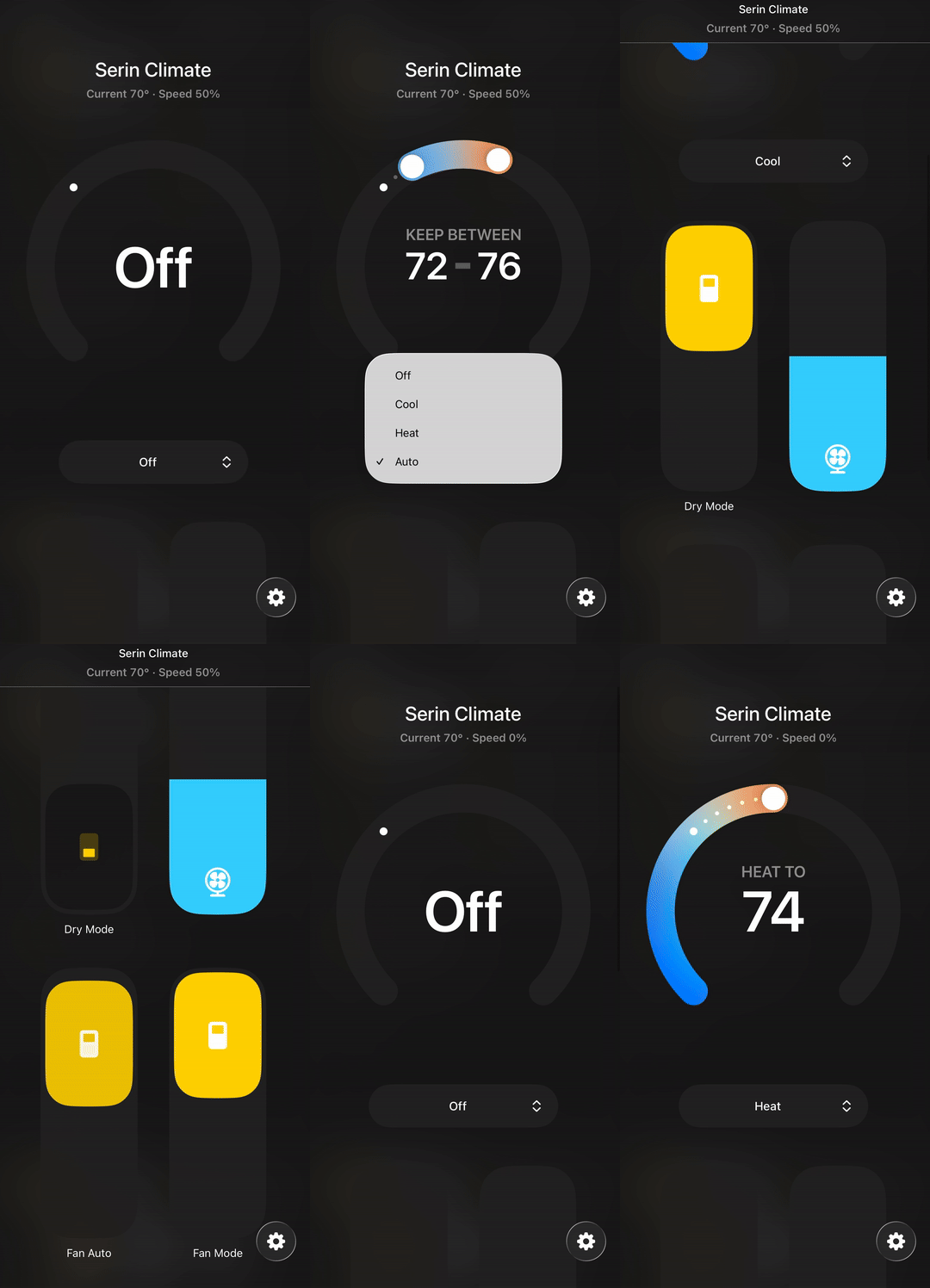
Pairs with the Apple Home app through the HomeKit Accessory Protocol (HAP) and includes a full-featured web UI. No third-party bridge or Home Assistant required. Just an Apple Home Hub (Apple TV or HomePod) for remote access and automations.
At a glance
- Pairs with the Apple Home app through the HomeKit Accessory Protocol. No bridge or Home Assistant required
- Siri, scenes and automations work like any other thermostat
- Open source, built on esp-homekit-sdk
Good to know
- Remote access and automations need an Apple Home Hub (an Apple TV or HomePod)
- Full control is also available from the built-in web UI, no Apple device needed
Adds the unit to Google Home or Amazon Alexa as a thermostat, and includes the same full-featured web UI. Pairing runs over Bluetooth, so there is no Wi-Fi step; your network name and password are passed to the board during setup. Samsung SmartThings is expected to work as well.
At a glance
- Adds the unit to Google Home or Amazon Alexa as a standard thermostat, with voice and routines
- Pairing runs over Bluetooth; the app hands your Wi-Fi details to the board
- Samsung SmartThings is expected to work as well
Good to know
- Remote access and routines run through your Google or Alexa hub, if your app needs one
- Full control is also available from the built-in web UI, from any browser
HomeKit Pairing
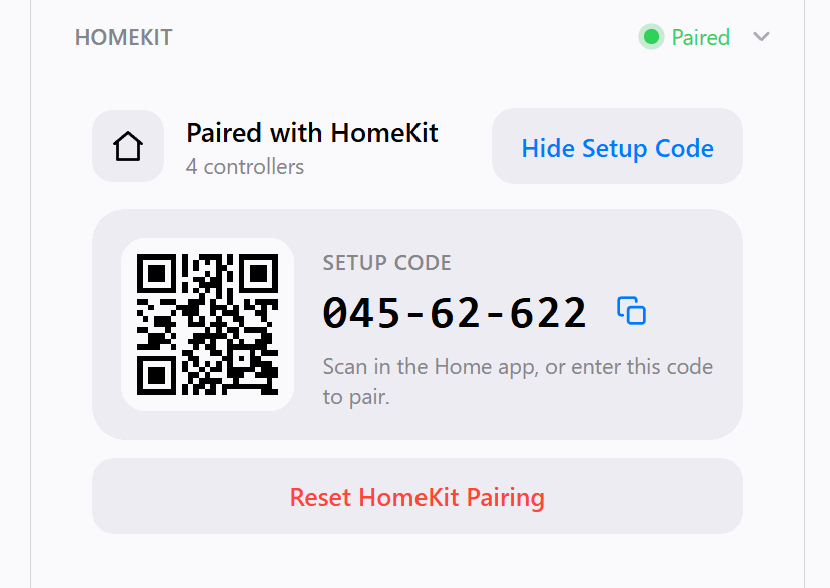
- Scan the QR code from the web UI or the flasher
- Remote access and automations need an Apple Home Hub (Apple TV or HomePod)
- The Home app reports the accessory as uncertified; choose to add it anyway
Pairing
- Open the Google Home or Amazon Alexa app, add a device, and scan the QR code shown by the flasher, or type the pairing code
- Pairing runs over Bluetooth; the app passes your Wi-Fi name and password to the board, so there is nothing to enter on the device
- The board prints the same code and QR on its serial console at boot
- The app will report the accessory as uncertified; choose to add it anyway
- Add it to Google Home and Alexa at the same time: one controller can join both
Climate Control
Modes
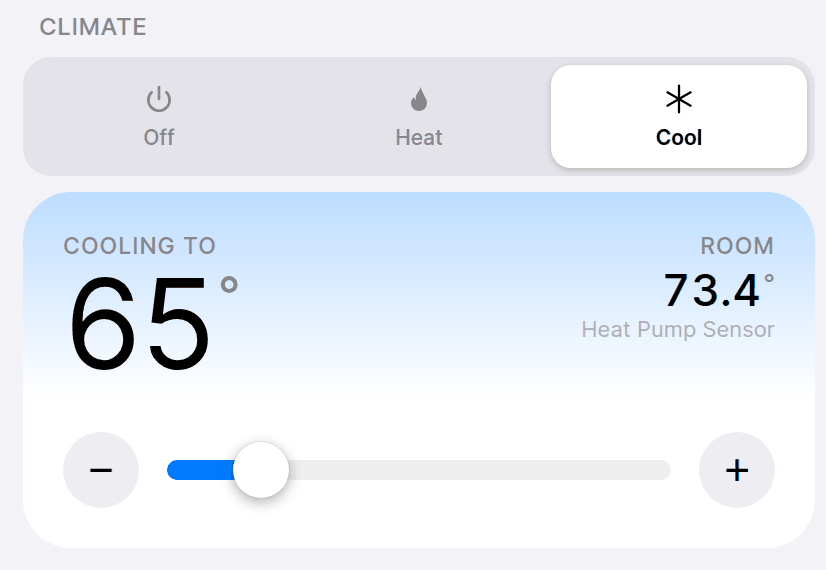
Off, Heat, Cool, Auto, Dry, Fan
Temperature
0.5°C precision with +/− step buttons
Dual setpoints
Independent heat/cool thresholds in Auto mode, persisted to flash
Fan speed
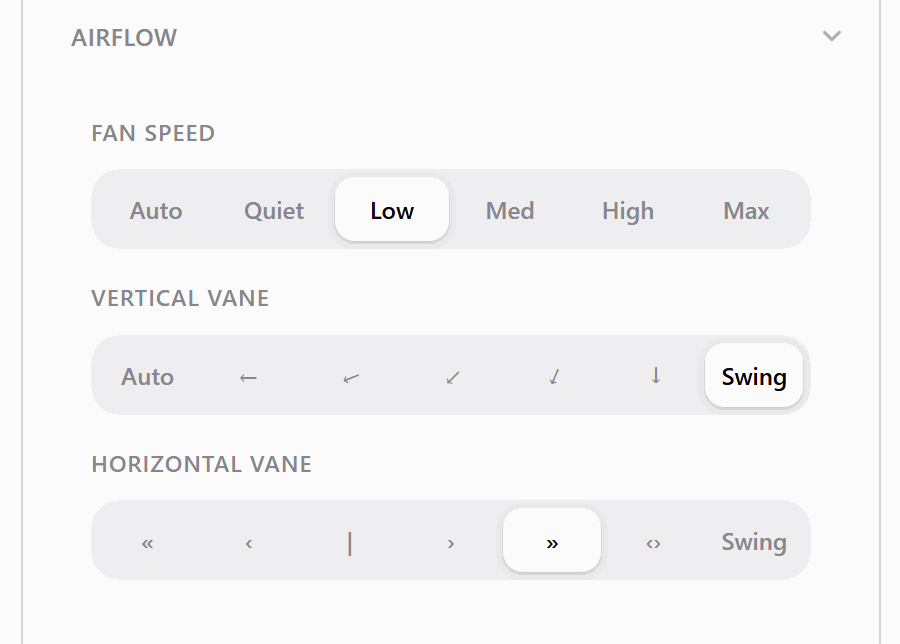
Auto, Quiet, Low, Med, High, Max
Vane Control
- Vertical vane: auto, five positions, and swing
- Wide (horizontal) vane: five positions, split, and swing
- Controlled from the built-in web UI, or from a paired Serin Link dial. The Apple Home app has no vane control.The Google Home and Alexa apps have no vane control.
Diagnostics
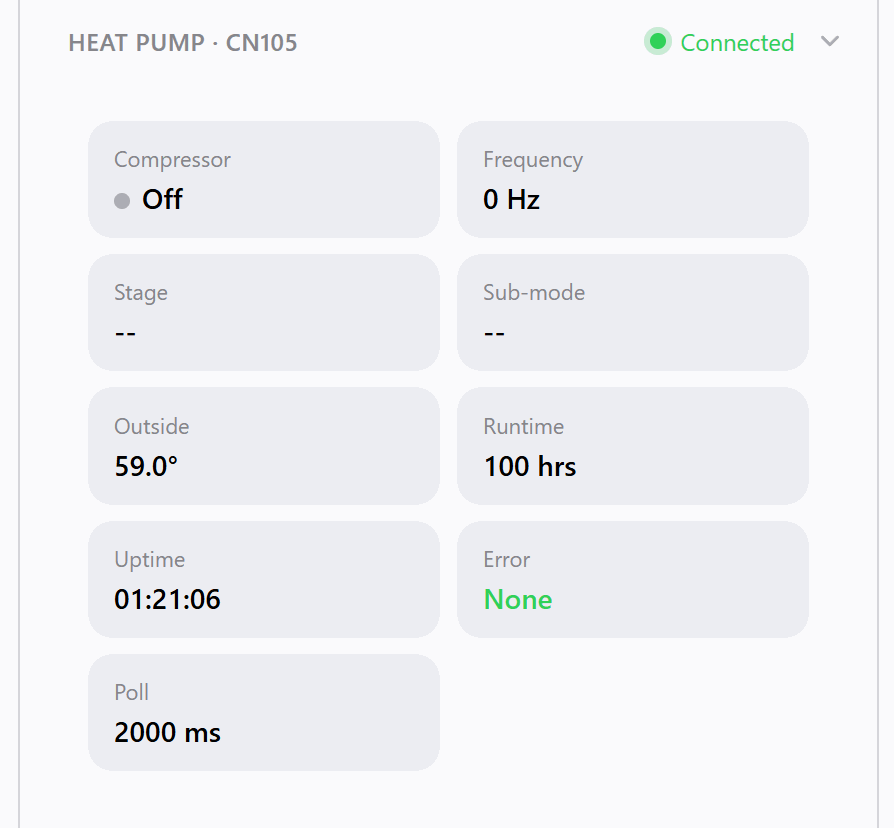
- Compressor frequency
- Outside temperature
- Runtime hours
- Error codes
- Sub mode and stage information
The RGB LED on the board is a diagnostic in its own right: the color says which part of the device is talking and the motion says what it is doing, so a unit that cannot reach the heat pump sits solid red and a healthy one sits dark. A slow cyan pulse means it is offering itself for pairing and nothing has claimed it yet. The status light table lists every signal.
Room Temperature Sensor
A wall unit measures the air at ceiling height, right by its own return intake, which usually reads warmer than the part of the room you live in. A thermometer placed at room level gives the heat pump a better number to work with.
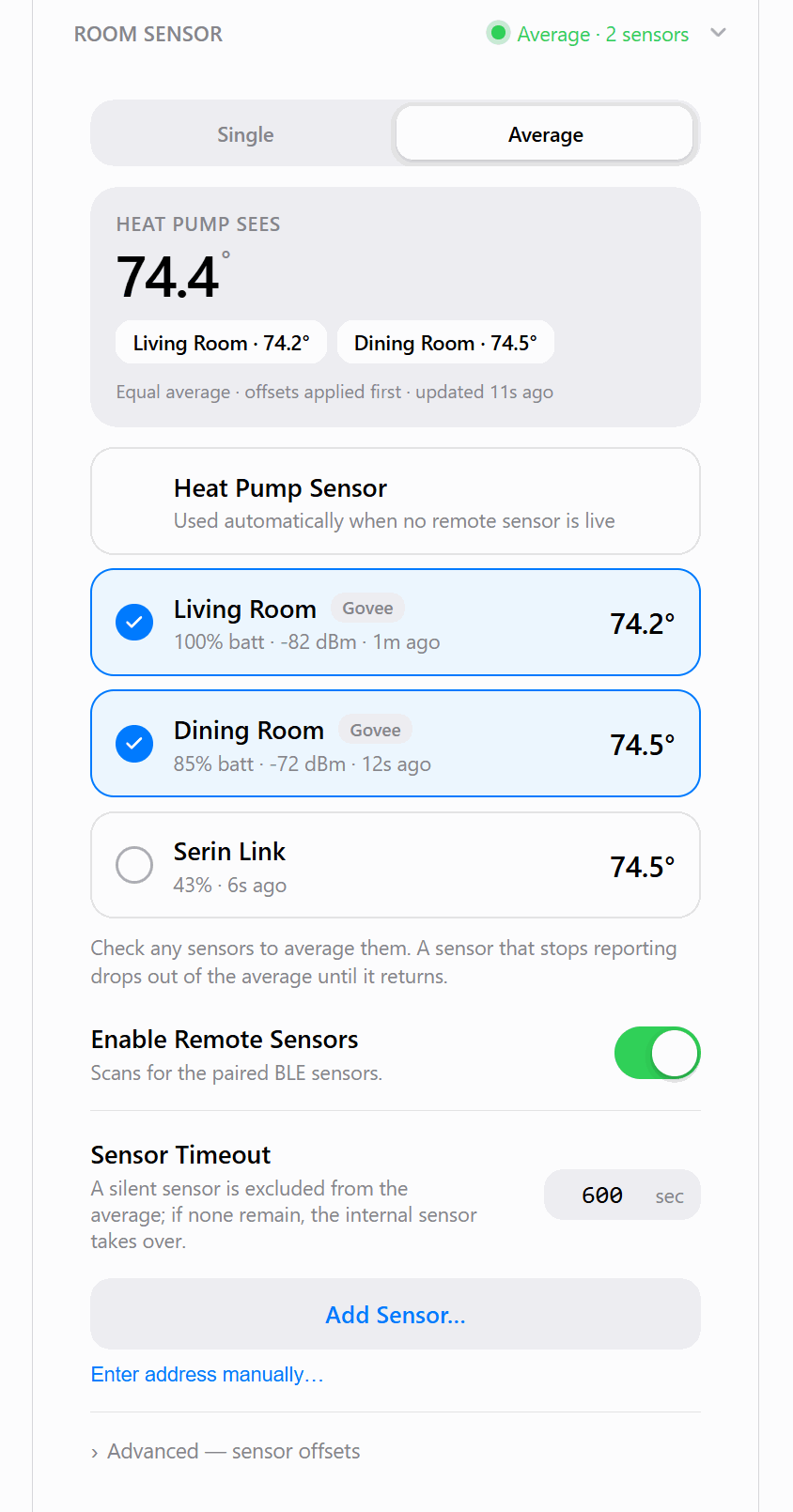
The Room Sensor card in the web UI lists every source the controller can offer: the heat pump's own sensor, up to four Bluetooth Low Energy thermometers, and a paired Serin Link. Add a thermometer by scanning for it or by typing its address, name it after the room it sits in, then either pick one source or average several. No Bluetooth pairing is involved, since the firmware identifies the sensor type from its advertisements.
Scan for a Bluetooth Low Energy thermometer from the web UI, pick it from the results, and save it. The firmware identifies the sensor type from its BLE advertisements, so no Bluetooth pairing is required.
- Supported sensors: Govee (H5072, H5075, H5074, H5051, H5052, H5071, and the H51xx family including H5174, H5177 and GV5179), Xiaomi with custom firmware (LYWSD03MMC, CGG1 running PVVX or ATC1441), SwitchBot (Meter, Meter Plus, Meter Pro, Meter Pro CO2, Indoor/Outdoor Meter), BTHome v2 (Shelly BLU H&T, generic)
- Single or average: Feed the heat pump one sensor, or check several and feed their average, with a calibration offset per sensor under Advanced
- Live status: Temperature, humidity, battery level, signal strength, and how long ago each sensor last reported
- Its own tile in Apple Home: The first remote sensor also pairs as a separate accessory reporting temperature, humidity, and battery, with a low battery warning at 20 percent or below
- Feed toggle: Enable or disable sending the sensor temperature to the heat pump from the web UI
- Automatic fallback: A sensor that goes quiet past the stale timeout (10 minutes by default, adjustable from 30 seconds to an hour) drops out, and the heat pump falls back to its own sensor. Your selection is kept, so it resumes when readings return
Serin Link Dial
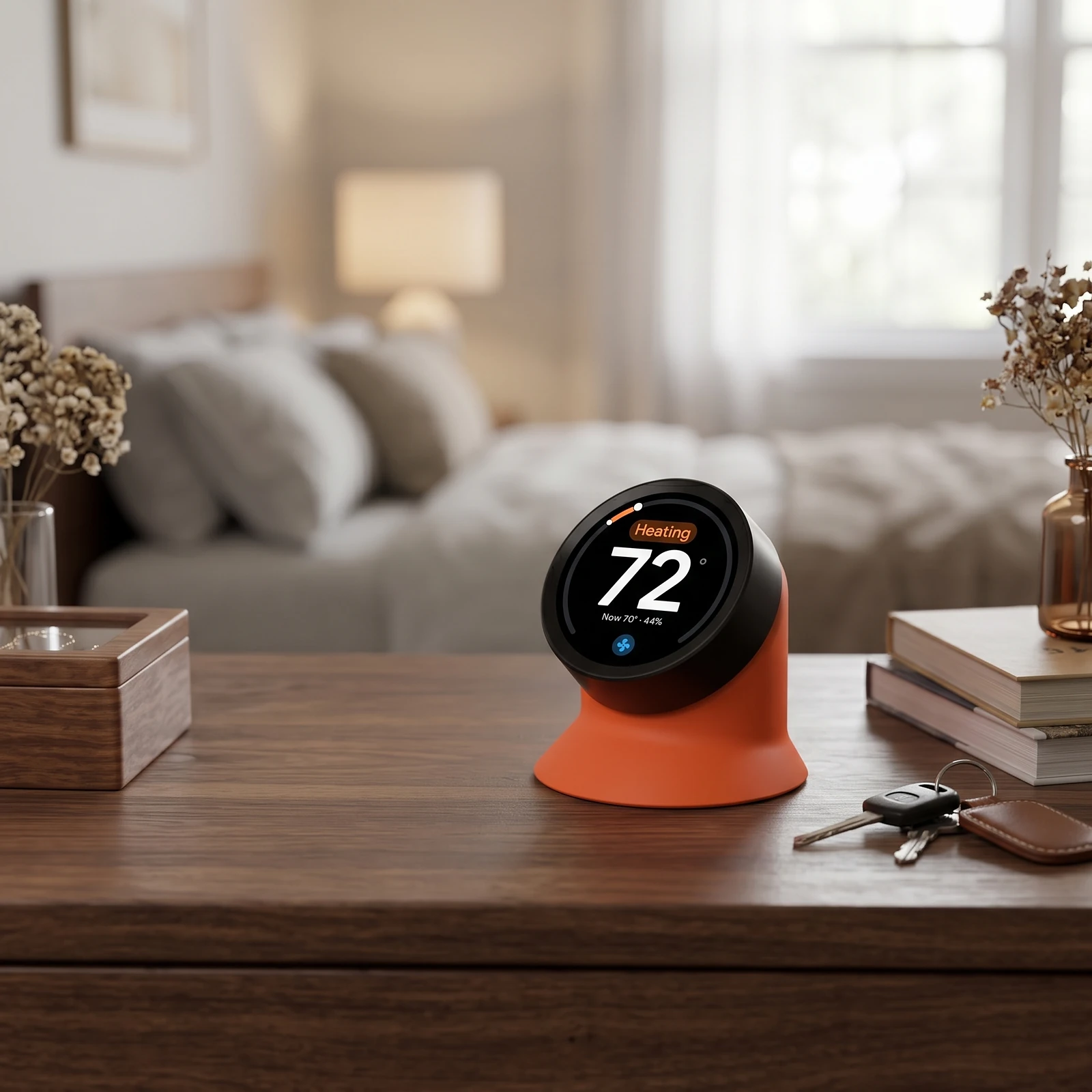
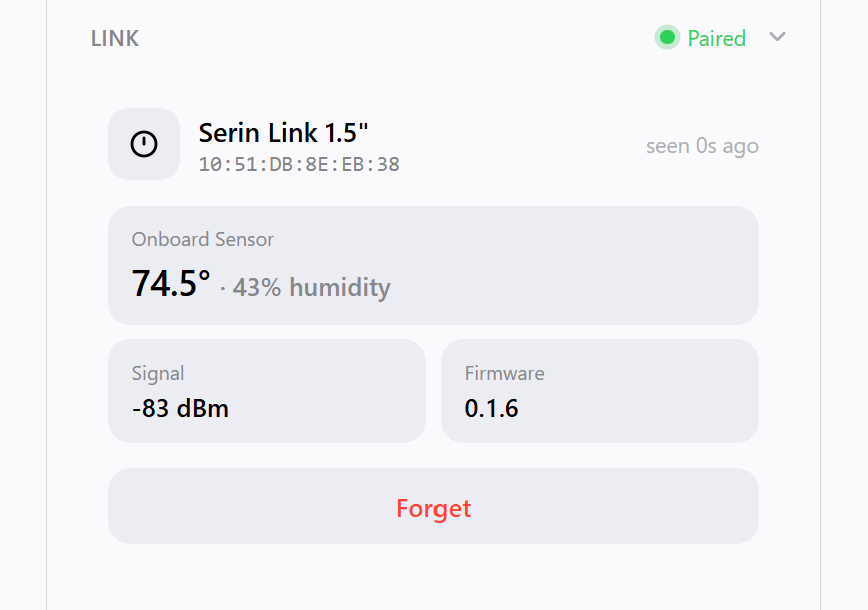
The firmware pairs with a Serin Link, a rotary knob display that sits on a desk or nightstand and controls the heat pump without a phone. The dial reaches the controller over ESP-NOW, so no home Wi-Fi sits in the path and no cloud account is involved. Pair it from the Link card in the web UI, which opens a 60 second window. Pairing is signed and trust-on-first-use, and one controller holds up to four dials. The Serin Link is still in development, but this firmware ships with support for it today.
- Control from the dial: mode, target temperature, fan speed, both vane axes, and the °C/°F display preference.
- Room temperature source: a dial with an onboard sensor can feed its own reading to the heat pump, with the same stale-timeout fallback as a BLE sensor
- Link card in the web UI: onboard sensor reading, signal strength, dial firmware version, and identity, plus pair and forget
- Wi-Fi recovery: the dial can instruct the controller to raise its setup hotspot, so a controller that has lost its network connection is recoverable without a computer
Crash Loop Safe Mode
- Detects 5 consecutive crashes and enters safe mode
- Safe mode runs WiFi and web UI only, skipping CN105, HomeKitpairing, and BLE
- Allows OTA recovery when the device is stuck in a crash loop
- Counter resets after a successful boot
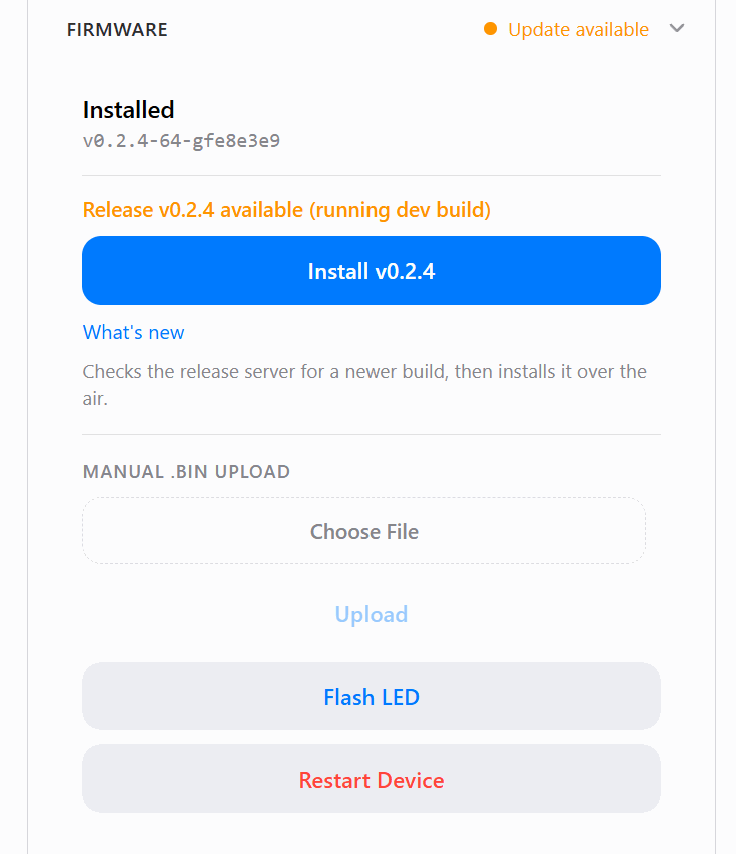
OTA Updates
- One-click update check: the web UI compares your running version against the latest published release and installs it in a single tap, with no manual download
- Manual firmware upload via web UI or curl
- SHA256 integrity verification when the upload supplies a hash, which the one-click update always does
- Automatic rollback if validation fails after update
Web UI
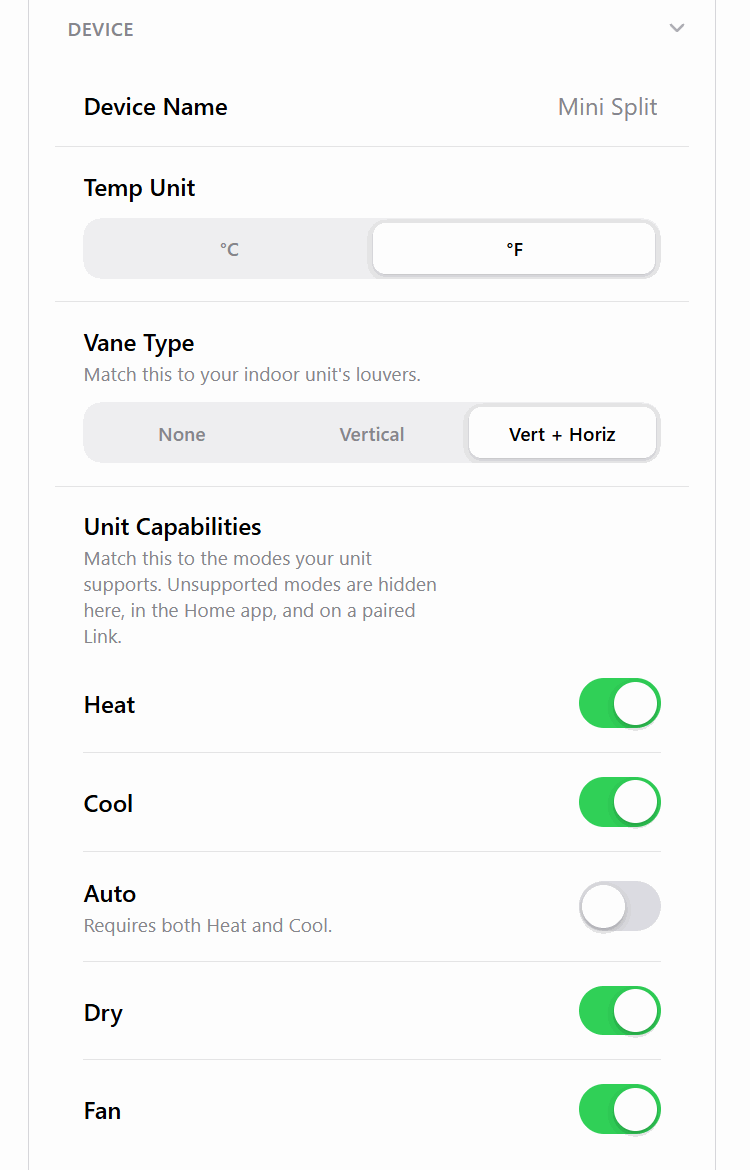
A single-page interface at http://Serin-XXXX.local (or http://<device-ip>) for full control from any browser:
- Thermostat mode and temperature control
- Fan and vane adjustments
- Pairing status and QR code
- Pairing status
- Device settings (name, poll interval, log level, °C/°F toggle)
- WiFi network scanner for easy setup
- Real-time log streaming via WebSocket
Supported Boards
| Board | Status |
|---|---|
| M5Stack NanoC6 (ESP32-C6) | Supported |
| M5Stack Atom S3 Lite (ESP32-S3) | Supported |
| ESP32-C3 SuperMini / XIAO | Not tested |
| Generic ESP32 DevKit | Not tested |
Source Code
The HomeKit-compatible firmware is open source. See the GitHub repository for protocol documentation, project structure, and build instructions.
The Google Home & Alexa build shares its CN105 core with the open-source HomeKit build, but its own source is not published. It is free to install, and the third-party components it is built on are listed on the licenses page.
Get the Serin Controller
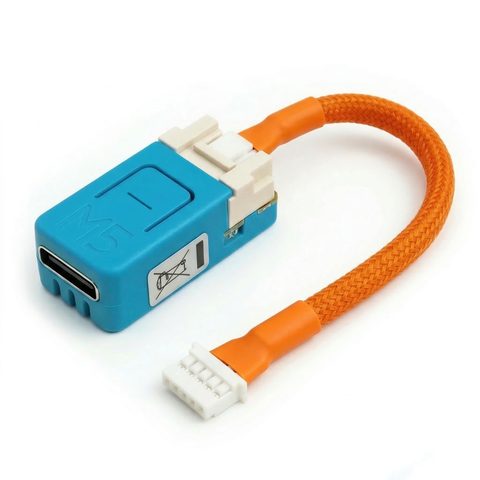
The pre-assembled board with the CN105 cable already attached. Nothing to solder or crimp, and free shipping in the US.
Buy Now from $35Already have a board?
The firmware is free. Install the HomeKit-compatibleGoogle Home & Alexa build from your browser in about two minutes, then follow the setup guide to connect and pair.
Building your own? The parts list covers the boards this runs on and the CN105 cable, including the connector part numbers if you want to crimp it yourself.